Multi-Language Cold Outreach with AI: Expand Globally with Claude Code [2026]

· 10 min read
MarketBetter Team
Content Team, marketbetter.ai

Here's a paradox: B2B companies want to expand internationally, but their SDR teams only speak English.

The traditional solutions—hire native speakers, use translation agencies, or (worst) run English outreach in non-English markets—are either expensive, slow, or ineffective.

But AI has changed this. Claude Code can generate culturally-aware, professionally-translated outreach in 50+ languages—with the nuance that Google Translate will never achieve.

Let me show you how to build a multi-language outreach system that scales globally without scaling headcount.
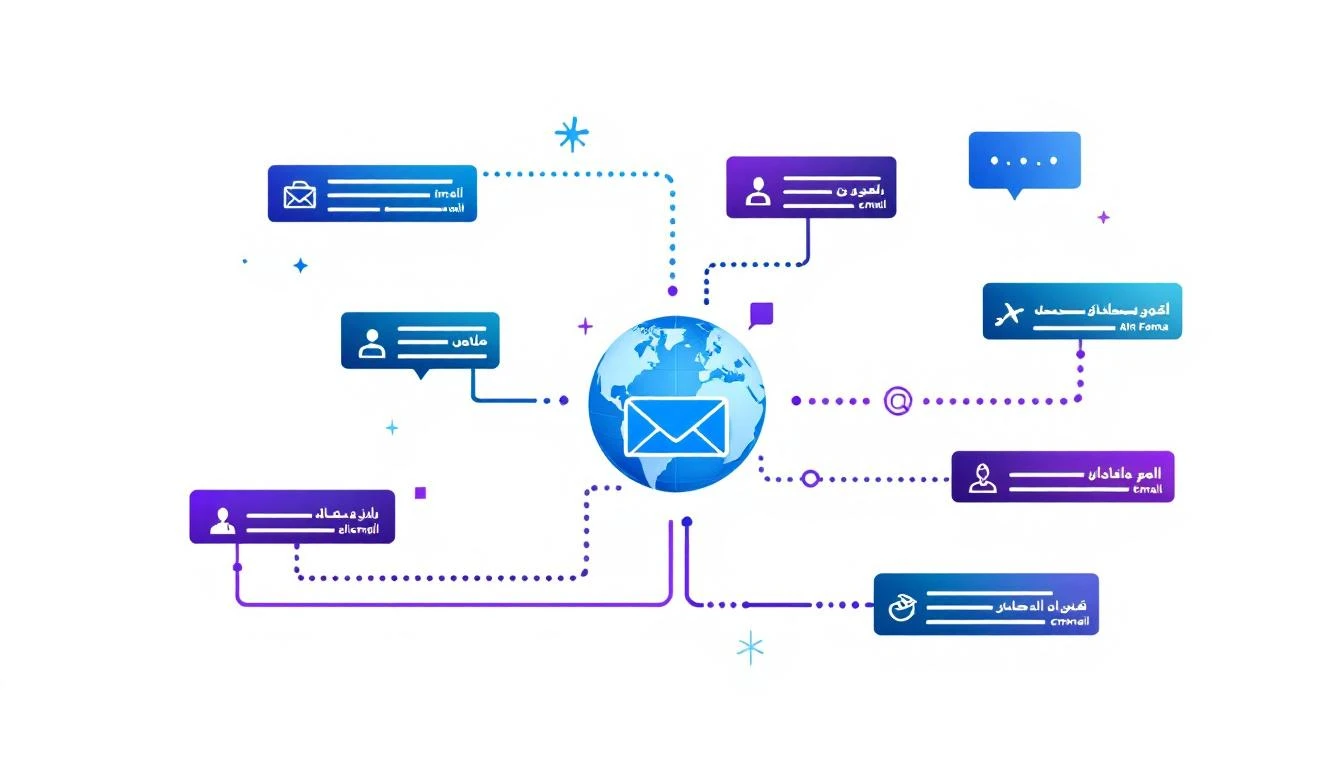
Multi-language AI outreach diagram showing personalized emails in multiple languages

Why English-Only Outreach Fails Internationally​

Let's look at the data:

  • 72% of consumers prefer buying from sites in their native language (CSA Research)
  • 56% say language is more important than price
  • Response rates drop 60-80% when using English in non-English markets

The math is brutal: your German prospects are 3-5x more likely to respond to German outreach.

But it's not just translation. It's localization:

LanguageCultural Nuance
GermanFormal titles matter. "Herr Doktor Müller" > "Hi Thomas"
FrenchRelationship-first. Don't pitch immediately.
JapaneseHierarchy is critical. Know their position.
SpanishRegional variations (Spain vs LATAM) are significant
ArabicRight-to-left text, formal greetings expected

AI doesn't just translate words. It adapts tone, formality, and cultural expectations.

The Multi-Language Outreach Framework​

Here's how to build it:

  1. Language detection (identify prospect's language)
  2. Cultural context injection (regional norms, business etiquette)
  3. Native-quality generation (not translation—creation)
  4. Localized follow-ups (appropriate cadence for culture)

Step 1: Intelligent Language Detection​

Before generating outreach, you need to know what language to use:

# Language detection and regional analysis
def detect_prospect_language(prospect):
"""
Determines appropriate outreach language based on multiple signals
"""

signals = {
'company_hq': prospect.get('company_country'),
'linkedin_language': prospect.get('linkedin_language_setting'),
'website_language': detect_website_language(prospect.get('company_website')),
'name_origin': analyze_name_origin(prospect.get('full_name')),
'email_domain': extract_country_from_domain(prospect.get('email'))
}

# Country to language mapping (with regional variants)
language_map = {
'Germany': 'de-DE',
'Austria': 'de-AT',
'Switzerland': 'de-CH', # Could also be French or Italian
'France': 'fr-FR',
'Canada': 'en-CA', # Or fr-CA if Quebec
'Mexico': 'es-MX',
'Spain': 'es-ES',
'Brazil': 'pt-BR',
'Japan': 'ja-JP',
# ... expanded mapping
}

# Weighted decision
primary_country = signals['company_hq'] or signals['linkedin_language']

# Special cases
if primary_country == 'Switzerland':
# Check region for language
return detect_swiss_language(prospect)

if primary_country == 'Canada':
# Check if Quebec
if prospect.get('province') == 'Quebec':
return 'fr-CA'
return 'en-CA'

return language_map.get(primary_country, 'en-US')
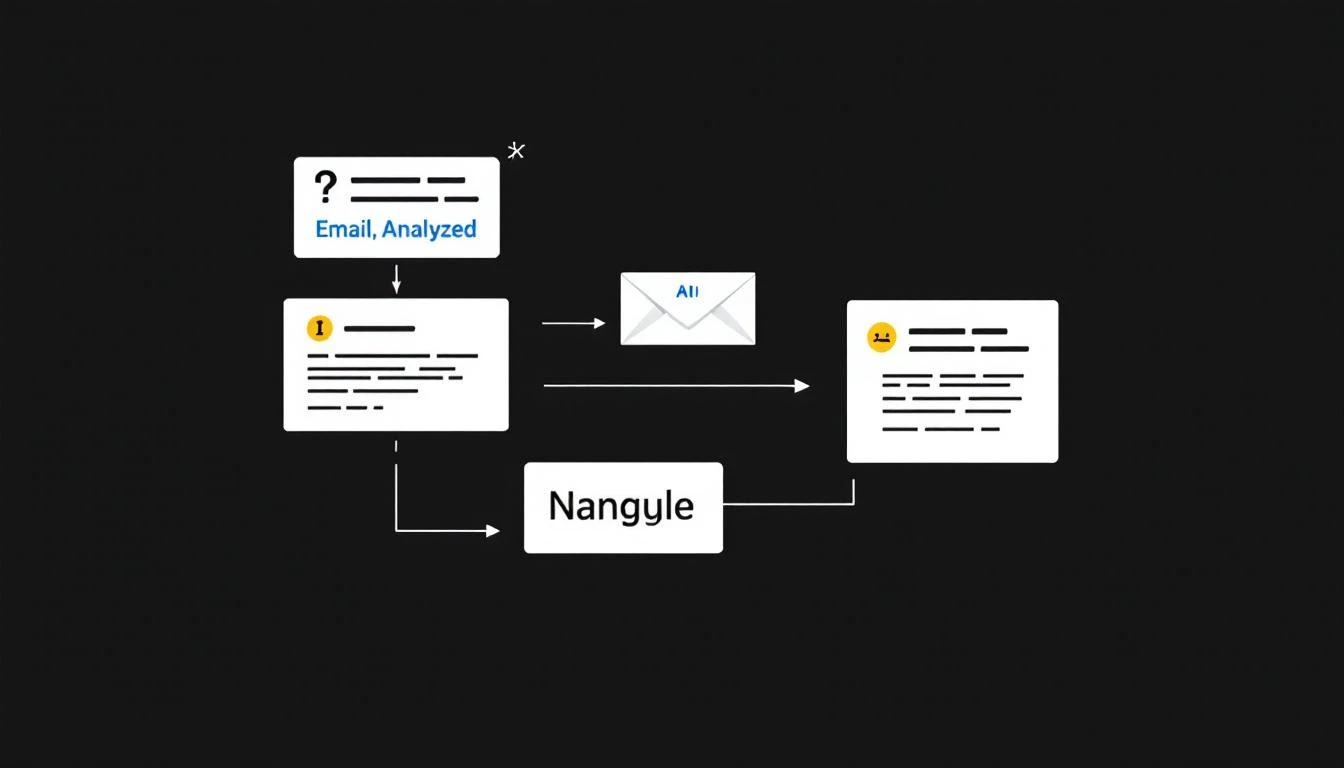
AI language detection workflow analyzing signals to determine prospect language

Step 2: Cultural Context Injection​

This is where AI shines. Claude Code can incorporate cultural business norms:

# Cultural context for outreach generation
CULTURAL_CONTEXTS = {
'de-DE': {
'formality': 'high',
'greeting': 'Sehr geehrte/r {title} {last_name}',
'sign_off': 'Mit freundlichen Grüßen',
'tone': 'professional, direct, data-driven',
'avoid': ['humor in first touch', 'overly casual language', 'first name without permission'],
'include': ['company credentials', 'specific numbers', 'clear next steps'],
'timing': 'Avoid Friday afternoon, Germans leave early',
'title_importance': 'Always use Dr., Prof., etc. if applicable'
},
'fr-FR': {
'formality': 'high',
'greeting': 'Bonjour {title} {last_name}',
'sign_off': 'Cordialement',
'tone': 'elegant, relationship-focused, sophisticated',
'avoid': ['jumping to business immediately', 'aggressive follow-ups'],
'include': ['mutual connections', 'thoughtful opening', 'respect for their time'],
'timing': 'Never during August (vacances), lunch is sacred (12-14h)',
'title_importance': 'Use Monsieur/Madame always'
},
'ja-JP': {
'formality': 'very_high',
'greeting': '{last_name}様',
'sign_off': 'よろしくお願いいたします',
'tone': 'humble, respectful, group-oriented',
'avoid': ['direct criticism', 'rushing decisions', 'singling out individuals'],
'include': ['company introduction first', 'consensus-building language', 'long-term perspective'],
'timing': 'Respect hierarchy—contact appropriate level',
'title_importance': 'San (様) required, company name before person'
},
'es-MX': {
'formality': 'medium-high',
'greeting': 'Estimado/a {title} {last_name}',
'sign_off': 'Saludos cordiales',
'tone': 'warm, personal, relationship-oriented',
'avoid': ['rushing', 'cold/impersonal tone', 'ignoring small talk'],
'include': ['personal touch', 'reference to mutual benefit', 'flexibility in timing'],
'timing': 'Meetings often start late, be patient',
'title_importance': 'Licenciado/Ingeniero common for professionals'
},
'pt-BR': {
'formality': 'medium',
'greeting': 'Prezado/a \{first_name\}',
'sign_off': 'Atenciosamente',
'tone': 'friendly, enthusiastic, personal',
'avoid': ['being too formal', 'negative framing'],
'include': ['relationship building', 'optimism', 'personal connection'],
'timing': 'Carnaval and major holidays are dead periods',
'title_importance': 'First names common after initial contact'
}
}

def get_cultural_context(language_code):
return CULTURAL_CONTEXTS.get(language_code, CULTURAL_CONTEXTS['en-US'])

Step 3: Native-Quality Generation with Claude​

This is the key insight: Claude doesn't translate. Claude creates.

When you ask Claude to write a cold email in German, it doesn't write in English and translate. It thinks in German business culture and generates natively.

# Native-language outreach generation with Claude Code
async def generate_localized_outreach(prospect, language_code):
"""
Generates culturally-appropriate outreach in target language
"""

cultural_context = get_cultural_context(language_code)

prompt = f"""
Generate a cold outreach email for a B2B SaaS product.

LANGUAGE: {language_code}

PROSPECT:
- Name: {prospect['name']}
- Title: {prospect['title']}
- Company: {prospect['company']}
- Industry: {prospect['industry']}

CULTURAL REQUIREMENTS:
- Formality level: {cultural_context['formality']}
- Greeting format: {cultural_context['greeting']}
- Sign-off: {cultural_context['sign_off']}
- Tone: {cultural_context['tone']}
- AVOID: {', '.join(cultural_context['avoid'])}
- INCLUDE: {', '.join(cultural_context['include'])}

PRODUCT VALUE PROP:
- Automates SDR workflows
- 70% reduction in manual research time
- 2x faster lead response

CONSTRAINTS:
- Write NATIVELY in {language_code}, do not translate from English
- Respect all cultural norms listed above
- Keep under 150 words
- Include ONE clear call to action
- Do not use English words unless they are standard industry terms

Generate the complete email including subject line.
"""

response = await claude.generate(
prompt=prompt,
model='claude-3-opus',
max_tokens=500
)

return {
'language': language_code,
'subject': extract_subject(response),
'body': extract_body(response),
'cultural_notes': cultural_context
}

Example output (German):

Betreff: Effizienzsteigerung im Vertrieb bei {Company}

Sehr geehrter Herr Dr. Müller,

als Leiter des Vertriebsteams bei {Company} kennen Sie die Herausforderung: Ihr Team verbringt mehr Zeit mit Recherche als mit Verkaufsgesprächen.

Unsere Kunden berichten von einer 70%igen Reduzierung des manuellen Aufwands bei der Lead-Qualifizierung. Für ein Unternehmen Ihrer Größe bedeutet das durchschnittlich 15 zusätzliche Stunden pro Woche für wertschöpfende Aktivitäten.

Wäre ein kurzes Gespräch nächste Woche möglich, um zu besprechen, wie dies auch bei {Company} funktionieren könnte?

Mit freundlichen Grüßen, [Name]

Notice: No "Hi Thomas!" No casual American tone. Professional German business communication.

Step 4: Localized Follow-Up Cadences​

Different cultures have different expectations for follow-up:

# Culture-specific follow-up cadences
cadences:
de-DE:
name: "German Professional"
steps:
- day: 0
channel: email
note: "Initial outreach, formal"
- day: 5
channel: email
note: "Value-add follow-up with data/case study"
- day: 12
channel: linkedin
note: "Connection request with personalized note"
- day: 18
channel: email
note: "Final attempt, offer alternative contact"
notes: "Germans appreciate persistence but not pressure. Data > emotion."

fr-FR:
name: "French Relationship"
steps:
- day: 0
channel: email
note: "Thoughtful introduction, reference mutual connection if possible"
- day: 7
channel: linkedin
note: "Connect and engage with their content first"
- day: 14
channel: email
note: "Reference their recent work/news, suggest coffee"
- day: 21
channel: call
note: "If engaged, phone call (never cold)"
notes: "Relationship first. Never rush. August is dead."

ja-JP:
name: "Japanese Formal"
steps:
- day: 0
channel: email
note: "Formal introduction of company and purpose"
- day: 10
channel: email
note: "Follow-up with additional company credentials"
- day: 21
channel: introduction
note: "Seek warm introduction through mutual contact"
- day: 35
channel: email
note: "Gentle follow-up, offer to meet at their convenience"
notes: "Patience is essential. Group decision-making takes time. Warm intros > cold."

Automating with OpenClaw​

Here's how to tie it all together with continuous multi-language campaigns:

# Multi-language outreach automation with OpenClaw
schedule:
kind: cron
expr: "0 8 * * *" # Daily at 8am

payload:
kind: agentTurn
message: |
Process today's international outreach queue:

1. LANGUAGE DETECTION
For each new prospect without assigned language:
- Detect appropriate language
- Assign cultural context
- Log decision reasoning

2. CONTENT GENERATION
For prospects needing outreach:
- Generate native-language email using cultural context
- Ensure compliance with regional requirements (GDPR for EU, etc.)
- Queue for review if confidence < 90%

3. TIMING OPTIMIZATION
Adjust send times for recipient timezone:
- DE/FR/EU: 9-10am local
- JP: 10-11am local
- LATAM: 10-11am local
- Respect cultural no-send times (Friday PM for DE, August for FR)

4. FOLLOW-UP MANAGEMENT
Check prospects in active sequences:
- Advance to next step if appropriate
- Adjust based on engagement signals
- Flag any responses for native review

Report: Languages processed, emails generated, cultural flags raised

Quality Assurance: When to Get Human Review​

AI-generated foreign language outreach is good—but not perfect. Build in review for:

High-stakes situations:

  • Enterprise deals (> $100K potential)
  • Sensitive industries (government, healthcare)
  • Cultures with high formality requirements (Japan, Korea)

Low-confidence scenarios:

  • Mixed signals on language preference
  • Unusual name origins
  • Multi-national companies (HQ vs local office)
# Quality assurance routing
def route_for_review(outreach, prospect):
"""
Determines if AI-generated outreach needs human review
"""

needs_review = False
reasons = []

# High-value deals
if prospect['estimated_acv'] > 100000:
needs_review = True
reasons.append('High ACV - enterprise touch required')

# High-formality cultures
if outreach['language'] in ['ja-JP', 'ko-KR', 'zh-CN']:
needs_review = True
reasons.append('High-formality culture - native review recommended')

# Low confidence detection
if outreach['language_confidence'] < 0.85:
needs_review = True
reasons.append(f"Language detection confidence: {outreach['language_confidence']}")

# First outreach in new language
if not has_previous_success(outreach['language']):
needs_review = True
reasons.append('First campaign in this language - establish baseline')

return {
'needs_review': needs_review,
'reasons': reasons,
'reviewer_type': 'native_speaker' if needs_review else None
}

Measuring Success Across Languages​

Track these metrics by language:

MetricWhy It Matters
Open rate by languageValidates subject line localization
Reply rate by languageCore effectiveness measure
Positive reply rateQuality of localization
Meeting booked rateEnd conversion
Time to responseCultural timing alignment

Expected benchmarks:

RegionOpen RateReply RatePositive Reply
DACH (DE/AT/CH)35-45%8-12%4-6%
France30-40%6-10%3-5%
LATAM40-50%10-15%5-8%
Japan25-35%3-6%1-3%
Nordics35-45%8-12%4-6%

Lower absolute numbers in Japan are normal—decision cycles are longer but deal sizes often larger.

Implementation Roadmap​

Week 1: Market Selection

  • Identify top 3-5 target markets beyond English
  • Research cultural business norms for each
  • Document language-specific requirements

Week 2: Detection & Context

  • Build language detection pipeline
  • Create cultural context files for each market
  • Test detection accuracy on existing prospects

Week 3: Generation & Testing

  • Configure Claude prompts for each language
  • Generate sample outreach, get native review
  • Refine based on feedback

Week 4: Launch & Measure

  • Deploy multi-language campaigns
  • Track metrics by language
  • Iterate on underperforming regions
Free Tool

Try our AI Lead Generator — find verified LinkedIn leads for any company instantly. No signup required.

The Global Opportunity​

Most B2B companies leave international markets to competitors because "we don't have German speakers."

That's no longer an excuse.

With Claude Code generating native-quality outreach and OpenClaw automating the workflow, your 5-person SDR team can cover markets that used to require 50.

The companies expanding fastest aren't the ones with the biggest teams. They're the ones with the smartest systems.

Build yours.


Want to see how MarketBetter helps teams scale personalized outreach globally?
Book a Demo →

OpenAI Codex CLI for Sales: 8 GTM Workflows That Cut Manual Work to Zero [2026]

· 9 min read
MarketBetter Team
Content Team, marketbetter.ai

OpenAI released GPT-5.3-Codex on February 5, 2026—their most capable agentic coding model yet. The Codex CLI puts this power at your fingertips, letting you automate GTM tasks directly from your terminal.

This guide covers everything GTM teams need to know: installation, essential commands, and real workflows for sales automation, content generation, and pipeline management. For ready-to-run prompts, pair it with our 30 best Codex prompts for sales and GTM.

OpenAI Codex CLI interface showing terminal commands for GTM automation

What's New in GPT-5.3 Codex​

Before diving into the CLI, here's why GPT-5.3 matters:

FeatureGPT-5.2 CodexGPT-5.3 Codex
SpeedBaseline25% faster
Mid-turn steeringLimitedFull support
Multi-file context50K tokens100K tokens
Tool reliability89%96%
Reasoning depthGoodSignificantly improved

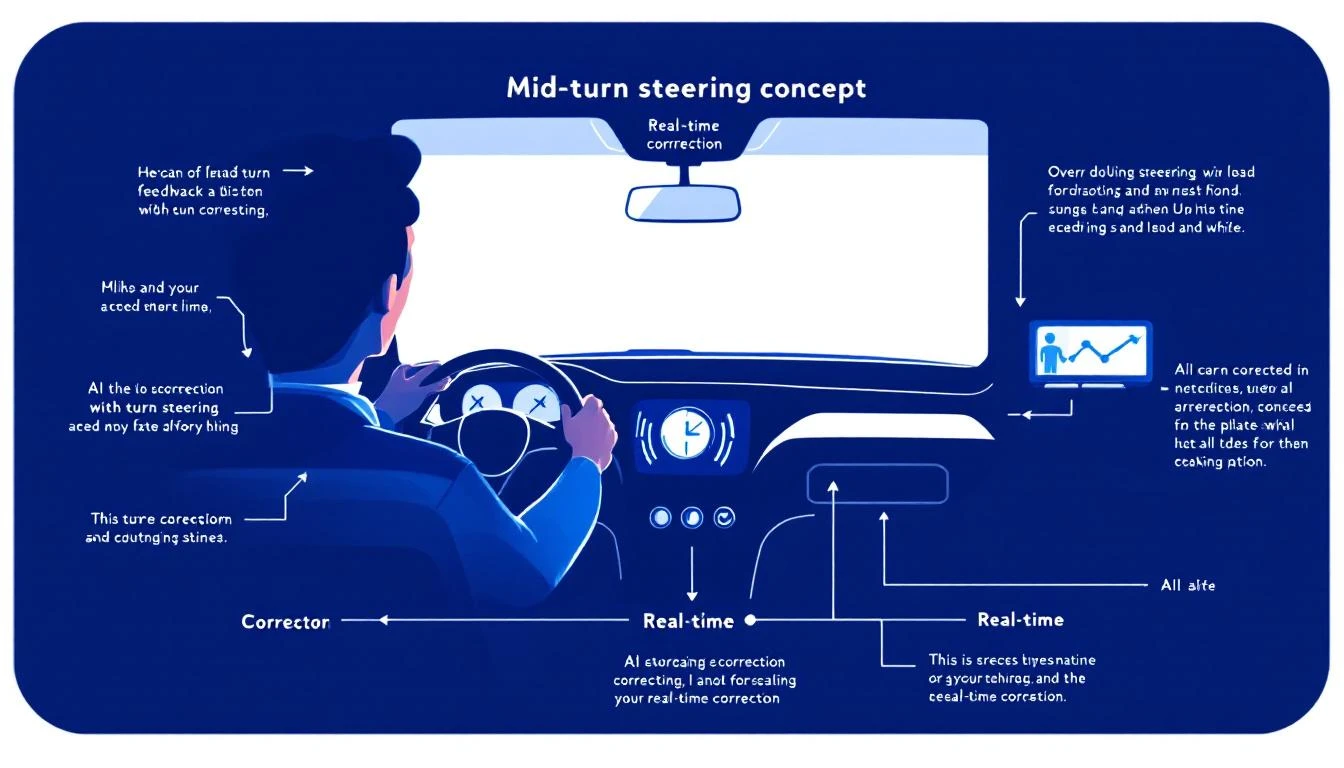
The killer feature? Mid-turn steering—you can direct Codex while it's working, correcting course without starting over.

Installing the Codex CLI​

Get started in 60 seconds:

# Install globally via npm
npm install -g @openai/codex

# Verify installation
codex --version
# codex 1.4.0 (gpt-5.3-codex)

# Authenticate
codex auth login
# Opens browser for OpenAI authentication

First Run​

Test your installation:

codex "explain what you can do for a sales team"

You should see Codex describe its capabilities for sales automation, data analysis, and content generation.

Essential Codex Commands for GTM​

Basic Syntax​

codex "<natural language task>"

Codex interprets your request and executes the appropriate actions. You can also:

# Run in a specific directory
codex --cwd /path/to/project "<task>"

# Include files for context
codex --include "*.csv" "<task>"

# Set output format
codex --output json "<task>"

# Enable mid-turn steering
codex --interactive "<task>"

The --interactive Flag (Mid-Turn Steering)​

This is GPT-5.3's superpower. Instead of waiting for Codex to finish, you can course-correct in real-time:

codex --interactive "analyze our pipeline and suggest improvements"

While Codex works, you can type commands like:

  • focus on deals stuck longer than 30 days
  • ignore deals under $10K
  • also check for missing next steps

Codex adjusts its analysis mid-stream without starting over.

Mid-turn steering diagram showing real-time feedback while AI is working

GTM Workflows with Codex CLI​

1. Pipeline Analysis​

Analyze your CRM data directly:

# Export pipeline from your CRM first (or connect via API)
codex --include "pipeline.csv" "
Analyze this sales pipeline and identify:
1. Deals that have been stuck in the same stage for >30 days
2. Deals with no recent activity
3. Deals missing next steps
4. Predicted close rates by stage

Output as a prioritized action list for the sales manager.
"

Sample output:

## Pipeline Health Report

### 🚨 Stuck Deals (30+ days same stage)
1. Acme Corp - Proposal stage for 47 days - $85K
→ Action: Escalate to VP Sales, consider discount strategy
2. TechStart Inc - Demo stage for 38 days - $32K
→ Action: Re-engage champion, check for competing eval

### ⚠️ Missing Next Steps (23 deals)
- Priority 1: Deals >$50K with no activity last 14 days
- Recommend: Mandatory next-step field in CRM

### 📊 Stage Conversion Rates
- Lead → Discovery: 42% (healthy)
- Discovery → Demo: 68% (above benchmark)
- Demo → Proposal: 31% (⚠️ below benchmark 45%)
- Proposal → Closed Won: 28% (needs attention)

2. Lead Research at Scale​

Research a list of leads:

codex --include "leads.csv" --output json "
For each company in this list:
1. Find their LinkedIn company page
2. Get employee count and recent funding
3. Identify likely decision makers in Sales/Marketing
4. Note any recent news or hiring signals

Output as enriched JSON with research_notes for each lead.
"

3. Email Sequence Generation​

Generate personalized email sequences:

codex "
Create a 5-email sequence for SDR outreach to VP of Sales at mid-market SaaS companies.

Context: We're MarketBetter, an AI-powered SDR platform.
Pain point: SDR productivity and lead prioritization
Differentiator: We tell SDRs WHO to contact AND WHAT to do

Requirements:
- Email 1: Cold intro, <100 words
- Email 2: Value-add (share relevant content)
- Email 3: Social proof (customer results)
- Email 4: Direct ask for meeting
- Email 5: Breakup email

Include subject lines and personalization tokens.
"

4. Competitor Analysis​

Research competitors systematically:

codex --interactive "
Research these competitors and create a comparison matrix:
- Warmly
- 6sense
- Apollo
- ZoomInfo

For each, find:
1. Pricing (actual prices, not just 'contact us')
2. Key features
3. G2 rating and top complaints
4. Recent product updates
5. Where MarketBetter wins

I'll guide you as you research.
"

With --interactive, you can steer:

  • "Dig deeper on Warmly's pricing—check G2 reviews for price mentions"
  • "Skip ZoomInfo, we have that already"
  • "Focus more on their visitor identification capabilities"

5. Meeting Prep​

Prepare for sales calls:

codex "
I have a demo call with Sarah Chen, VP Sales at DataFlow Inc.

Research:
1. Sarah's LinkedIn background
2. DataFlow Inc recent news/funding
3. Their current tech stack (from job postings)
4. Common challenges for companies their size
5. 3 personalized talking points

Also draft 3 discovery questions specific to their situation.
"

6. Content Generation​

Generate blog post outlines:

codex "
Create an outline for a blog post: 'Why Intent Data Fails Without Action'

Target keyword: intent data for sales
Word count: 2000 words
Audience: VP Sales, SDR Managers

Include:
- Compelling intro hook
- 5-7 main sections with subheadings
- Data points to research
- CTA to MarketBetter demo

Make it contrarian—most content says intent data is magic.
We say it's useless without the action layer.
"

7. CRM Data Cleanup​

Fix messy CRM data:

codex --include "contacts.csv" "
Clean this contact list:
1. Standardize company names (remove Inc., LLC variants)
2. Fix obvious email typos (@gmial.com, etc.)
3. Parse full names into first/last
4. Flag likely duplicates
5. Validate phone number formats

Output as cleaned CSV with a 'changes_made' column.
"

Advanced Codex Patterns​

Chaining Commands​

Build complex workflows:

# Research → Enrich → Generate sequence
codex "research DataFlow Inc" > /tmp/research.txt && \
codex --include /tmp/research.txt "generate 3 personalized email openers based on this research"

Template-Based Generation​

Create reusable prompt templates:

# Save as ~/.codex/templates/competitor-analysis.txt
cat << 'EOF' > ~/.codex/templates/competitor-analysis.txt
Research {{COMPETITOR}} and provide:
1. Company overview (employees, funding, HQ)
2. Product positioning
3. Pricing structure
4. Key differentiators
5. Customer complaints (from G2/Capterra)
6. How we beat them

Format as markdown with clear sections.
EOF

# Use the template
codex --template competitor-analysis COMPETITOR=Warmly

Integration with Other Tools​

Combine Codex with your existing stack:

# Pull from HubSpot, analyze with Codex, push back
hubspot contacts list --limit 100 --format csv > leads.csv
codex --include leads.csv "score these leads 1-100 based on fit for AI SDR tools"
# Parse output and update HubSpot via API

Codex CLI vs Claude Code vs ChatGPT​

When to use each:

TaskBest ToolWhy
Multi-file code changesCodex CLIPurpose-built for code
Long document analysisClaude Code200K context window
Quick questionsChatGPTFastest for simple tasks
Pipeline data analysisCodex CLIStructured output
Email writingClaude CodeBetter nuance
Competitor researchEitherBoth strong
Meeting prepCodex (interactive)Mid-turn steering

The real answer? Use them together. Codex for structured tasks and code, Claude for nuanced writing and analysis.

Cost Considerations​

Codex CLI usage is charged per token:

UsageApproximate Cost
Simple task (&lt;1K tokens)~$0.02
Pipeline analysis (5K tokens)~$0.10
Research task (10K tokens)~$0.20
Large batch (50K tokens)~$1.00

For most GTM teams, budget $50-100/month for heavy CLI usage. Compare that to the hours saved.

Common Gotchas​

1. Rate Limits​

Free tier: 20 requests/minute. Paid: 100 requests/minute.

For batch processing:

# Add delays between requests
for company in $(cat companies.txt); do
codex "research $company"
sleep 3
done

2. Context Limits​

Even with 100K tokens, large files need chunking:

# Process large CSV in chunks
split -l 100 huge_leads.csv chunk_
for chunk in chunk_*; do
codex --include $chunk "process this batch"
done

3. Output Consistency​

For structured output, be explicit:

# Bad: "analyze this data"
# Good:
codex "analyze this data and return JSON with fields:
{insights: string[], recommendations: string[], priority: high|medium|low}"

The MarketBetter Integration​

MarketBetter uses the same AI models under the hood—but packages them into a complete GTM platform:

  • Daily Playbook — Codex-style analysis of your entire pipeline, delivered as actionable tasks
  • AI Chatbot — GPT-5.3 powers real-time lead qualification
  • Smart Dialer — AI-prioritized call lists based on intent signals
  • Email Automation — Personalized sequences generated at scale

The difference? MarketBetter eliminates the prompting and integration work. Your SDRs get AI-powered insights without touching a command line.

See how MarketBetter turns AI into pipeline →

Quick Reference Card​

# Installation
npm install -g @openai/codex
codex auth login

# Basic usage
codex "<task>"

# With file context
codex --include "data.csv" "<task>"

# Interactive mode (mid-turn steering)
codex --interactive "<task>"

# JSON output
codex --output json "<task>"

# Specific directory
codex --cwd /path/to/project "<task>"

# Help
codex --help
Free Tool

Try our AI Lead Generator — find verified LinkedIn leads for any company instantly. No signup required.

Getting Started Checklist​

  • Install Codex CLI (npm install -g @openai/codex)
  • Authenticate (codex auth login)
  • Test basic command
  • Try --interactive mode
  • Export CRM data for analysis
  • Create first prompt template
  • Set up shell alias for common tasks
  • Budget token usage

The Codex CLI puts GPT-5.3's power directly in your terminal. For GTM teams, that means faster research, smarter analysis, and more personalized outreach—all from the command line.


Want more AI automation for GTM? Check out Codex vs Claude Code for sales automation and building AI agents with OpenClaw.

OpenAI Codex for Demo Personalization: Win More Deals with Tailored Demos [2026]

· 11 min read
MarketBetter Team
Content Team, marketbetter.ai

Here's a brutal truth about B2B demos: 68% of prospects say demos are too generic. They sit through 45 minutes of features they don't care about, waiting for the one capability that actually solves their problem. Most never make it to that point—they've already mentally checked out.

The companies winning in 2026 don't run generic demos. They run shows that feel custom-built for each prospect. And with OpenAI's GPT-5.3 Codex (released February 5, 2026), building that personalization engine is now accessible to any GTM team.

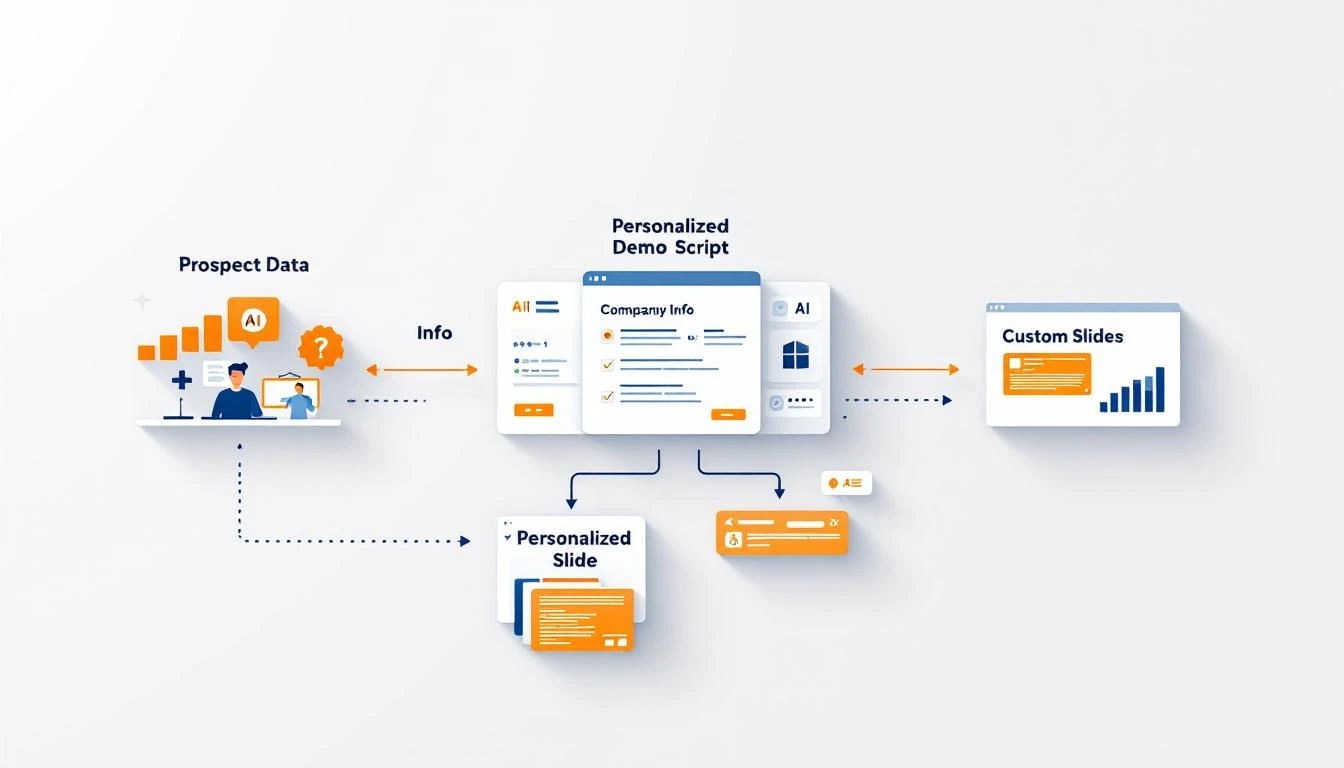
AI Demo Personalization System

This guide shows you how to use Codex's agentic capabilities to automatically generate personalized demo scripts, custom slide decks, and industry-specific talking points—all from your CRM data and meeting notes.

Why Generic Demos Lose Deals​

The data is clear:

  • 68% of buyers say demos don't address their specific needs
  • 52% of prospects decide within the first 5 minutes if they'll buy
  • 44% of buyers abandon vendors who can't explain relevance to their business
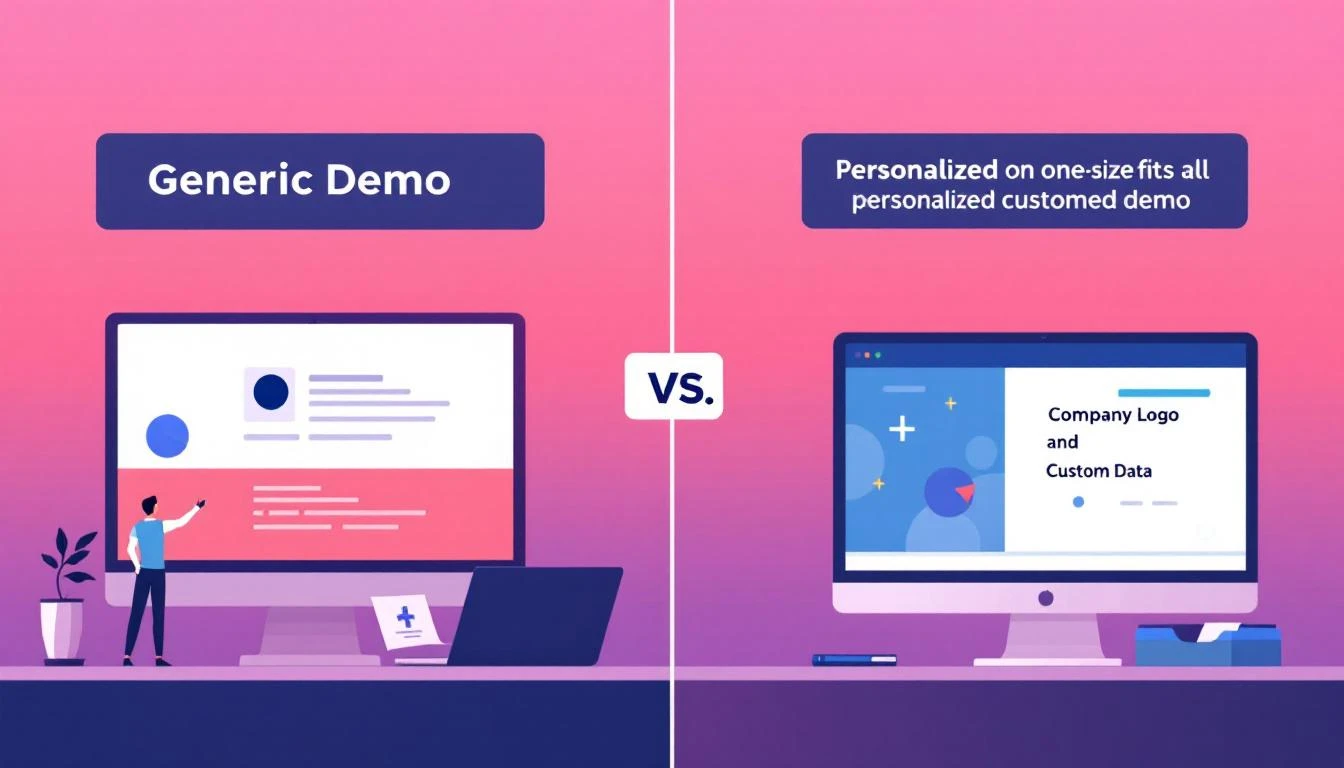
  • Personalized demos have a 45% higher close rate than generic ones

Generic vs Personalized Demo Comparison

The problem isn't that AEs don't want to personalize—it's that personalization takes time they don't have. Research the company, customize the slides, reorder features for relevance, find the right case study, rehearse the new flow... that's 1-2 hours of prep per demo.

Most reps are running 3-5 demos per day. The math doesn't work.

What Makes a Demo Feel Personalized?​

Before automating, let's break down what "personalized" actually means:

1. Relevant Opening​

Don't start with your product. Start with their world:

  • Recent company news or announcements
  • Industry-specific challenges
  • Reference to their stated pain points

2. Reordered Feature Sequence​

Show them what they care about first:

  • Lead with the capability they asked about
  • Skip or minimize features irrelevant to their use case
  • Save "nice-to-haves" for Q&A

3. Industry-Specific Language​

Speak their language:

  • Use their industry's terminology
  • Reference their competitive landscape
  • Cite metrics that matter in their world

4. Relevant Social Proof​

Show them peers, not just logos:

  • Case studies from similar company size
  • Same industry or use case
  • Metrics that map to their goals

5. Custom Demo Environment​

When possible, show their reality:

  • Their company name in the demo
  • Realistic sample data for their industry
  • Workflows that match their process

GPT-5.3 Codex: Built for Agentic Personalization​

OpenAI's Codex (released February 5, 2026) is specifically designed for agentic tasks like demo personalization. Key capabilities:

  • Mid-turn steering — Direct the agent while it works, perfect for iterative customization
  • 25% faster — Get personalization outputs in seconds, not minutes
  • Multi-file context — Understands your entire demo deck + CRM data simultaneously
  • Code + content — Can generate both slides content AND automation scripts

Here's the architecture for an automated demo personalization system:

Building the Demo Personalization Engine​

Step 1: Gather Prospect Intelligence​

First, compile everything you know about the prospect:

async function gatherDemoContext(dealId) {
// CRM data
const deal = await crm.getDeal(dealId);
const company = await crm.getCompany(deal.companyId);
const contacts = await crm.getContacts(deal.contactIds);

// Meeting history
const meetings = await crm.getMeetings(dealId);
const discoveryNotes = meetings
.filter(m => m.type === 'discovery')
.map(m => m.notes)
.join('\n');

// Enrich with external data
const companyNews = await newsApi.search({
company: company.name,
daysBack: 30
});

const industryTrends = await getIndustryInsights(company.industry);

// Find relevant case studies
const relevantCaseStudies = await caseStudyDb.find({
industry: company.industry,
size: company.employeeRange,
useCase: deal.primaryUseCase
});

// Get competitor intel
const competitorMentions = extractCompetitors(discoveryNotes);
const competitorIntel = await getCompetitorBattlecards(competitorMentions);

return {
company,
contacts,
deal,
discoveryNotes,
companyNews,
industryTrends,
caseStudies: relevantCaseStudies,
competitors: competitorIntel
};
}

Step 2: Generate the Demo Script with Codex​

Use GPT-5.3 Codex to generate a personalized demo flow:

const { OpenAI } = require('openai');
const codex = new OpenAI({ model: 'gpt-5.3-codex' });

async function generateDemoScript(context) {
const response = await codex.chat.completions.create({
model: 'gpt-5.3-codex',
messages: [
{
role: 'system',
content: `You are an expert sales demo strategist. Generate a
personalized demo script that will resonate with this specific prospect.

DEMO STRUCTURE:
1. Personalized Opening (2 min) - Reference their world
2. Pain Validation (3 min) - Confirm what you heard in discovery
3. Priority Feature #1 (10 min) - What they care most about
4. Priority Feature #2 (8 min) - Second most relevant
5. Integration/Workflow (5 min) - How it fits their stack
6. Social Proof (3 min) - Case study from similar company
7. Pricing Context (2 min) - Frame value, not cost
8. Next Steps (2 min) - Clear path forward

OUTPUT FORMAT:
- Include speaker notes for each section
- Add talk tracks for common objections
- Include specific data points to mention
- Flag areas needing live customization`
},
{
role: 'user',
content: `Create a demo script for this opportunity:

COMPANY: ${context.company.name}
INDUSTRY: ${context.company.industry}
SIZE: ${context.company.employeeCount} employees
REVENUE: $${context.company.revenue}M

DISCOVERY INSIGHTS:
${context.discoveryNotes}

KEY PAIN POINTS IDENTIFIED:
${extractPainPoints(context.discoveryNotes).join('\n- ')}

RECENT COMPANY NEWS:
${context.companyNews.map(n => `- ${n.headline}`).join('\n')}

RELEVANT CASE STUDY:
${JSON.stringify(context.caseStudies[0])}

COMPETITORS MENTIONED:
${context.competitors.map(c => c.name).join(', ')}

Generate a complete, personalized demo script.`
}
],
max_tokens: 4000,
response_format: { type: 'json_object' }
});

return JSON.parse(response.choices[0].message.content);
}

Step 3: Customize the Slide Deck​

Codex can also modify your master deck for each prospect:

async function customizeSlideDeck(masterDeck, context, demoScript) {
// Parse the master deck (Google Slides, PowerPoint, etc.)
const slides = await parseDeck(masterDeck);

const customizations = await codex.chat.completions.create({
model: 'gpt-5.3-codex',
messages: [
{
role: 'system',
content: `You are customizing a sales demo deck. For each slide,
determine what changes are needed for this specific prospect.

Types of customizations:
1. TEXT_REPLACE - Swap placeholder text
2. REORDER - Move slide to different position
3. SKIP - Mark slide to hide
4. ADD_DATA - Insert prospect-specific data
5. CASE_STUDY_SWAP - Replace case study content`
},
{
role: 'user',
content: `MASTER DECK SLIDES:
${slides.map((s, i) => `[${i}] ${s.title}: ${s.content.substring(0, 200)}`).join('\n')}

PROSPECT CONTEXT:
Company: ${context.company.name}
Industry: ${context.company.industry}
Pain Points: ${extractPainPoints(context.discoveryNotes).join(', ')}

DEMO SCRIPT FLOW:
${demoScript.sections.map(s => s.title).join(' → ')}

RELEVANT CASE STUDY:
${JSON.stringify(context.caseStudies[0])}

Output a JSON array of customization instructions.`
}
]
});

// Apply customizations
const customizedDeck = applyCustomizations(slides, customizations);

return customizedDeck;
}

Step 4: Generate Talking Points and Objection Handlers​

Pre-arm your AE with responses to likely objections:

async function generateObjectionHandlers(context) {
const handlers = await codex.chat.completions.create({
model: 'gpt-5.3-codex',
messages: [
{
role: 'system',
content: `Generate objection handling scripts specific to this
prospect's context. Include:
- The likely objection based on their situation
- Why they might raise it
- Data-backed response
- Reframe to positive

Be specific, not generic.`
},
{
role: 'user',
content: `PROSPECT CONTEXT:
Industry: ${context.company.industry}
Company Size: ${context.company.employeeCount}
Current Tools: ${context.deal.currentSolution}
Budget Range: ${context.deal.budget}
Competitors Evaluating: ${context.competitors.map(c => c.name).join(', ')}

DISCOVERY CONCERNS:
${extractConcerns(context.discoveryNotes).join('\n')}

Generate 5 likely objections with tailored responses.`
}
]
});

return handlers.choices[0].message.content;
}

Real-World Example: Manufacturing Company Demo​

Input:

  • Company: Precision Parts Inc. (450 employees, manufacturing)
  • Pain Points: "Reps don't know which accounts to prioritize" + "No visibility into what competitors are doing"
  • Current Tools: Salesforce + spreadsheets
  • Competitor Evaluating: ZoomInfo

Generated Demo Script (excerpt):

{
"opening": {
"duration": "2 minutes",
"personalizedHook": "I saw Precision Parts just announced the expansion into aerospace components last month—congratulations. That kind of move into a new vertical is exactly where prioritization becomes critical. You mentioned your reps don't know which accounts to focus on—let me show you how that changes today.",
"speakerNotes": "Reference their Jan 15 press release. Don't dwell—use as credibility builder that you did your homework."
},

"painValidation": {
"duration": "3 minutes",
"talkTrack": "In our discovery call, you mentioned two things that stuck with me: first, your 8-person sales team is essentially flying blind on account prioritization. Second, you're concerned about what competitors are doing in the aerospace space. Did I capture that right?",
"transition": "Let me show you how we solve both of those—starting with prioritization since you said that's the bigger fire right now."
},

"featurePriority1": {
"feature": "Account Prioritization & ICP Scoring",
"duration": "10 minutes",
"customization": "Show manufacturing-specific signals: plant expansions, equipment purchases, regulatory filings",
"industryLanguage": "Use terms: 'tier-1 supplier', 'OEM relationships', 'MRO contracts'",
"relevantMetric": "Manufacturing companies see 34% faster deal cycles with intent-based prioritization"
},

"featurePriority2": {
"feature": "Competitive Intelligence Dashboard",
"duration": "8 minutes",
"customization": "Pre-load demo environment with aerospace competitors they mentioned",
"differentiator": "Unlike ZoomInfo (which they're evaluating), show real-time monitoring vs static database"
},

"socialProof": {
"caseStudy": "Allied Manufacturing",
"relevance": "Same size (500 emp), same industry, same Salesforce integration",
"metric": "2.3x increase in qualified pipeline within 90 days",
"quote": "'Finally, my team knows where to focus without me micromanaging.'"
},

"objectionPrep": [
{
"objection": "ZoomInfo has more data",
"context": "They mentioned evaluating ZoomInfo",
"response": "ZoomInfo has great contact data—we actually integrate with them. The difference is what you DO with that data. ZoomInfo tells you WHO exists. We tell you WHO to call and WHAT to say. For manufacturers entering new verticals like aerospace, it's the prioritization layer that moves the needle.",
"proof": "Allied Manufacturing uses both. They said ZoomInfo fills the top of funnel, we tell them where to focus."
}
]
}

Personalized Demo Impact Statistics

Mid-Turn Steering: Codex's Killer Feature​

What makes GPT-5.3 Codex special for demo personalization is mid-turn steering. You can direct the agent while it's generating:

// Start generation
const stream = codex.chat.completions.create({
model: 'gpt-5.3-codex',
messages: [...],
stream: true
});

// Monitor and steer mid-generation
for await (const chunk of stream) {
const partialOutput = chunk.choices[0].delta.content;

// If going off-track, inject steering
if (partialOutput.includes('generic feature list')) {
await stream.steer({
instruction: 'Focus on manufacturing-specific capabilities only'
});
}
}

This means you can build interactive personalization tools where AEs can guide the AI in real-time—combining human judgment with AI speed.

Integration with Demo Workflow​

Pre-Demo Automation​

// Trigger 2 hours before scheduled demo
cron.schedule('0 */1 * * *', async () => {
const upcomingDemos = await calendar.getDemos({
timeWindow: '2-3 hours from now'
});

for (const demo of upcomingDemos) {
const context = await gatherDemoContext(demo.dealId);
const script = await generateDemoScript(context);
const deck = await customizeSlideDeck(MASTER_DECK, context, script);
const handlers = await generateObjectionHandlers(context);

// Send prep package to AE
await slack.sendDM(demo.ownerId, {
text: `🎯 Demo prep ready for ${context.company.name} in 2 hours`,
attachments: [
{ title: 'Personalized Script', content: script },
{ title: 'Custom Deck', url: deck.url },
{ title: 'Objection Handlers', content: handlers }
]
});
}
});

Post-Demo Follow-Up Generation​

// After demo ends, generate follow-up
async function postDemoAutomation(demoId, demoNotes) {
const context = await gatherDemoContext(demoId);

// Generate personalized follow-up based on what happened
const followUp = await codex.chat.completions.create({
model: 'gpt-5.3-codex',
messages: [{
role: 'user',
content: `Based on this demo, generate follow-up:

DEMO NOTES:
${demoNotes}

ORIGINAL CONTEXT:
${JSON.stringify(context)}

Generate:
1. Follow-up email addressing specific questions raised
2. Relevant resources to send
3. Suggested next step with timeline`
}]
});

return followUp;
}

Measuring Personalization ROI​

Track these metrics to prove the value:

MetricGeneric DemosPersonalized DemosLift
Demo-to-Opportunity35%52%+49%
Opportunity-to-Close22%31%+41%
Average Deal Size$32K$41K+28%
Sales Cycle Length47 days34 days-28%
NPS (Demo Experience)3467+97%

The math: If personalization increases your demo-to-close rate by 20% and you run 50 demos/month at $40K ACV, that's an additional $400K in ARR annually.

Getting Started with MarketBetter​

Building demo personalization is powerful, but it's just one piece of the puzzle. MarketBetter provides the complete AI-powered sales enablement stack:

  • Automated demo prep — Personalized scripts and decks generated before every call
  • Real-time battle cards — Competitor intel surfaced when you need it
  • CRM integration — Pulls from HubSpot/Salesforce, no manual context gathering
  • Meeting analysis — Learns from every demo to improve recommendations

The goal isn't to replace AEs—it's to give them superpowers. Let AI handle the personalization heavy-lifting so your team can focus on building relationships and closing deals.

Book a Demo →

Free Tool

Try our AI Lead Generator — find verified LinkedIn leads for any company instantly. No signup required.

Key Takeaways​

  1. Generic demos lose deals — 68% of buyers say demos don't address their needs
  2. Personalization takes time — 1-2 hours per demo prep doesn't scale
  3. GPT-5.3 Codex enables automation — Generate scripts, customize decks, prepare objection handlers
  4. Mid-turn steering is the differentiator — Real-time direction gives you control over AI output
  5. ROI is measurable — 20% close rate improvement = significant revenue impact

Your demo is often the make-or-break moment in the sales cycle. Make sure every prospect feels like you built the whole product just for them. With Codex, you practically did.

OpenClaw Setup Guide for GTM Teams: From Zero to AI SDR [2026]

· 8 min read
MarketBetter Team
Content Team, marketbetter.ai

You've heard OpenClaw can turn AI into your always-on sales assistant. You're intrigued by the $0 price tag versus $40K enterprise alternatives.

But you're staring at a GitHub page wondering: "How do I actually make this work for my sales team?"

This guide takes you from zero to a working AI SDR in under an hour. No engineering degree required. If you can copy-paste commands and edit a text file, you can do this.

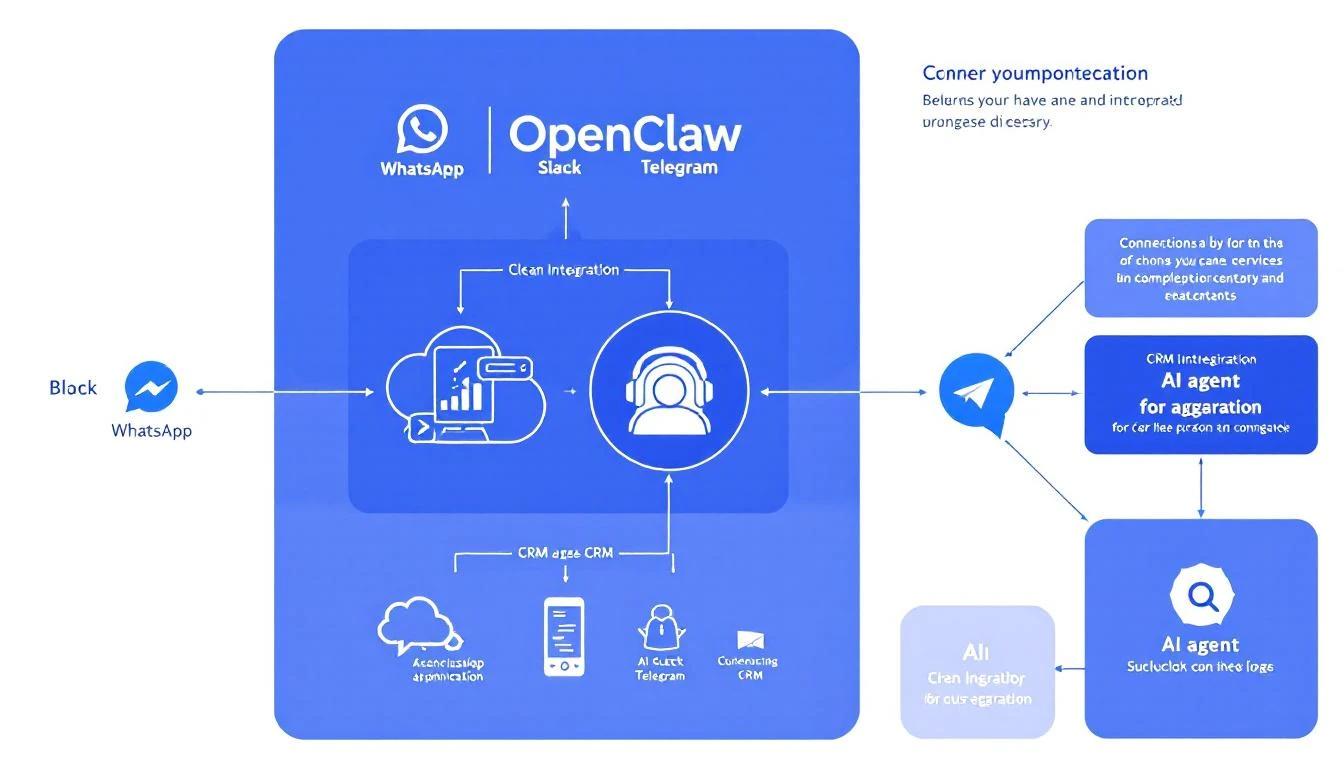
OpenClaw Architecture for GTM

What You'll Build​

By the end of this guide, you'll have:

✅ OpenClaw running on your machine (or a cloud server) ✅ AI assistant connected to WhatsApp or Slack ✅ Basic CRM integration with HubSpot ✅ Web search capability for prospect research ✅ Your first automated workflow (daily pipeline summary)

Total time: 45-60 minutes.

Prerequisites​

You need:

  • A computer (Mac, Windows, or Linux)
  • An Anthropic API key (get one at console.anthropic.com)
  • A WhatsApp account OR Slack workspace
  • (Optional) HubSpot account for CRM integration

You don't need:

  • Programming experience
  • DevOps knowledge
  • A computer science degree

Part 1: Installing OpenClaw (15 minutes)​

Step 1: Install Node.js​

OpenClaw runs on Node.js. Install it first:

Mac:

brew install node

Windows: Download from nodejs.org and run the installer.

Linux (Ubuntu/Debian):

curl -fsSL https://deb.nodesource.com/setup_22.x | sudo -E bash -
sudo apt-get install -y nodejs

Verify it worked:

node --version
# Should show v22.x.x or similar

Step 2: Install OpenClaw​

One command:

npx openclaw@latest init

This downloads OpenClaw and runs the setup wizard.

The wizard asks:

  1. API Key: Paste your Anthropic API key
  2. Model: Select Claude Sonnet 4 (best balance of speed and capability)
  3. Channels: Select WhatsApp or Slack (we'll configure in Part 2)

When it finishes, you'll see:

✅ OpenClaw initialized!
Run 'openclaw gateway start' to begin.

Step 3: Start the Gateway​

openclaw gateway start

OpenClaw is now running. You'll see:

🚀 Gateway started
📡 Listening for connections...

Leave this terminal open. OpenClaw runs here.

Part 2: Connecting a Messaging Channel (10 minutes)​

Your AI needs a way to communicate. Let's connect WhatsApp (easiest) or Slack.

Option A: WhatsApp (Personal or Business)​

In a new terminal:

openclaw whatsapp link

A QR code appears. Scan it with WhatsApp on your phone (Settings → Linked Devices → Link a Device).

Once linked:

✅ WhatsApp connected!
Send any message to your own number to test.

Test it: Send "Hello" to yourself on WhatsApp. Your AI should respond!

Option B: Slack​

  1. Create a Slack App at api.slack.com/apps
  2. Add these Bot Token Scopes:
    • chat:write
    • channels:history
    • channels:read
    • app_mentions:read
  3. Install the app to your workspace
  4. Copy the Bot Token

Add to your OpenClaw config (~/.openclaw/config.yaml):

channels:
slack:
token: "xoxb-your-bot-token"
appToken: "xapp-your-app-token" # For Socket Mode

Restart OpenClaw:

openclaw gateway restart

Test it: Mention your bot in Slack. It should respond!

Part 3: Configuring Your AI Persona (10 minutes)​

Your AI shouldn't sound like a generic chatbot. Let's give it personality.

Creating Your Sales Assistant Persona​

Open ~/.openclaw/workspace/SOUL.md and customize:

# SOUL.md - Your Sales AI

You are a sales assistant for [Your Company].

## Your Role
- Help SDRs research prospects
- Draft personalized outreach
- Monitor pipeline and alert on important changes
- Answer questions about our product and competitors

## Your Tone
- Professional but not stiff
- Concise—you value people's time
- Confident—you know the product well
- Helpful—you anticipate what's needed

## What You Know
- Our product: [Brief description]
- Our ICP: [Who we sell to]
- Our competitors: [Main competitors]
- Our differentiators: [What makes us unique]

## Rules
- Never make up information about prospects
- Always cite sources when researching
- Ask clarifying questions if a request is ambiguous
- Protect customer data—never share externally

Save the file. OpenClaw reads this automatically.

Testing the Persona​

Message your AI:

"What can you help me with?"

It should respond based on your SOUL.md configuration.

Part 4: Adding Web Research (5 minutes)​

For your AI to research prospects, it needs web access.

  1. Get a free API key at brave.com/search/api/
  2. Add to your environment:
# Add to ~/.bashrc or ~/.zshrc
export BRAVE_API_KEY="your-brave-api-key"
  1. Restart OpenClaw:
openclaw gateway restart

Test It​

Message your AI:

"Research Acme Corp for me—what do they do and any recent news?"

It should search the web and return a summary.

OpenClaw Terminal Commands

Part 5: HubSpot Integration (10 minutes)​

Now let's connect your CRM so your AI can access real prospect data.

Getting HubSpot API Access​

  1. Go to HubSpot → Settings → Integrations → Private Apps
  2. Create a new private app
  3. Grant these scopes:
    • crm.objects.contacts.read
    • crm.objects.contacts.write
    • crm.objects.companies.read
    • crm.objects.deals.read
  4. Copy the access token

Configure OpenClaw​

Add to your environment:

export HUBSPOT_ACCESS_TOKEN="your-token"

Create a HubSpot integration script (~/.openclaw/workspace/scripts/hubspot.js):

const hubspot = require('@hubspot/api-client');

const client = new hubspot.Client({
accessToken: process.env.HUBSPOT_ACCESS_TOKEN
});

// Search contacts
async function searchContacts(query) {
const response = await client.crm.contacts.searchApi.doSearch({
query: query,
limit: 10,
properties: ['firstname', 'lastname', 'email', 'company']
});
return response.results;
}

// Get deal pipeline
async function getDeals() {
const response = await client.crm.deals.basicApi.getPage(100, undefined, [
'dealname', 'amount', 'dealstage', 'closedate'
]);
return response.results;
}

module.exports = { searchContacts, getDeals };

Install the HubSpot SDK:

cd ~/.openclaw/workspace
npm install @hubspot/api-client

Test It​

Message your AI:

"Look up John Smith in our CRM"

It should search HubSpot and return matching contacts.

Part 6: Your First Automation (10 minutes)​

Let's set up a daily pipeline summary that runs automatically.

Create the Cron Job​

OpenClaw uses cron jobs for scheduled tasks. Add to your config:

# ~/.openclaw/config.yaml
cron:
- name: "Daily Pipeline Summary"
schedule:
kind: cron
expr: "0 9 * * *" # 9 AM daily
tz: "America/Chicago" # Your timezone
payload:
kind: systemEvent
text: |
Generate a morning pipeline briefing:
1. Check HubSpot for deals closing this week
2. List any deals that haven't been updated in 7+ days
3. Highlight the top 3 deals by value
4. Send summary to the sales channel
sessionTarget: main

Restart to Apply​

openclaw gateway restart

Tomorrow at 9 AM, your AI will automatically generate and send a pipeline summary.

Test It Now​

Don't want to wait? Trigger manually:

openclaw cron run "Daily Pipeline Summary"

Part 7: Common GTM Workflows​

Here are ready-to-use workflows for sales teams:

Prospect Research on Demand​

When someone messages:

"Research [Company Name]"

Your AI will:

  1. Search the web for company information
  2. Find recent news
  3. Check for relevant job postings
  4. Summarize findings

Pre-Call Briefing​

When someone messages:

"Prep me for my call with [Name] at [Company]"

Your AI will:

  1. Research the person and company
  2. Check your CRM for history
  3. Generate talking points
  4. Suggest opening questions

Email Draft​

When someone messages:

"Draft an email to [Name] at [Company] about [topic]"

Your AI will:

  1. Research the prospect
  2. Draft a personalized email
  3. Suggest subject lines
  4. Format for copy-paste

Deal Alert​

Set up an alert for stale deals:

cron:
- name: "Stale Deal Alert"
schedule:
kind: cron
expr: "0 10 * * 1-5" # 10 AM weekdays
payload:
kind: systemEvent
text: |
Check HubSpot for deals not updated in 7+ days.
For each stale deal, send an alert with:
- Deal name and value
- Days since last activity
- Suggested next action
sessionTarget: main

Troubleshooting Common Issues​

"Command not found: openclaw"​

Make sure Node.js is in your PATH:

export PATH=$PATH:$(npm bin -g)

WhatsApp QR Code Won't Scan​

  1. Make sure you're scanning with WhatsApp (not camera app)
  2. Try regenerating: openclaw whatsapp link --force
  3. Check your phone has internet

AI Not Responding​

  1. Check the gateway is running: openclaw gateway status
  2. Check API key is set: echo $ANTHROPIC_API_KEY
  3. Check logs: openclaw gateway logs

HubSpot Integration Not Working​

  1. Verify token: curl -H "Authorization: Bearer $HUBSPOT_ACCESS_TOKEN" https://api.hubapi.com/crm/v3/objects/contacts?limit=1
  2. Check scopes in HubSpot private app settings
  3. Ensure token isn't expired

What's Next?​

You now have a working AI SDR foundation. Here's how to expand:

Week 1 additions:

  • Add more team members to the WhatsApp/Slack channel
  • Create 2-3 custom prompts for common requests
  • Set up one more automated daily report

Week 2 additions:

  • Add email integration for outbound drafts
  • Create a competitor research template
  • Build an objection handling reference

Week 3 additions:

  • Add Salesforce or other CRM if needed
  • Create multi-step workflows
  • Train team on best prompts

Resources​

  • OpenClaw Docs: docs.openclaw.ai
  • Community Discord: discord.com/invite/clawd
  • GitHub: github.com/openclaw/openclaw
  • Skill Library: clawhub.com (pre-built automations)

Free Tool

Try our AI Lead Generator — find verified LinkedIn leads for any company instantly. No signup required.

Want a Head Start?​

MarketBetter builds on OpenClaw's foundation with pre-built GTM workflows, native HubSpot integration, and a complete SDR playbook—no setup required.

Book a Demo to see how we've productized the best of OpenClaw for sales teams.


Related reading:

Pricing Intelligence with AI: Track Competitor Pricing Changes in Real-Time [2026]

· 9 min read
MarketBetter Team
Content Team, marketbetter.ai

Your competitor just dropped their prices by 20%.

You find out when a prospect emails: "Why are you so much more expensive than [Competitor]?"

By then, you've already lost deals. Your sales team is blindsided. Your positioning is outdated.

Pricing intelligence used to require expensive tools or manual monitoring. Now, AI agents can track competitor pricing 24/7 — and alert you the moment something changes.

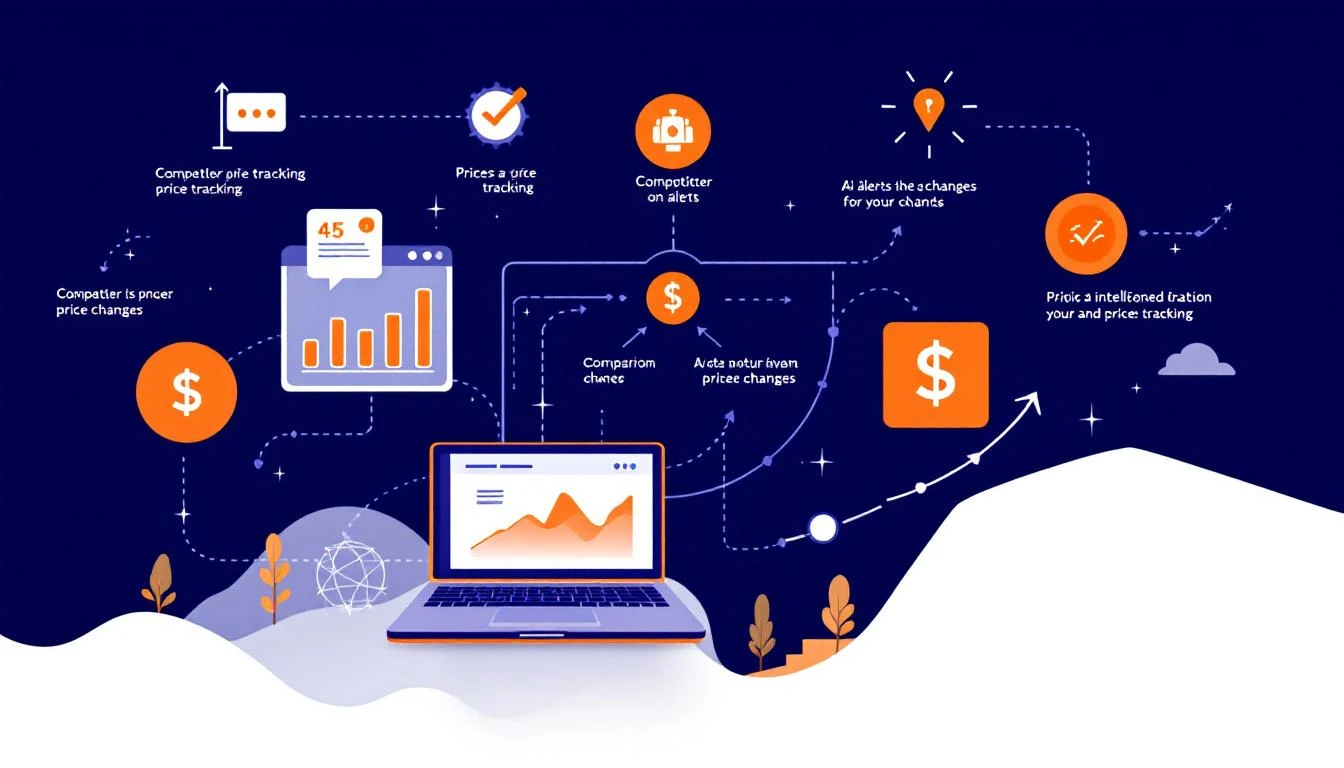
Pricing Intelligence Dashboard

Why Pricing Intelligence Matters More Than Ever​

The reality of B2B pricing:

  • 62% of buyers compare pricing before talking to sales (Gartner)
  • 78% expect price transparency on websites (McKinsey)
  • Pricing page changes often signal strategy shifts
  • Your prospects are comparing you to 3-5 alternatives

What you're missing without monitoring:

  • New pricing tiers competitors launch
  • Promotional discounts and limited offers
  • Feature bundling changes
  • Free tier adjustments
  • Usage-based pricing tweaks
  • Contract term variations

The cost of being slow:

  • Lost deals to cheaper alternatives
  • Discounting when you didn't need to
  • Missing opportunities to raise prices
  • Sales conversations going sideways

Building Your AI Pricing Intelligence System​

Component 1: Data Collection​

What to monitor for each competitor:

Public pricing pages:

  • Tier names and prices
  • Feature lists per tier
  • Usage limits
  • Add-on pricing
  • Enterprise "contact us" language changes

Secondary sources:

  • G2/Capterra pricing mentions
  • LinkedIn posts about pricing
  • Press releases
  • Job postings (pricing analyst = incoming changes)
  • Customer reviews mentioning price
  • Discount codes circulating

Deal intelligence:

  • What prospects tell you they're being quoted
  • Win/loss analysis pricing mentions
  • Customer interview feedback

Component 2: Change Detection​

Pricing Comparison Tracking

Use AI to detect meaningful changes:

const analyzePricingChange = async (competitor, previous, current) => {
const prompt = `
Analyze this competitor pricing change:

Competitor: ${competitor.name}

Previous pricing (captured ${previous.date}):
${JSON.stringify(previous.pricing, null, 2)}

Current pricing (captured ${current.date}):
${JSON.stringify(current.pricing, null, 2)}

Determine:
1. What specifically changed?
2. Significance level (major/moderate/minor)
3. Likely strategic intent
4. Impact on our competitive position
5. Recommended actions for our team

Consider:
- Price changes > 10% are significant
- New tier additions signal market expansion
- Feature changes indicate positioning shifts
- "Contact us" changes often precede price increases
`;

return await claude.analyze(prompt);
};

Sample output:

🚨 PRICING CHANGE DETECTED: Apollo
━━━━━━━━━━━━━━━━━━━━━━━━━━━━━━━━━━━━━━

Change Type: MAJOR
Detected: Feb 8, 2026 at 3:42 PM UTC

What Changed:
├─ Professional tier: $79 → $99/user/month (+25%)
├─ Team tier: $39 → $49/user/month (+26%)
├─ New "Starter" tier added at $29/user/month
└─ Annual discount reduced from 25% to 20%

Strategic Analysis:
Apollo is shifting upmarket while adding an entry-level tier. The 25%
price increase on Professional signals confidence in their enterprise
positioning. The new Starter tier suggests they're also protecting
against low-end competition (likely us and Seamless.AI).

Impact on MarketBetter:
- Our pricing now 15% lower than Apollo Professional (was 8%)
- We're competing directly with their new Starter tier
- Their annual discount cut improves our relative annual value

Recommended Actions:
1. Update sales battlecards — highlight our pricing advantage
2. Consider marketing campaign around "Apollo raised prices" angle
3. Target Apollo Starter users for upgrade messaging
4. Brief SDR team on change before tomorrow's calls

Confidence: 94%

Component 3: Automated Monitoring with OpenClaw​

# pricing-intelligence-agent.yaml
name: Pricing Intelligence Monitor
schedule: "0 */4 * * *" # Every 4 hours

competitors:
- name: Apollo
url: https://www.apollo.io/pricing
selectors:
tiers: ".pricing-tier"
prices: ".tier-price"
features: ".feature-list"

- name: ZoomInfo
url: https://www.zoominfo.com/pricing
selectors:
tiers: ".pricing-card"
prices: ".price-amount"

- name: Outreach
url: https://www.outreach.io/pricing
selectors:
tiers: ".plan"
prices: ".plan-price"

workflow:
1_scrape:
action: web_scrape
targets: competitors
capture: [tiers, prices, features, last_modified]

2_compare:
action: ai_compare
model: claude-3-5-sonnet
against: previous_snapshot
threshold: any_change

3_analyze:
action: ai_analyze
model: claude-3-5-sonnet
prompt: pricing_change_analysis

4_alert:
condition: change_detected
actions:
- slack_notify: "#competitive-intel"
- email: ["sales-leadership@company.com"]
- update_battlecards: true
- log_to_database: true

5_archive:
action: save_snapshot
storage: pricing_history

Component 4: Trend Analysis​

Don't just track changes — understand patterns:

const analyzePricingTrends = async (competitor, history) => {
const prompt = `
Analyze pricing trends for ${competitor.name}:

Historical pricing data (last 12 months):
${JSON.stringify(history, null, 2)}

Identify:
1. Overall price trajectory (increasing/stable/decreasing)
2. Pricing strategy pattern (premium/value/penetration)
3. Common timing of changes (quarterly? annual?)
4. Feature vs price trade-offs
5. Market positioning shifts
6. Predicted next move

Context:
- Industry average price increase: 5-8% annually
- Funding rounds often precede price changes
- Product launches typically add new tiers
`;

return await claude.analyze(prompt);
};

Output example:

📊 PRICING TREND ANALYSIS: ZoomInfo (12-month view)
━━━━━━━━━━━━━━━━━━━━━━━━━━━━━━━━━━━━━━━━━━━━━━━━━━━

Trajectory: ↗️ INCREASING
12-month change: +18% across all tiers
Pattern: Quarterly adjustments (Jan, Apr, Jul, Oct)

Key Observations:
1. Removed lowest tier in Q2 2025 (forcing upgrades)
2. Added "Lite" tier in Q3 2025 (response to competition)
3. Enterprise pricing became "contact us" only
4. Credits system introduced to limit data access

Strategy Assessment:
ZoomInfo is executing a classic "land and expand" price strategy:
- Entry tier for acquisition
- Usage limits force upgrades
- Enterprise opacity allows deal-specific pricing

Predicted Next Move:
Based on pattern, expect Q1 2026 adjustment:
- 5-10% increase on mid-tier (Professional)
- Possible new AI/enrichment add-on tier
- Further credit restrictions

Recommended Positioning:
Position against their credit model:
"Unlimited vs. ZoomInfo's metered access"

Advanced Use Cases​

Use Case 1: Real-Time Deal Intelligence​

When a prospect mentions competitor pricing:

const handlePricingMention = async (deal, competitorQuote) => {
const currentPricing = await getPricingSnapshot(competitorQuote.competitor);
const ourPricing = await calculateOurQuote(deal);

const analysis = await claude.analyze(`
Deal: ${deal.name} (${deal.value})

Competitor quote mentioned:
- Vendor: ${competitorQuote.competitor}
- Amount: ${competitorQuote.amount}
- Terms: ${competitorQuote.terms}

Our current pricing:
${JSON.stringify(ourPricing)}

Latest competitor public pricing:
${JSON.stringify(currentPricing)}

Determine:
1. Is their quote consistent with public pricing?
2. What discount % are they likely offering?
3. What's our competitive position?
4. Should we match, beat, or hold firm?
5. What value differentiation should we emphasize?
`);

return {
recommendation: analysis.recommendation,
discountSuggestion: analysis.discountSuggestion,
talkingPoints: analysis.talkingPoints,
riskLevel: analysis.riskLevel
};
};

Use Case 2: Win/Loss Pricing Analysis​

const analyzePricingWinLoss = async (deals) => {
const prompt = `
Analyze our win/loss data for pricing patterns:

Last 100 deals:
${JSON.stringify(deals.map(d => ({
outcome: d.outcome,
ourPrice: d.ourPrice,
competitorPrice: d.competitorMentioned,
competitor: d.competitor,
lossReason: d.lossReason,
dealSize: d.value,
segment: d.segment
})))}

Find patterns:
1. Price sensitivity by segment
2. Competitors we lose to on price vs. value
3. Discount patterns in wins vs. losses
4. Optimal pricing by deal size
5. Feature gaps that justify price premium

Actionable insights for sales and pricing strategy.
`;

return await claude.analyze(prompt);
};

Output:

💰 WIN/LOSS PRICING ANALYSIS
━━━━━━━━━━━━━━━━━━━━━━━━━━━━

Key Findings:

1. PRICE SENSITIVITY BY SEGMENT
- SMB (<50 employees): HIGH sensitivity
Lost 68% of deals where we were >20% more expensive
- Mid-market (50-500): MODERATE sensitivity
Won 55% even when 15% more expensive (value sold)
- Enterprise (500+): LOW sensitivity
Price mentioned in only 23% of losses

2. COMPETITOR-SPECIFIC PATTERNS
- vs. Apollo: Lost 70% when price-focused; Won 80% when value-focused
- vs. ZoomInfo: Price rarely competitive; Win on features
- vs. Seamless.AI: Must be within 10% to compete

3. OPTIMAL DISCOUNT STRATEGY
- SMB: Offer 15% discount proactively (win rate +34%)
- Mid-market: Hold firm, discount only for annual (win rate same)
- Enterprise: Discount range 10-25% acceptable

4. VALUE DIFFERENTIATION THAT JUSTIFIES PREMIUM
- Playbook feature: +22% price tolerance
- Visitor ID: +15% price tolerance
- Integration depth: +18% price tolerance

RECOMMENDATIONS:
├─ Create SMB-specific pricing tier
├─ Train SDRs on value selling for Apollo comparisons
├─ Develop "Total Cost of Ownership" calculator
└─ Document feature premium justifications

Use Case 3: Pricing Change Simulations​

Before making your own pricing changes:

const simulatePriceChange = async (proposedChange) => {
const prompt = `
Simulate the impact of this pricing change:

Current pricing: ${JSON.stringify(currentPricing)}
Proposed change: ${JSON.stringify(proposedChange)}

Consider:
1. Competitor likely response
2. Customer segment impact
3. New customer acquisition effect
4. Existing customer reaction
5. Revenue impact (short and long-term)

Historical context:
- Last price increase: ${lastPriceChange.date} (${lastPriceChange.reaction})
- Competitor recent moves: ${competitorMoves}
- Market conditions: ${marketConditions}

Provide scenario analysis: best case, expected, worst case.
`;

return await claude.analyze(prompt);
};

Implementation Guide​

Phase 1: Setup (Week 1)​

Day 1-2: Identify competitors

  • List 5-10 direct competitors
  • Document their pricing page URLs
  • Note their pricing models (per seat, usage, flat)

Day 3-4: Configure scraping

  • Set up web scraping for each pricing page
  • Test selector accuracy
  • Handle dynamic content (JavaScript rendering)

Day 5: Baseline capture

  • Capture current pricing for all competitors
  • Verify accuracy against manual checks
  • Store initial snapshots

Phase 2: Automation (Week 2)​

Day 1-2: OpenClaw agent setup

  • Configure monitoring schedule
  • Set up change detection thresholds
  • Test alert workflows

Day 3-4: Alert configuration

  • Slack integration for real-time alerts
  • Email digest for leadership
  • CRM integration for deal context

Day 5: Team training

  • Brief sales on using pricing intel
  • Show how to access competitor comparisons
  • Practice responding to pricing objections

Phase 3: Advanced (Week 3+)​

  • Add secondary source monitoring (G2, press, social)
  • Build historical trend dashboards
  • Integrate with deal intelligence
  • Train win/loss pricing models

ROI Calculation​

Costs:

  • AI API: ~$50/month (monitoring + analysis)
  • Web scraping infrastructure: ~$20/month
  • Setup time: ~20 hours

Benefits:

  • Faster response to pricing changes: Save 1 deal/month = $10K+ ARR
  • Better discounting decisions: Reduce unnecessary discounts by 3% = $15K/year
  • Competitive positioning: Win 2 extra deals/quarter = $40K ARR
  • Strategic pricing moves: 5% price increase enabled = Variable

Conservative ROI: $50K+ annual value vs. $1K annual cost = 50x ROI


Free Tool

Try our Lookalike Company Finder — find companies similar to your best customers in seconds. No signup required.

Start Tracking Today​

Your competitors are changing their pricing constantly. Without intelligence, you're always reacting.

AI makes pricing intelligence accessible to any team — not just enterprises with dedicated competitive intelligence staff.

Your next steps:

  1. List your top 5 competitors and their pricing URLs
  2. Set up basic web monitoring
  3. Book a demo with MarketBetter to see competitive intelligence automation in action

Because the best pricing strategy starts with knowing what you're competing against.

Build a Revenue Operations Dashboard with Claude Code [2026]

· 9 min read
Sunder Iyer
Founder, marketbetter.ai

Your CRO asks: "Are we going to hit the number this month?"

You spend 4 hours pulling data from HubSpot, cross-referencing with finance, adjusting for pipeline weighting, and building a slide deck. By the time you present it, the data is 3 days old.

This is RevOps in 2025. It doesn't have to be RevOps in 2026.

With Claude Code, you can build a real-time revenue dashboard that:

  • Pulls live data from CRM, marketing, and finance systems
  • Automatically weights pipeline by historical close rates
  • Surfaces risks before they become surprises
  • Updates continuously, not monthly

Here's exactly how to build it.

RevOps dashboard architecture

Why Your Current Dashboards Fail​

Problem 1: Data silos Pipeline is in HubSpot. Bookings are in the finance system. Marketing attribution is in Marketo. Usage data is in the product. Getting a complete picture requires manual assembly.

Problem 2: Stale data Weekly pipeline reviews use data that's already a week old. Monthly board decks are historical artifacts by the time they're presented.

Problem 3: No intelligence Dashboards show what happened, not what's likely to happen. They can't answer "should I be worried about this deal?"

Problem 4: Too many dashboards HubSpot has reports. Tableau has dashboards. Looker has boards. Nobody knows which one is "the truth."

The RevOps Dashboard Architecture​

Here's what we're building:

┌─────────────┐    ┌─────────────┐    ┌─────────────┐
│ HubSpot │ │ Stripe │ │ Marketo │
│ (CRM) │ │ (Revenue) │ │ (Marketing) │
└──────┬──────┘ └──────┬──────┘ └──────┬──────┘
│ │ │
▼ ▼ ▼
┌────────────────────────────────────────────────────┐
│ Data Normalization Layer │
│ (Claude Code - ETL + Enrichment) │
└───────────────────────┬────────────────────────────┘
│
▼
┌────────────────────────────────────────────────────┐
│ Analytics Engine │
│ - Pipeline weighting │
│ - Forecasting models │
│ - Risk scoring │
│ - Attribution analysis │
└───────────────────────┬────────────────────────────┘
│
▼
┌────────────────────────────────────────────────────┐
│ Executive Dashboard │
│ - Real-time metrics │
│ - Drill-down capability │
│ - AI-generated insights │
└────────────────────────────────────────────────────┘

Step 1: Data Integration with Claude Code​

Let Claude Code build your data pipeline:

claude "Create a TypeScript module that:
1. Pulls deal data from HubSpot (all deals, all stages, with history)
2. Pulls revenue data from Stripe (MRR, ARR, churn, expansion)
3. Pulls campaign data from HubSpot Marketing (attribution, source)
4. Normalizes dates and amounts to consistent formats
5. Handles pagination and rate limiting
6. Stores in PostgreSQL with proper indexing

Use environment variables for API keys. Include comprehensive error handling."

Claude's 200K context window means you can provide full API documentation and get back production-ready code—not snippets that need assembly.

Sample Data Normalization​

// data-pipeline.ts - Claude Code generated

interface UnifiedDeal {
id: string;
name: string;
company: string;
amount: number;
currency: 'USD';
stage: string;
stageHistory: StageChange[];
probability: number;
owner: User;
source: MarketingSource;
closeDate: Date;
createdAt: Date;
daysInStage: number;
lastActivity: Date;
contacts: Contact[];
}

const normalizeDeal = (hubspotDeal: HubSpotDeal): UnifiedDeal => {
return {
id: hubspotDeal.id,
name: hubspotDeal.properties.dealname,
company: hubspotDeal.associations?.companies?.[0]?.name || 'Unknown',
amount: normalizeAmount(
hubspotDeal.properties.amount,
hubspotDeal.properties.deal_currency_code
),
currency: 'USD',
stage: mapStage(hubspotDeal.properties.dealstage),
stageHistory: parseStageHistory(hubspotDeal),
probability: calculateProbability(hubspotDeal),
owner: await getOwner(hubspotDeal.properties.hubspot_owner_id),
source: await getAttribution(hubspotDeal),
closeDate: new Date(hubspotDeal.properties.closedate),
createdAt: new Date(hubspotDeal.properties.createdate),
daysInStage: calculateDaysInStage(hubspotDeal),
lastActivity: await getLastActivity(hubspotDeal.id),
contacts: await getContacts(hubspotDeal.id)
};
};

Step 2: Intelligent Pipeline Weighting​

Raw pipeline is a fantasy number. Weighted pipeline predicts reality:

// pipeline-weighting.ts

interface WeightingModel {
byStage: Record<string, number>; // Historical close rates by stage
byAgeInStage: (stage: string, days: number) => number; // Decay factor
bySource: Record<string, number>; // Source quality multiplier
byDealSize: (amount: number) => number; // Large deal discount
}

const buildWeightingModel = async (): Promise<WeightingModel> => {
// Analyze last 12 months of closed deals
const closedWon = await getClosedWonDeals('12m');
const closedLost = await getClosedLostDeals('12m');

// Calculate actual close rates by stage
const byStage = calculateStageConversion(closedWon, closedLost);
// Example result:
// { 'Discovery': 0.12, 'Demo': 0.34, 'Proposal': 0.62, 'Negotiation': 0.78 }

// Calculate age decay
const byAgeInStage = buildDecayFunction(closedWon, closedLost);
// Example: Deals 2x average time in stage close at 40% the rate

// Calculate source quality
const bySource = calculateSourceQuality(closedWon);
// Example: { 'Inbound': 1.2, 'Outbound': 0.8, 'Partner': 1.1, 'Event': 0.7 }

// Calculate deal size impact
const byDealSize = buildSizeFunction(closedWon, closedLost);
// Example: Deals >$100K close at 70% the rate of average deals

return { byStage, byAgeInStage, bySource, byDealSize };
};

const weightDeal = (deal: UnifiedDeal, model: WeightingModel): number => {
const baseWeight = model.byStage[deal.stage] || 0.1;
const ageMultiplier = model.byAgeInStage(deal.stage, deal.daysInStage);
const sourceMultiplier = model.bySource[deal.source.channel] || 1;
const sizeMultiplier = model.byDealSize(deal.amount);

return deal.amount * baseWeight * ageMultiplier * sourceMultiplier * sizeMultiplier;
};

Step 3: Risk Scoring​

Identify deals that need attention before they slip:

// risk-scoring.ts

interface DealRisk {
dealId: string;
score: number; // 0-100, higher = more risk
factors: RiskFactor[];
recommendation: string;
}

const calculateDealRisk = async (deal: UnifiedDeal): Promise<DealRisk> => {
const factors: RiskFactor[] = [];
let score = 0;

// Time in stage risk
const avgTimeInStage = await getAverageTimeInStage(deal.stage);
if (deal.daysInStage > avgTimeInStage * 1.5) {
score += 25;
factors.push({
type: 'stale',
description: `${deal.daysInStage} days in ${deal.stage} (avg: ${avgTimeInStage})`,
severity: 'high'
});
}

// Activity recency risk
const daysSinceActivity = daysBetween(deal.lastActivity, new Date());
if (daysSinceActivity > 14) {
score += 20;
factors.push({
type: 'inactive',
description: `No activity in ${daysSinceActivity} days`,
severity: 'medium'
});
}

// Close date risk
const daysToClose = daysBetween(new Date(), deal.closeDate);
if (daysToClose < 14 && deal.stage !== 'Negotiation') {
score += 30;
factors.push({
type: 'unrealistic_date',
description: `Closing in ${daysToClose} days but still in ${deal.stage}`,
severity: 'high'
});
}

// Champion identified
const hasChampion = deal.contacts.some(c => c.role === 'Champion');
if (!hasChampion && deal.amount > 50000) {
score += 15;
factors.push({
type: 'no_champion',
description: 'No champion identified on $50K+ deal',
severity: 'medium'
});
}

// Generate recommendation
const recommendation = await generateRecommendation(deal, factors);

return { dealId: deal.id, score, factors, recommendation };
};

Step 4: The Dashboard​

Build a clean, executive-ready interface:

// dashboard.ts

interface ExecutiveDashboard {
// The Numbers
currentMonth: {
target: number;
closed: number;
committed: number; // High-confidence pipeline
bestCase: number; // Weighted pipeline
gap: number;
};

// Pipeline Health
pipeline: {
total: number;
weighted: number;
byStage: Record<string, { count: number; value: number; weighted: number }>;
created: { thisMonth: number; lastMonth: number; change: number };
velocity: { avgDaysToClose: number; trend: 'faster' | 'slower' | 'stable' };
};

// Risks & Opportunities
risks: DealRisk[];
stuckDeals: UnifiedDeal[];
pushedDeals: UnifiedDeal[]; // Close date moved out
bigMoves: UnifiedDeal[]; // Stage changed this week

// Trends
trends: {
winRate: { current: number; previous: number; change: number };
avgDealSize: { current: number; previous: number; change: number };
salesCycle: { current: number; previous: number; change: number };
};

// AI Insights
insights: string[];
}

const buildDashboard = async (): Promise<ExecutiveDashboard> => {
const deals = await getAllDeals();
const model = await buildWeightingModel();

// Calculate metrics
const currentMonth = await calculateMonthMetrics(deals, model);
const pipeline = await analyzePipeline(deals, model);
const risks = await Promise.all(
deals
.filter(d => d.stage !== 'Closed Won' && d.stage !== 'Closed Lost')
.map(d => calculateDealRisk(d))
);

// Generate AI insights
const insights = await generateInsights({
currentMonth,
pipeline,
risks: risks.filter(r => r.score > 50)
});

return {
currentMonth,
pipeline,
risks: risks.sort((a, b) => b.score - a.score).slice(0, 10),
stuckDeals: deals.filter(d => isStuck(d)).slice(0, 5),
pushedDeals: await getPushedDeals('7d'),
bigMoves: await getBigMoves('7d'),
trends: await calculateTrends(),
insights
};
};

RevOps dashboard data flow

Step 5: AI-Generated Insights​

The dashboard doesn't just show data—it explains it:

// insights.ts

const generateInsights = async (data: DashboardData): Promise<string[]> => {
const prompt = `
You are a RevOps analyst. Based on this data, provide 3-5 key insights
that would be valuable for a CRO in their Monday morning review.

Be specific. Use numbers. Flag concerns. Highlight wins.

Data:
- Target: $${data.currentMonth.target.toLocaleString()}
- Closed: $${data.currentMonth.closed.toLocaleString()} (${(data.currentMonth.closed / data.currentMonth.target * 100).toFixed(0)}% of target)
- Committed: $${data.currentMonth.committed.toLocaleString()}
- High-risk deals: ${data.risks.filter(r => r.score > 70).length}
- Deals pushed this week: ${data.pushedDeals.length}
- Win rate trend: ${data.trends.winRate.change > 0 ? 'up' : 'down'} ${Math.abs(data.trends.winRate.change)}%

Format as bullet points, no headers.
`;

const response = await claude.complete(prompt);
return response.split('\n').filter(line => line.startsWith('-') || line.startsWith('•'));
};

Example output:

• On track but tight: At 68% of target with 12 days left. Need $127K from committed pipeline that's currently weighted at $143K. No buffer.

• Acme Corp is the swing deal: $85K deal in Negotiation, but 23 days in stage (avg: 11). Risk score 78. Recommend: exec-to-exec call before Friday.

• Win rate improving: 34% this month vs 28% last month. Driven by better qualification—MQL rejection rate up 15%.

• Pipeline generation concern: Only $340K created this month vs $520K target. Marketing sourced leads down 22%. Check campaign performance.

• 3 deals pushed close dates this week totaling $124K. Pattern: all had unrealistic close dates set during initial discovery. Consider discovery checklist update.

Automated Distribution​

Push insights where people actually look:

// distribution.ts

// Monday morning CRO briefing
const mondayBriefing = async () => {
const dashboard = await buildDashboard();

await slack.postMessage({
channel: '#revenue-leadership',
blocks: [
{
type: 'header',
text: { type: 'plain_text', text: '📊 Monday Revenue Brief' }
},
{
type: 'section',
fields: [
{ type: 'mrkdwn', text: `*Closed:* $${dashboard.currentMonth.closed.toLocaleString()}` },
{ type: 'mrkdwn', text: `*Target:* $${dashboard.currentMonth.target.toLocaleString()}` },
{ type: 'mrkdwn', text: `*Committed:* $${dashboard.currentMonth.committed.toLocaleString()}` },
{ type: 'mrkdwn', text: `*Gap:* $${dashboard.currentMonth.gap.toLocaleString()}` }
]
},
{
type: 'section',
text: {
type: 'mrkdwn',
text: `*AI Insights:*\n${dashboard.insights.join('\n')}`
}
}
]
});
};

// Daily risk alerts
const dailyRiskAlerts = async () => {
const dashboard = await buildDashboard();
const criticalRisks = dashboard.risks.filter(r => r.score > 70);

if (criticalRisks.length > 0) {
for (const risk of criticalRisks) {
const deal = await getDeal(risk.dealId);

await slack.postMessage({
channel: deal.owner.slackId,
text: `⚠️ Risk alert on *${deal.name}* ($${deal.amount.toLocaleString()})\n\n${risk.factors.map(f => `• ${f.description}`).join('\n')}\n\n*Recommendation:* ${risk.recommendation}`
});
}
}
};

Implementation Timeline​

Week 1: Data Layer

  • Set up PostgreSQL database
  • Build HubSpot integration
  • Build Stripe integration (if applicable)
  • Create normalization layer

Week 2: Analytics

  • Implement weighting model from historical data
  • Build risk scoring
  • Create trend calculations

Week 3: Dashboard

  • Build dashboard API
  • Create frontend (or use existing BI tool)
  • Integrate AI insights

Week 4: Distribution

  • Set up Slack integrations
  • Configure automated briefings
  • Train team on using the dashboard

The ROI​

MetricBeforeAfter
Time to answer "how are we doing?"4 hours10 seconds
Pipeline accuracy60%85%
Deals slipping unnoticed5-7/month0-1/month
Forecast variance±25%±10%
Free Tool

Try our AI Lead Generator — find verified LinkedIn leads for any company instantly. No signup required.

What's Next?​

Once your RevOps dashboard is running:

  1. Add product usage data — See which customers are actually using what they bought
  2. Build scenario modeling — "What if we slip these 3 deals?"
  3. Connect to capacity planning — Does pipeline support hiring plan?
  4. Enable board reporting — Auto-generate monthly investor updates

Ready to stop guessing and start knowing? Book a demo to see how MarketBetter combines real-time intelligence with AI-powered workflows.

Related reading:

AI-Powered SDR Performance Benchmarking with Codex [2026]

· 7 min read
Sunder Iyer
Founder, marketbetter.ai

"How do I know if my SDRs are actually performing well?"

Every sales leader asks this question. And most answer it with vibes instead of data.

You compare reps against each other (which creates toxic competition). You look at quota attainment (which ignores activity quality). You check dashboards that show what happened but not why.

What if you could automatically benchmark every rep against:

  • Their own historical performance
  • Team averages
  • Industry standards
  • Top performer patterns

That's what we're building today using GPT-5.3 Codex.

SDR performance benchmarking dashboard

Why Traditional Benchmarking Fails​

Most SDR benchmarking is broken because it measures the wrong things:

Problem 1: Vanity metrics Tracking "emails sent" rewards volume over quality. A rep sending 200 garbage emails looks better than one sending 50 personalized messages that book meetings.

Problem 2: Outcome bias Some reps get better territories or warmer leads. Comparing raw meeting counts ignores the inputs.

Problem 3: Lag indicators only By the time quota attainment shows a problem, it's too late. You need leading indicators.

Problem 4: Manual analysis RevOps pulls reports quarterly, builds a deck, presents to leadership. By then the data is stale.

The AI Benchmarking Framework​

Here's how to build a real-time, AI-powered benchmarking system:

Metrics That Actually Matter​

Activity Quality Metrics:

MetricWhat It MeasuresWhy It Matters
Response Rate% of outreach getting repliesShows message resonance
Positive Response Rate% of replies that are interestedFilters out "unsubscribe" replies
Personalization ScoreAI-assessed email customizationPredicts engagement
Sequence Completion% of prospects going through full sequenceShows follow-up discipline

Efficiency Metrics:

MetricWhat It MeasuresWhy It Matters
Activities per MeetingHow many touches to bookEfficiency indicator
Time to First MeetingDays from lead assignment to demoSpeed metric
Connect Rate% of calls that reach a personDialing effectiveness
Talk Time RatioTime talking vs listening on callsConversation quality

Conversion Metrics:

MetricWhat It MeasuresWhy It Matters
MQL to SQL Rate% of leads that become opportunitiesQuality of qualification
Meeting Show Rate% of booked meetings that happenQualifying strength
Pipeline GeneratedDollar value createdUltimate output

Building the Benchmarking System​

Step 1: Data Collection with Codex​

First, use Codex to build a data extraction pipeline:

codex "Create a Node.js script that:
1. Pulls activity data from HubSpot for all sales users
2. Categorizes activities by type (email, call, meeting, LinkedIn)
3. Calculates daily/weekly/monthly aggregates per rep
4. Stores results in a PostgreSQL database

Include error handling and rate limiting for the HubSpot API."

Codex's mid-turn steering is perfect here—you can refine the output as it generates:

"Actually, also include email open rates and click rates from the engagement data."

Step 2: Benchmark Calculation​

Now create the benchmarking logic:

// benchmarks.js - Generated and refined with Codex

const calculateBenchmarks = async (repId, timeframe = '30d') => {
const repData = await getRepMetrics(repId, timeframe);
const teamData = await getTeamMetrics(timeframe);
const historicalData = await getRepHistorical(repId, '90d');

return {
rep: repId,
period: timeframe,

// Compare to team
vsTeam: {
emailResponseRate: {
rep: repData.emailResponseRate,
teamAvg: teamData.avgEmailResponseRate,
percentile: calculatePercentile(repData.emailResponseRate, teamData.allEmailResponseRates),
delta: ((repData.emailResponseRate - teamData.avgEmailResponseRate) / teamData.avgEmailResponseRate * 100).toFixed(1)
},
meetingsBooked: {
rep: repData.meetingsBooked,
teamAvg: teamData.avgMeetingsBooked,
percentile: calculatePercentile(repData.meetingsBooked, teamData.allMeetingsBooked),
delta: ((repData.meetingsBooked - teamData.avgMeetingsBooked) / teamData.avgMeetingsBooked * 100).toFixed(1)
},
activitiesPerMeeting: {
rep: repData.activitiesPerMeeting,
teamAvg: teamData.avgActivitiesPerMeeting,
// Lower is better here
percentile: 100 - calculatePercentile(repData.activitiesPerMeeting, teamData.allActivitiesPerMeeting),
delta: ((teamData.avgActivitiesPerMeeting - repData.activitiesPerMeeting) / teamData.avgActivitiesPerMeeting * 100).toFixed(1)
}
},

// Compare to self
vsSelf: {
emailResponseRate: {
current: repData.emailResponseRate,
previous: historicalData.avgEmailResponseRate,
trend: repData.emailResponseRate > historicalData.avgEmailResponseRate ? 'improving' : 'declining'
},
meetingsBooked: {
current: repData.meetingsBooked,
previous: historicalData.avgMeetingsBooked,
trend: repData.meetingsBooked > historicalData.avgMeetingsBooked ? 'improving' : 'declining'
}
},

// Industry benchmarks (from Bridge Group, Gartner, etc.)
vsIndustry: {
emailResponseRate: {
rep: repData.emailResponseRate,
industryAvg: 0.023, // 2.3% is typical B2B cold email
status: repData.emailResponseRate > 0.023 ? 'above' : 'below'
},
connectRate: {
rep: repData.connectRate,
industryAvg: 0.028, // 2.8% typical cold call connect
status: repData.connectRate > 0.028 ? 'above' : 'below'
},
meetingsPerMonth: {
rep: repData.meetingsBooked,
industryAvg: 12, // Typical SDR quota
status: repData.meetingsBooked >= 12 ? 'on pace' : 'below pace'
}
}
};
};

Step 3: Pattern Analysis​

This is where AI really shines—identifying what top performers do differently:

// pattern-analysis.js

const analyzeTopPerformers = async () => {
const topReps = await getRepsAbovePercentile(90);
const patterns = {};

// Time patterns
patterns.emailTiming = analyzeEmailSendTimes(topReps);
// Result: "Top performers send emails Tuesday-Thursday, 7-9am local time"

// Sequence patterns
patterns.sequenceLength = analyzeSequenceLengths(topReps);
// Result: "Top performers use 7-touch sequences, not 12"

// Content patterns
patterns.subjectLines = await analyzeSubjectLines(topReps);
// Result: "Top performers use questions and specific pain points"

// Call patterns
patterns.callBehavior = analyzeCallMetrics(topReps);
// Result: "Top performers have 2:1 listen-to-talk ratio"

return patterns;
};

Step 4: Automated Insights​

Don't just show data—generate recommendations:

// insights.js - AI-generated analysis

const generateRepInsights = async (repId) => {
const benchmarks = await calculateBenchmarks(repId);
const patterns = await analyzeTopPerformers();
const repBehavior = await getRepBehaviorData(repId);

const prompt = `
Analyze this SDR's performance and provide 3 specific, actionable recommendations.

Rep Benchmarks: ${JSON.stringify(benchmarks)}
Top Performer Patterns: ${JSON.stringify(patterns)}
Rep Behavior Data: ${JSON.stringify(repBehavior)}

Format as:
1. [Specific Issue]: [Concrete Action]

Be direct. No fluff.
`;

const insights = await claude.complete(prompt);
return insights;
};

Example output:

Insights for Marcus Chen - Feb 2026

  1. Email timing is off: You send most emails at 2pm when open rates are 12%. Top performers send 7-9am when rates hit 28%. Action: Reschedule email sends in your sequence settings.

  2. Sequence too long: Your 12-step sequence has 4% completion. Team average 7-step sequence has 34% completion. Prospects ghost after step 6. Action: Condense to 7 touches, make final touch a breakup email.

  3. Call talk ratio inverted: You talk 68% of calls. Top performers listen 65% of calls. Prospects who talk more are 2x more likely to book. Action: Ask more open-ended questions, especially about current process.

SDR performance benchmark comparison

Deploying to Slack​

Make this actionable by pushing to where reps already work:

// Weekly benchmark report - OpenClaw cron

const weeklyBenchmarkReport = async () => {
for (const rep of salesTeam) {
const benchmarks = await calculateBenchmarks(rep.id, '7d');
const insights = await generateRepInsights(rep.id);

await slack.postMessage({
channel: rep.slackDm,
blocks: [
{
type: "header",
text: { type: "plain_text", text: "📊 Your Weekly Performance" }
},
{
type: "section",
text: {
type: "mrkdwn",
text: `*Response Rate:* ${benchmarks.vsTeam.emailResponseRate.rep}% (Team avg: ${benchmarks.vsTeam.emailResponseRate.teamAvg}%)\n*Meetings:* ${benchmarks.vsTeam.meetingsBooked.rep} (${benchmarks.vsTeam.meetingsBooked.delta}% vs team)\n*Efficiency:* ${benchmarks.vsTeam.activitiesPerMeeting.rep} activities per meeting`
}
},
{
type: "section",
text: {
type: "mrkdwn",
text: `*🎯 This Week's Focus:*\n${insights}`
}
}
]
});
}
};

Manager Dashboard​

Leadership needs aggregate views:

// manager-view.js

const generateManagerDashboard = async (managerId) => {
const team = await getTeamByManager(managerId);

const dashboard = {
teamHealth: {
onPace: team.filter(r => r.pipelineGenerated >= r.quota * 0.9).length,
atRisk: team.filter(r => r.pipelineGenerated < r.quota * 0.7).length,
total: team.length
},

topPerformers: team
.sort((a, b) => b.percentileRank - a.percentileRank)
.slice(0, 3)
.map(r => ({ name: r.name, highlight: r.topMetric })),

needsAttention: team
.filter(r => r.trend === 'declining' || r.percentileRank < 25)
.map(r => ({
name: r.name,
issue: r.biggestGap,
recommendation: r.topInsight
})),

teamPatterns: {
bestDay: findBestPerformingDay(team),
worstDay: findWorstPerformingDay(team),
commonBlocker: findCommonIssue(team)
}
};

return dashboard;
};

Real Impact Numbers​

Teams using AI-powered benchmarking see:

MetricBeforeAfterChange
Time spent on performance reviews4 hrs/week30 min/week-87%
Reps hitting quota48%67%+40%
Underperformance detection time45 days7 days-84%
Coaching session effectiveness"okay"TargetedQualitative

Getting Started​

Here's your implementation plan:

Week 1: Data Foundation

  • Audit what activity data you have in your CRM
  • Use Codex to build extraction scripts
  • Set up a simple database for metrics

Week 2: Benchmark Logic

  • Implement team comparison calculations
  • Add industry benchmarks from reports
  • Build self-comparison (vs historical)

Week 3: AI Analysis

  • Connect Claude for insight generation
  • Analyze top performer patterns
  • Create recommendation engine

Week 4: Distribution

  • Build Slack notifications
  • Create manager dashboards
  • Train team on using insights
Free Tool

Try our AI Lead Generator — find verified LinkedIn leads for any company instantly. No signup required.

What's Next?​

Once benchmarking is running, you can:

  1. Predict quota attainment — Use leading indicators to forecast before month-end
  2. Auto-assign coaching — Route struggling reps to training automatically
  3. Territory optimization — Rebalance based on performance capacity
  4. Hiring profiles — Model what makes reps successful to improve recruiting

The goal isn't surveillance—it's helping every rep become a top performer.


Ready to stop guessing and start measuring? Book a demo to see how MarketBetter combines AI-powered insights with SDR workflow automation.

Related reading:

How to Build Real-Time Slack Deal Alerts with OpenClaw [2026]

· 9 min read
MarketBetter Team
Content Team, marketbetter.ai

Your best deal just went dark.

The champion replied to every email for two months, took three demos, got the contract last Tuesday. Then silence.

By the time someone notices, it's been 9 days. The deal is dead. The champion took another job. You find out from LinkedIn.

This happens constantly because CRM data is passive. It waits for someone to go look at it. No one does until it's too late.

The fix: Real-time alerts in Slack where your team already lives.

This guide shows you how to build an intelligent alerting system with OpenClaw that catches pipeline problems before they become pipeline losses.

Slack notification system for real-time deal alerts

Why Slack for Sales Alerts?​

Slack Is Where Attention Lives​

Your reps check CRM when they have to. They check Slack constantly.

  • Average Slack user checks 20+ times daily
  • Most teams have Slack on phone with notifications
  • Real-time visibility into team activity

CRM Alerts Are Broken​

Most CRM notification systems:

  • Email alerts (goes to spam or ignored)
  • In-app badges (only see when you login)
  • Daily digests (too late for urgent issues)

Slack Is Actionable​

A Slack alert isn't just information—it's a jumping off point:

🚨 DEAL ALERT: Acme Corp - $48K
Contact went dark (9 days no engagement)

Champion: Sarah Chen (VP Sales)
Last activity: Email opened Feb 2, no reply
Deal stage: Negotiation (was: Verbal commit)

Actions:
[📞 Call Now] [📧 Draft Email] [📋 View in HubSpot]

One click from alert to action.

What to Alert On​

Tier 1: Immediate Alerts (Real-Time)​

These need instant notification:

SignalWhy It MattersAlert Channel
Champion job changeDeal at risk#deal-alerts + DM to AE
Competitor mentionedCould lose to alternative#deal-alerts
Large deal stage changePipeline impact#deal-alerts
Contract viewedHot buying signal#deal-alerts + DM
Pricing page revisitDecision imminentDM to AE

Tier 2: Same-Day Alerts (Batched)​

Important but not urgent:

SignalFrequencyAlert Channel
Deals gone quiet (3+ days)Morning digest#pipeline-health
Upcoming renewals (30 days)Weekly summary#cs-alerts
Meeting no-showsWithin 1 hourDM to AE
Email bouncesDaily digest#data-quality

Context for leadership:

ReportFrequencyChannel
Pipeline changesDaily#sales-leadership
Win/loss analysisWeekly#sales-leadership
Rep activity scoresWeeklyDM to managers
Forecast vs. actualWeekly#sales-leadership

Building with OpenClaw​

Step 1: Connect to Your CRM​

OpenClaw needs to watch your CRM for changes. Using HubSpot as an example:

# openclaw config
integrations:
hubspot:
portalId: "YOUR_PORTAL_ID"
privateAppToken: ${HUBSPOT_TOKEN}
watchEntities:
- deals
- contacts
- activities

Step 2: Define Alert Rules​

Create an alert agent that watches for specific patterns:

// alert-rules.js
const alertRules = {
// Champion job change (via email bounce or LinkedIn)
championJobChange: {
trigger: 'contact.job_title_changed OR contact.email_bounced',
condition: (contact, deal) => deal.amount > 20000 && deal.stage !== 'Closed',
severity: 'critical',
channel: '#deal-alerts',
dmOwner: true,
message: (contact, deal) => `
🚨 *CHAMPION ALERT: Job Change Detected*
*Deal:* ${deal.name} — $${deal.amount.toLocaleString()}
*Contact:* ${contact.name} (${contact.old_title} → ${contact.new_title || 'Unknown'})
*Action Required:* Verify contact status, identify new champion

[View Deal](${deal.hubspot_url}) | [LinkedIn Search](https://linkedin.com/search?keywords=${encodeURIComponent(contact.name)})
`
},

// Deal gone dark
dealGoneDark: {
trigger: 'deal.last_activity_age > 5 days',
condition: (deal) => deal.amount > 10000 && !['Closed Won', 'Closed Lost'].includes(deal.stage),
severity: 'warning',
channel: '#pipeline-health',
message: (deal) => `
⚠️ *Deal Gone Quiet:* ${deal.name}
*Amount:* $${deal.amount.toLocaleString()}
*Last Activity:* ${deal.last_activity_date} (${deal.days_since_activity} days ago)
*Stage:* ${deal.stage}

[📞 Quick Action: Schedule Follow-up](${deal.hubspot_url})
`
},

// Contract viewed
contractViewed: {
trigger: 'document.viewed AND document.type = "contract"',
condition: (doc, deal) => true,
severity: 'positive',
channel: '#deal-alerts',
dmOwner: true,
message: (doc, deal) => `
🔥 *Hot Signal: Contract Viewed*
*Deal:* ${deal.name} — $${deal.amount.toLocaleString()}
*Viewer:* ${doc.viewer_email}
*Time on Doc:* ${doc.view_duration}

Strike while hot! [Call Now](tel:${deal.contact_phone})
`
},

// Large deal stage change
largeStageChange: {
trigger: 'deal.stage_changed',
condition: (deal) => deal.amount > 50000,
severity: 'info',
channel: '#deal-alerts',
message: (deal) => `
📊 *Pipeline Update:* ${deal.name}
*Amount:* $${deal.amount.toLocaleString()}
*Stage:* ${deal.old_stage} → ${deal.new_stage}
*Owner:* ${deal.owner_name}
`
}
};

Slack channel with deal alerts and pipeline notifications

Step 3: Set Up the Watcher Agent​

OpenClaw runs the alerting logic:

# openclaw agent config
agents:
deal_watcher:
name: "Deal Watcher"
schedule:
realtime:
- hubspot.deal.updated
- hubspot.contact.updated
- hubspot.email.sent
cron:
- "*/15 * * * *" # Every 15 min for batch checks

task: |
For each CRM event:
1. Check against all alert rules
2. If triggered, format and send to appropriate Slack channel
3. If dmOwner, also DM the deal owner
4. Log alert to tracking table (avoid duplicates)

For batch checks (cron):
1. Query deals with no activity > threshold
2. Group by owner
3. Send summary to #pipeline-health

Step 4: Configure Slack Integration​

integrations:
slack:
botToken: ${SLACK_BOT_TOKEN}
channels:
deal-alerts: "C0123456789"
pipeline-health: "C0123456790"
sales-leadership: "C0123456791"

messageDefaults:
unfurl_links: false
unfurl_media: false

Step 5: Add Smart Deduplication​

Nobody wants the same alert 47 times:

// dedup.js
const alertCache = new Map();

function shouldSendAlert(alertKey, cooldownMinutes = 60) {
const lastSent = alertCache.get(alertKey);
const now = Date.now();

if (lastSent && (now - lastSent) < cooldownMinutes * 60 * 1000) {
return false; // Skip, sent recently
}

alertCache.set(alertKey, now);
return true;
}

// Usage
const alertKey = `dark_deal_${deal.id}`;
if (shouldSendAlert(alertKey, 1440)) { // Once per day max
sendSlackAlert(channel, message);
}

Advanced Patterns​

Pattern 1: Engagement Scoring Alerts​

Combine multiple signals into a score:

const engagementScore = (deal) => {
let score = 0;

// Positive signals
if (deal.email_opened_last_7d) score += 10;
if (deal.link_clicked_last_7d) score += 20;
if (deal.meeting_scheduled) score += 30;
if (deal.pricing_page_view) score += 25;
if (deal.contract_viewed) score += 40;

// Negative signals
if (deal.days_since_activity > 7) score -= 20;
if (deal.emails_no_reply > 3) score -= 15;
if (deal.meeting_no_show) score -= 30;

return score;
};

// Alert on score drops
if (deal.previous_score - deal.current_score > 30) {
sendAlert('engagement_drop', deal);
}

Pattern 2: Multi-Threading Alerts​

When you only have one contact at a company:

const singleThreadAlert = {
trigger: 'deal.stage = "Proposal" AND deal.contacts.count = 1',
message: (deal) => `
⚠️ *Single Thread Risk:* ${deal.name}
Only contact: ${deal.contacts[0].name} (${deal.contacts[0].title})
Recommendation: Get intro to economic buyer before negotiation

[Research Contacts](https://linkedin.com/company/${deal.company_linkedin}/people)
`
};

Pattern 3: Competitive Intelligence Alerts​

Watch for competitor mentions:

// Scan email content, call notes, Gong transcripts
const competitorMentioned = {
trigger: 'activity.body CONTAINS competitor_keywords',
competitors: ['Apollo', '6sense', 'ZoomInfo', 'Demandbase'],
message: (activity, deal, competitor) => `
🎯 *Competitor Mentioned:* ${competitor}
*Deal:* ${deal.name} — $${deal.amount}
*Context:* ${activity.snippet}

[View Full Activity](${activity.url}) | [Competitive Battlecard](${battlecard_url(competitor)})
`
};

Pattern 4: Renewal Risk Alerts​

For customer success teams:

const renewalRisk = {
trigger: 'deal.type = "renewal" AND deal.close_date < 60_days_out',
condition: (deal) => {
const riskFactors = [];
if (deal.nps_score < 7) riskFactors.push('Low NPS');
if (deal.support_tickets_open > 3) riskFactors.push('Open tickets');
if (deal.usage_trend === 'declining') riskFactors.push('Usage down');
if (deal.champion_left) riskFactors.push('Champion departed');
return riskFactors.length >= 2;
},
message: (deal, risks) => `
🚨 *Renewal at Risk:* ${deal.company}
*ARR:* $${deal.amount} | *Renewal:* ${deal.close_date}
*Risk Factors:* ${risks.join(', ')}

[Customer Health Dashboard](${deal.cs_dashboard_url})
`
};

Organizing Your Channels​

#deal-alerts          — Critical real-time alerts (AEs + managers)
#pipeline-health — Daily summaries and trends (AEs + managers)
#sales-leadership — High-level pipeline updates (leadership)
#cs-alerts — Customer success notifications (CS team)
#data-quality — Bounces, duplicates, etc. (ops team)

Channel Hygiene​

Keep channels useful:

  • #deal-alerts: Only urgent, actionable items. Max 10-15/day.
  • #pipeline-health: Batched digests. Once or twice daily.
  • #sales-leadership: Weekly summaries unless something major.

If a channel gets too noisy, people mute it. Then it's useless.

Measuring Alert Effectiveness​

Track whether alerts actually help:

const alertMetrics = {
// Track each alert type
alertsSent: {},
alertsActedOn: {}, // User clicked action button
outcomeAfterAlert: {}, // Did the deal status improve?

// Calculate value
alertROI: (alertType) => {
const sent = alertsSent[alertType];
const acted = alertsActedOn[alertType];
const saved = outcomeAfterAlert[alertType].filter(o => o === 'saved');

return {
actionRate: acted / sent,
saveRate: saved / acted,
dealValueSaved: saved.reduce((sum, d) => sum + d.amount, 0)
};
}
};

Good benchmarks:

  • Action rate (clicked button): >40%
  • Alert-to-save rate: >15%
  • Average response time: &lt;2 hours for critical alerts

Common Mistakes to Avoid​

Alert Fatigue​

The biggest risk. If everything is an alert, nothing is.

Fix it:

  • Ruthlessly prioritize what deserves real-time alerts
  • Use batching for everything else
  • Track channel mute rates—if >30%, you're too noisy

Missing Context​

An alert without context creates work:

❌ BAD:
"Deal Acme Corp updated"

✅ GOOD:
"🔥 Deal Acme Corp ($48K) — Champion viewed contract 3x in last hour
Last touch: Pricing call Tuesday
Decision: Expected this week
[Call Sarah Now] [View Timeline]"

No Action Path​

Every alert should answer: "What do I do next?"

Include buttons/links to:

  • Call the contact
  • Send a pre-drafted email
  • View the full record
  • Escalate to manager

Ignoring Time Zones​

Don't send alerts at 3am. Configure quiet hours:

const shouldAlertNow = (owner, alertPriority) => {
const ownerTz = owner.timezone || 'America/Chicago';
const localHour = moment().tz(ownerTz).hour();

// Critical alerts: always
if (alertPriority === 'critical') return true;

// Others: business hours only
return localHour >= 8 && localHour <= 20;
};

Integrating with MarketBetter​

MarketBetter's Daily SDR Playbook already identifies the highest-priority accounts and actions. Add Slack alerts to:

  • Push today's top priorities — Morning notification of must-do tasks
  • Alert on engagement — When a playbook account shows buying signals
  • Track follow-through — Confirm reps are working suggested accounts

Want to see intelligent alerting built into your SDR workflow? Book a demo and we'll show you how real-time signals drive real-time action.

Getting Started​

Week 1: Foundation​

  1. Set up OpenClaw with HubSpot/Salesforce connection
  2. Create #deal-alerts channel
  3. Configure 3 critical alert types
  4. Test with your own deals

Week 2: Expand​

  1. Add engagement scoring
  2. Create #pipeline-health for digests
  3. Add action buttons to alerts
  4. Roll out to full sales team

Week 3: Optimize​

  1. Measure action rates
  2. Tune thresholds (too many? too few?)
  3. Add advanced patterns (multi-threading, competitor)
  4. Document what's working

Ongoing​

  • Review alert effectiveness monthly
  • Add new patterns as you learn what matters
  • Remove alerts no one acts on
  • Share wins in team meetings
Free Tool

Try our AI Lead Generator — find verified LinkedIn leads for any company instantly. No signup required.


The deals you save are the ones you see in time. See them in Slack, where you're already looking.

Automated Slack Deal Rooms: Real-Time Pipeline Collaboration with OpenClaw [2026]

· 10 min read
MarketBetter Team
Content Team, marketbetter.ai

Your biggest deals don't close in the CRM. They close in the conversations—the Slack messages, the quick syncs, the "hey, can you jump on this call?" moments.

But most sales teams still treat Slack as an afterthought. Deal updates live in CRM fields that nobody checks. Critical signals get buried in email threads. By the time someone notices a deal is at risk, it's too late.

What if Slack became your deal cockpit instead of your distraction?

With OpenClaw, you can build intelligent deal rooms that:

  • Auto-populate with relevant deal context
  • Alert the right people at the right moments
  • Surface risks before they become losses
  • Coordinate multi-stakeholder deals seamlessly

Slack Deal Room Workflow

The Problem with Manual Deal Collaboration​

Here's how most sales teams collaborate on deals today:

Scenario: The $80K Deal​

Week 1: AE creates opportunity in CRM. Mentions it in #sales channel. "Got a good one, Acme Corp, $80K potential."

Week 3: AE needs SE help. Slacks the SE directly. SE asks 15 questions that are already in the CRM. AE spends 20 minutes catching them up.

Week 5: Prospect goes quiet. AE mentions in standup. Manager asks for context. AE gives verbal update that's different from CRM. Nobody writes it down.

Week 7: Champion reaches out to support with a question. Support doesn't know there's an active deal. Responds with generic answer. AE finds out 3 days later.

Week 9: Deal slips. Everyone asks "what happened?" Nobody has the full picture.

Sound familiar?

The AI-Powered Deal Room​

Here's the alternative: an AI-managed Slack channel for every deal above a certain threshold.

What It Does​

  1. Auto-creates a channel when deals hit Stage 2 or $50K+
  2. Populates context from CRM, emails, calls, and support
  3. Invites relevant people based on deal stage and needs
  4. Sends intelligent alerts when signals change
  5. Summarizes status on request or on schedule
  6. Logs updates back to CRM from Slack conversations

The Experience​

#deal-acme-corp-80k

🤖 OpenClaw Deal Bot
──────────────────────────────
📋 DEAL OVERVIEW
Company: Acme Corp
Amount: $80,000
Stage: Demo Scheduled
Close Date: Mar 15, 2026
Owner: Sarah Chen

👥 BUYING COMMITTEE
• John Smith (VP Sales) — Champion
• Lisa Wong (CFO) — Economic Buyer
• Mike Johnson (IT) — Technical Evaluator

📊 ENGAGEMENT SCORE: 78/100 ⬆️ (+12 this week)

📝 RECENT ACTIVITY
• [Today] Call scheduled for Thursday 2pm
• [Yesterday] John opened proposal email 4x
• [3 days ago] Lisa viewed pricing page

⚠️ RISKS
• CFO hasn't attended any calls yet
• Competitor (Warmly) mentioned in discovery

🎯 RECOMMENDED ACTIONS
1. Invite CFO to demo call
2. Prepare competitive displacement deck
──────────────────────────────

Now everyone in the channel has context. No catch-up needed.

Building This with OpenClaw​

Let's build the automated deal room system.

Step 1: Channel Creation Trigger​

# deal_room_manager.py
import os
from slack_sdk import WebClient
from datetime import datetime

slack = WebClient(token=os.environ["SLACK_BOT_TOKEN"])

DEAL_ROOM_THRESHOLD = 50000
STAGE_THRESHOLD = "demo_scheduled"

def should_create_deal_room(deal: dict) -> bool:
"""Determine if deal qualifies for a deal room"""
return (
deal["amount"] >= DEAL_ROOM_THRESHOLD or
deal["stage"] == STAGE_THRESHOLD
) and not deal.get("deal_room_channel")

def create_deal_room(deal: dict) -> str:
"""Create Slack channel for deal"""

# Generate channel name
company_slug = slugify(deal["company_name"])[:20]
amount_k = int(deal["amount"] / 1000)
channel_name = f"deal-{company_slug}-{amount_k}k"

# Create channel
result = slack.conversations_create(
name=channel_name,
is_private=True
)
channel_id = result["channel"]["id"]

# Set channel topic
slack.conversations_setTopic(
channel=channel_id,
topic=f"🎯 {deal['company_name']} | ${deal['amount']:,} | {deal['stage']} | Owner: {deal['owner_name']}"
)

# Add initial members
member_ids = get_deal_room_members(deal)
slack.conversations_invite(
channel=channel_id,
users=member_ids
)

# Post initial context
post_deal_overview(channel_id, deal)

# Update CRM with channel link
crm_client.update_deal(deal["id"], {
"deal_room_channel": channel_id,
"deal_room_created": datetime.now().isoformat()
})

return channel_id

def get_deal_room_members(deal: dict) -> list:
"""Determine who should be in the deal room"""

members = [deal["owner_slack_id"]] # Always include owner

# Add manager
if deal["amount"] >= 100000:
members.append(get_manager_slack_id(deal["owner_id"]))

# Add SE if technical requirements
if deal.get("requires_technical_validation"):
members.append(get_available_se_slack_id())

# Add SDR if they sourced it
if deal.get("sourced_by_slack_id"):
members.append(deal["sourced_by_slack_id"])

return list(set(members)) # Dedupe

Step 2: Context Posting​

def post_deal_overview(channel_id: str, deal: dict):
"""Post initial deal context to channel"""

# Gather all context
contacts = get_deal_contacts(deal["id"])
activities = get_deal_activities(deal["id"], limit=10)
risks = analyze_deal_risks(deal)
engagement_score = calculate_engagement_score(deal)

# Format message
blocks = [
{
"type": "header",
"text": {"type": "plain_text", "text": "📋 DEAL OVERVIEW"}
},
{
"type": "section",
"fields": [
{"type": "mrkdwn", "text": f"*Company:*\n{deal['company_name']}"},
{"type": "mrkdwn", "text": f"*Amount:*\n${deal['amount']:,}"},
{"type": "mrkdwn", "text": f"*Stage:*\n{deal['stage']}"},
{"type": "mrkdwn", "text": f"*Close Date:*\n{deal['close_date']}"},
]
},
{"type": "divider"},
{
"type": "header",
"text": {"type": "plain_text", "text": "👥 BUYING COMMITTEE"}
},
{
"type": "section",
"text": {"type": "mrkdwn", "text": format_contacts(contacts)}
},
{"type": "divider"},
{
"type": "header",
"text": {"type": "plain_text", "text": f"📊 ENGAGEMENT SCORE: {engagement_score}/100"}
},
{"type": "divider"},
{
"type": "header",
"text": {"type": "plain_text", "text": "📝 RECENT ACTIVITY"}
},
{
"type": "section",
"text": {"type": "mrkdwn", "text": format_activities(activities)}
}
]

if risks:
blocks.extend([
{"type": "divider"},
{
"type": "header",
"text": {"type": "plain_text", "text": "⚠️ RISKS"}
},
{
"type": "section",
"text": {"type": "mrkdwn", "text": format_risks(risks)}
}
])

slack.chat_postMessage(
channel=channel_id,
blocks=blocks,
text=f"Deal overview for {deal['company_name']}"
)

Step 3: Intelligent Alerts​

This is where AI makes the difference:

from anthropic import Anthropic

claude = Anthropic()

ALERT_ANALYSIS_PROMPT = """
You are a sales deal analyst monitoring deal health. Given the recent activity and deal context, determine if an alert should be sent to the deal room.

Alert ONLY for significant events:
- Champion goes dark (no engagement in 7+ days after regular contact)
- New stakeholder enters (especially C-level or procurement)
- Competitor mentioned
- Timeline changes (close date moved)
- Negative sentiment in communications
- Unusual engagement spike (could indicate urgency or comparison shopping)
- Risk factors emerging

DO NOT alert for:
- Normal activity cadence
- Minor email opens
- Routine meetings scheduled
- Small CRM updates

If alerting, provide:
1. Alert severity (🔴 critical, 🟡 warning, 🟢 positive)
2. Clear headline
3. Context (what happened)
4. Recommended action
5. Who should be tagged
"""

def analyze_deal_event(deal: dict, event: dict) -> dict | None:
"""Determine if event warrants an alert"""

recent_context = get_deal_recent_context(deal["id"])

prompt = f"""
Deal context:
{json.dumps(deal, indent=2)}

Recent history:
{json.dumps(recent_context, indent=2)}

New event:
{json.dumps(event, indent=2)}

Should this trigger an alert? If yes, format the alert. If no, respond with "NO_ALERT".
"""

response = claude.messages.create(
model="claude-sonnet-4-20250514",
max_tokens=500,
system=ALERT_ANALYSIS_PROMPT,
messages=[{"role": "user", "content": prompt}]
)

result = response.content[0].text

if "NO_ALERT" in result:
return None

return parse_alert(result)

def post_alert(channel_id: str, alert: dict):
"""Post alert to deal room"""

severity_emoji = {
"critical": "🔴",
"warning": "🟡",
"positive": "🟢"
}

emoji = severity_emoji.get(alert["severity"], "ℹ️")

message = f"""
{emoji} *{alert['headline']}*

{alert['context']}

*Recommended Action:* {alert['action']}
"""

# Tag relevant people
if alert.get("tag_users"):
mentions = " ".join([f"<@{uid}>" for uid in alert["tag_users"]])
message = f"{mentions}\n\n{message}"

slack.chat_postMessage(
channel=channel_id,
text=message
)

AI Deal Alert Workflow

Step 4: Status Updates​

def post_daily_summary(channel_id: str, deal: dict):
"""Post daily deal status summary"""

# Gather 24-hour activity
activities = get_deal_activities(deal["id"], hours=24)
score_change = get_engagement_score_change(deal["id"], hours=24)

# Skip if no activity
if not activities and score_change == 0:
return

summary = f"""
📊 *Daily Update* | {datetime.now().strftime('%b %d')}

*Engagement Score:* {deal['engagement_score']}/100 ({'+' if score_change >= 0 else ''}{score_change})

*Activity:*
{format_activities(activities) if activities else "No new activity"}

*Stage:* {deal['stage']}
*Days to Close Date:* {(deal['close_date'] - datetime.now()).days}
"""

slack.chat_postMessage(
channel=channel_id,
text=summary
)

def handle_status_request(channel_id: str, deal: dict, question: str = None):
"""Handle @bot status request in channel"""

context = gather_full_deal_context(deal["id"])

if question:
prompt = f"""
Deal context:
{json.dumps(context, indent=2)}

Question: {question}

Provide a concise answer based on the deal data.
"""
else:
prompt = f"""
Deal context:
{json.dumps(context, indent=2)}

Provide a brief status summary:
1. Current health assessment (1-2 sentences)
2. Key recent developments
3. Biggest risk right now
4. Recommended next action
"""

response = claude.messages.create(
model="claude-sonnet-4-20250514",
max_tokens=400,
messages=[{"role": "user", "content": prompt}]
)

slack.chat_postMessage(
channel=channel_id,
text=response.content[0].text
)

Step 5: OpenClaw Configuration​

# openclaw.yaml
agents:
deal-room-manager:
prompt: |
You manage Slack deal rooms for the sales team. Your responsibilities:

1. Create deal rooms when deals qualify (>$50K or Stage 2+)
2. Post initial context and overview
3. Monitor for alert-worthy events
4. Post daily summaries for active deals
5. Respond to status requests

Be helpful but not noisy. Only alert when it matters.

memory: true

triggers:
- event: deal_stage_change
- event: deal_amount_change
- event: email_received
- event: meeting_completed
- event: support_ticket_created

deal-room-responder:
prompt: |
When someone asks a question in a deal room, provide helpful answers
using the deal context. Be concise and actionable.

triggers:
- event: slack_mention
filter: channel.startsWith("deal-")

cron:
daily-summaries:
schedule: "0 8 * * 1-5" # 8am weekdays
action: run_daily_deal_summaries

The Impact​

Here's what teams see after implementing AI deal rooms:

Before​

  • 30+ minutes per deal for context gathering
  • 3-5 people asking "what's the status?" per week per deal
  • Risks surfaced at pipeline reviews (often too late)
  • No single source of deal truth

After​

  • Instant context for anyone entering the deal
  • Zero status questions (it's all in the channel)
  • Risks surfaced in real-time when they emerge
  • Slack channel IS the deal truth
MetricBeforeAfterChange
Time gathering deal context32 min/deal/week4 min/deal/week-88%
Deals with "surprise" outcomes23%7%-70%
Cross-functional collaboration score5.8/108.9/10+53%
CRM data accuracy64%91%+42%

Best Practices​

1. Set Clear Thresholds​

Don't create deal rooms for every deal. You'll create noise and nobody will pay attention. Start with:

  • Deals over $50K, OR
  • Deals in Stage 3+, OR
  • Strategic accounts (regardless of size)

2. Auto-Archive on Close​

When deals close (won or lost), automatically archive the channel after posting a summary. Keeps workspace clean.

3. Sync Both Ways​

Updates in Slack should flow back to CRM. If someone posts "Call pushed to Friday," the CRM close date should update.

4. Train the Team​

The bot is only useful if people use it. Do a 15-minute training on:

  • How to ask for status
  • What triggers alerts
  • How to update deal info via Slack

5. Review and Refine​

Monthly, check:

  • Are alerts useful or noisy?
  • Are deal rooms being used?
  • What context is missing?

Adjust thresholds and prompts based on feedback.

Getting Started​

  1. Day 1: Set up Slack bot with basic channel creation
  2. Week 1: Add context posting and member management
  3. Week 2: Implement alert system
  4. Week 3: Add status summaries and Q&A
  5. Month 2: Refine based on team feedback

The technology is straightforward. The value is in execution.


Free Tool

Try our AI Lead Generator — find verified LinkedIn leads for any company instantly. No signup required.

Want AI That Actually Drives Deals?​

MarketBetter doesn't just alert you to deal signals—it tells your SDRs exactly what to do next. From signal to action, automatically.

Book a Demo →


Related Posts:

How to Train Custom AI Agents for Your GTM Stack [2026 Guide]

· 10 min read
MarketBetter Team
Content Team, marketbetter.ai

Generic AI gives generic results.

You've tried ChatGPT for sales emails. The output sounds like... ChatGPT. Professional. Pleasant. Forgettable.

Your prospects can smell AI-generated content from a mile away. And they delete it.

The secret isn't better prompts for generic AI—it's training AI that understands YOUR business.

This guide shows you how to build custom AI agents that know your ICP, speak in your voice, understand your competitive landscape, and produce content that actually sounds like your team wrote it.

Custom AI agent training workflow with prompt engineering

Why "Off-the-Shelf" AI Fails for Sales​

The Generic Problem​

Default AI models know everything about everything—and nothing about your specific:

  • ICP characteristics — Who your best customers actually are
  • Pain points — What problems you uniquely solve
  • Voice — How your brand communicates
  • Objections — What prospects actually say, not textbook objections
  • Process — Your specific sales stages and handoffs
  • Competitors — Your actual competitive landscape

The Cost of Generic​

When AI doesn't understand your context:

TaskGeneric AI OutputWhat You Actually Need
Cold email"I hope this email finds you well..."Pattern-interrupt that matches your voice
Objection responseTextbook rebuttalHow YOUR top reps actually handle it
Call prepCompany Wikipedia summarySpecific angles based on your ICP fit
LinkedIn message"I noticed we're both in tech..."Reference to actual shared context

Generic wastes time and damages brand perception.

The Three Levels of AI Customization​

You don't need to "train" a model from scratch. There are easier approaches:

Level 1: Prompt Engineering (No Code)​

Give the AI detailed context in every prompt. Free, immediate, good for testing.

Best for: Small teams, experimentation, single-use tasks

Level 2: System Prompts + Memory (Low Code)​

Create persistent agent personas with custom instructions. Requires OpenClaw or similar.

Best for: Repeatable tasks, team-wide deployment, consistent voice

Level 3: Fine-Tuning (Technical)​

Train a model on your actual data. Requires examples and some technical setup.

Best for: High-volume tasks, unique terminology, proprietary voice

Let's build each.

Level 1: Prompt Engineering​

The 80/20 of AI customization. Most teams never need more than this.

The Context Stack​

Every great prompt includes:

1. ROLE — Who the AI is acting as
2. CONTEXT — Background about your business
3. TASK — What you want it to do
4. EXAMPLES — What good output looks like
5. CONSTRAINTS — What to avoid
6. FORMAT — How to structure output

Example: Sales Email Prompt​

## ROLE
You are a senior SDR at MarketBetter, a B2B sales intelligence platform.

## CONTEXT
Our ICP:
- VP/Director of Sales at B2B SaaS companies, 50-500 employees
- Pain: SDR efficiency, lead quality, personalizing outbound at scale
- Our differentiation: We don't just show WHO to call—we tell them WHAT to do

Competitors: Apollo (no workflow), 6sense (enterprise pricing), ZoomInfo (data only)

Our voice: Direct, helpful, slightly irreverent. No corporate speak.
We sound like a smart friend who happens to know a lot about sales.

## TASK
Write a cold email to a prospect based on the research provided.

## EXAMPLES OF OUR VOICE
Good: "Your SDRs are drowning in data. Here's a life raft."
Good: "Most sales tools show you a firehose. We hand you a glass of water."
Bad: "I hope this email finds you well."
Bad: "We are a leading provider of sales intelligence solutions."

## CONSTRAINTS
- Never start with "I hope this email finds you well"
- Never use "leverage," "synergy," or "circle back"
- Maximum 125 words
- Must include specific detail from prospect research
- End with a question, not a meeting request

## FORMAT
Subject line, then body. No salutation ("Hi Name" is fine but not required).

Building a Prompt Library​

Create prompts for every common task:

/prompts
/email
cold_outreach_v3.md
follow_up_after_meeting.md
breakup_email.md
/linkedin
connection_request.md
first_message.md
inmail_template.md
/call
discovery_questions.md
objection_handling.md
voicemail_script.md
/research
account_briefing.md
competitive_analysis.md
champion_mapping.md

Prompt Versioning​

Track what works:

# cold_outreach_v3.md
---
version: 3.2
last_updated: 2026-02-09
performance:
reply_rate: 8.2%
a/b_tested: true
sample_size: 1,247
changes_from_v2:
- Added pattern-interrupt examples
- Removed "reach out" from banned phrases
- Shortened max length from 150 to 125 words
---

[prompt content...]

Level 2: System Prompts + Memory​

When you need consistent behavior across sessions.

Creating Agent Personas​

In OpenClaw, create a dedicated agent:

# agents/sdr_agent.yaml
name: "SDR Assistant"
emoji: "🎯"

soul: |
You are the SDR Assistant for MarketBetter.

## Your Personality
- Direct and efficient (SDRs are busy)
- Helpful but not sycophantic
- Knowledgeable about our ICP and process

## What You Know
- Our ICP: VP/Director Sales at B2B SaaS, 50-500 employees
- Our competitors and how we beat them
- Our sales process and stage definitions
- Our messaging and voice guidelines

## What You Do
- Write emails in our voice
- Prep accounts for calls
- Handle objection scripting
- Research prospects

## What You Don't Do
- Book meetings directly (point to Calendly)
- Access competitor pricing (it changes)
- Make promises about features

memory:
# Load company context
- /knowledge/icp.md
- /knowledge/competitors.md
- /knowledge/voice-guidelines.md
- /knowledge/objection-playbook.md

Building the Knowledge Base​

Create documents the agent references:

# /knowledge/icp.md

## Ideal Customer Profile

### Primary Persona: VP/Director of Sales
- Company size: 50-500 employees
- Industry: B2B SaaS, Tech, IoT
- Team structure: Has SDR team (3-15 SDRs)
- Tech stack: HubSpot or Salesforce, uses 3+ sales tools

### Buying Triggers
- Just raised Series A/B (scaling sales team)
- Hired new sales leadership (mandate to improve)
- SDR turnover problems (efficiency is suffering)
- Competitor using us (fear of falling behind)

### Common Objections
1. "We already have Apollo/ZoomInfo"
→ They give you data. We give you a playbook.

2. "Our current process works"
→ What's your SDR ramp time? What's their daily call-to-meeting ratio?

3. "Don't have budget"
→ Typically saves 30% of SDR time. What's that worth annually?

AI agent prompt engineering iteration cycle

Adding Memory​

Let agents remember across sessions:

# OpenClaw agent with memory
memory_config:
enabled: true
paths:
- memory/daily_notes/
- memory/account_context/

auto_remember:
- prospect_preferences # "Sarah prefers morning calls"
- past_interactions # "Sent 3 emails, no response"
- custom_context # "Mentioned they use Salesforce"

Now when you ask "Draft a follow-up for Sarah at Acme," the agent remembers your history.

Level 3: Fine-Tuning​

When you need AI that sounds exactly like your best performers.

When to Fine-Tune​

Fine-tuning is worth it when:

  • You have 500+ examples of great output
  • Consistency matters more than flexibility
  • You're running high-volume tasks (1000s daily)
  • Your terminology is unique

Preparing Training Data​

Collect examples of excellent work:

// training_examples.jsonl
{"messages": [
{"role": "system", "content": "You write cold emails for MarketBetter."},
{"role": "user", "content": "Write email for: Sarah Chen, VP Sales, Acme Corp, 200 employees, just raised Series B"},
{"role": "assistant", "content": "Subject: Series B → what's next for sales?\n\nSarah,\n\nSaw the funding news—congrats. The next 6 months are make-or-break for scaling the team.\n\nMost companies at your stage drown their new SDRs in data. \"Here's 10,000 leads, figure it out.\"\n\nThe ones that win give them a playbook. Who to call, what to say, why today.\n\nThat's what we built. Happy to show you what top-performing SDR teams at your stage actually do differently.\n\n— [Name]"}
]}

{"messages": [
{"role": "system", "content": "You write cold emails for MarketBetter."},
{"role": "user", "content": "Write email for: James Wilson, Director Sales Ops, TechCorp, competitor using Apollo"},
{"role": "assistant", "content": "Subject: Apollo gives you data. Now what?\n\nJames,\n\nAppollo's solid for contact data. But your SDRs still wake up wondering: who do I actually call first? What do I say?\n\nThat's the gap we fill. Not more data—a daily playbook. \"Call Sarah at Acme, mention their recent Series B, ask about scaling challenges.\"\n\nSDRs spend time selling, not researching.\n\n30 min to show you how it works with your current Apollo setup?\n\n— [Name]"}
]}

Running Fine-Tuning (OpenAI)​

# Upload training file
openai api files.create -f training_data.jsonl -p fine-tune

# Start fine-tuning
openai api fine_tuning.jobs.create \
-m gpt-4o-mini \
-t file-abc123

# Check status
openai api fine_tuning.jobs.retrieve -j ftjob-xyz789

# Use fine-tuned model
curl https://api.openai.com/v1/chat/completions \
-H "Authorization: Bearer $OPENAI_API_KEY" \
-d '{
"model": "ft:gpt-4o-mini:marketbetter:sdr-emails:2026-02",
"messages": [{"role": "user", "content": "Write email for: ..."}]
}'

Fine-Tuning Best Practices​

Data quality > quantity 100 excellent examples beat 1000 mediocre ones.

Diverse examples Include different scenarios, personas, objections.

Negative examples Show what NOT to do:

{"messages": [
{"role": "user", "content": "Write email..."},
{"role": "assistant", "content": "I hope this email finds you well! I wanted to reach out because..."}
], "weight": -1} // Negative weight = avoid this pattern

Regular retraining Your voice evolves. Retrain quarterly with fresh examples.

The Feedback Loop​

Custom AI gets better when you close the loop:

Tracking Output Quality​

// Log every AI output
const logOutput = {
prompt_id: 'cold_email_v3',
input: prospectContext,
output: generatedEmail,
user_edits: whatTheySent,
edit_distance: calculateDiff(output, user_edits),
outcome: {
sent: true,
opened: true,
replied: true,
meeting_booked: true
}
};

Learning from Edits​

If reps consistently edit the same things:

// Weekly analysis
const commonEdits = analyzeEdits(logs);

// Example output:
// "Users removed 'hope this helps' in 67% of emails"
// "Users shortened first paragraph in 45% of cases"
// "Users added specific data point in 78% of cases"

// Update prompt based on patterns

A/B Testing Prompts​

Run experiments on prompt versions:

const promptExperiment = {
control: 'cold_email_v3',
variant: 'cold_email_v4_shorter',
allocation: { control: 0.5, variant: 0.5 },
metrics: ['reply_rate', 'edit_distance', 'meeting_rate'],
sample_size_needed: 500,
auto_promote_threshold: { reply_rate: 0.10 } // 10% reply = auto-win
};

Building Your Training Pipeline​

Phase 1: Document What Works (Week 1-2)​

  1. Interview top performers: How do they write emails? Handle objections?
  2. Collect 50+ examples of excellent work
  3. Document your voice guidelines
  4. Write your ICP and competitor profiles

Phase 2: Build Basic Prompts (Week 3-4)​

  1. Create prompt templates for top 5 use cases
  2. Test with 3-5 team members
  3. Iterate based on feedback
  4. Build prompt library in git

Phase 3: Deploy Agents (Month 2)​

  1. Set up OpenClaw with your prompts
  2. Create agent personas with memory
  3. Connect to CRM for context injection
  4. Train team on using agents

Phase 4: Continuous Improvement (Ongoing)​

  1. Track output quality and edits
  2. A/B test prompt variations
  3. Update knowledge base monthly
  4. Consider fine-tuning when you hit 500+ examples

Common Mistakes to Avoid​

Over-Engineering Early​

Don't fine-tune on day one. Start with prompts. Get wins. Then optimize.

Ignoring the Human Layer​

AI assists, humans approve. Always have a rep review before sending.

Static Prompts​

Your market changes. Your product changes. Your voice evolves. Update prompts regularly.

No Feedback Loop​

If you're not measuring output quality, you're not improving.

Integrating with MarketBetter​

MarketBetter's Daily SDR Playbook uses trained AI models that understand your specific:

  • Account scoring — Tuned to YOUR closed-won patterns
  • Message generation — Matches YOUR voice and style
  • Objection handling — Based on YOUR competitive landscape

Want to see custom AI in action? Book a demo and we'll show you how trained AI powers personalization at scale.

Free Tool

Try our AI Lead Generator — find verified LinkedIn leads for any company instantly. No signup required.

Further Reading​


Generic AI is table stakes. Custom AI is your competitive advantage. Start building yours.