2 posts tagged with "productivity"

View All Tags

The Daily SDR Playbook: Why Your Reps Should Never Decide Who to Call Next

Β· 11 min read
MarketBetter Team
Content Team, marketbetter.ai

Sit behind an SDR for an hour. Not on a call β€” before the calls. Watch what they actually do in the first 60 minutes of their day.

Here's what you'll see:

Tab 1: CRM, checking assigned leads. Tab 2: Email, scanning for replies and bounces. Tab 3: LinkedIn, searching for triggers and connections. Tab 4: Intent data platform, reviewing new signals. Tab 5: Enrichment tool, looking up company details. Tab 6: Sequence tool, checking who's due for a follow-up. Tab 7: Slack, reading team updates. Tab 8: Calendar, reviewing the day's meetings. Tab 9: Sales navigator, building new lists. Tab 10: Another CRM tab, because the first one timed out.

And that's just the first ten. Most SDRs I've worked with have 15-20 tabs open before they make their first call.

This isn't selling. This is deciding who to sell to. And it's consuming 60% of your SDRs' working day.

I've built SDR teams at three different startups. The pattern is always the same: you hire great reps, give them great tools, build great sequences β€” and then watch them spend most of their time navigating between those tools instead of using them.

The tools aren't the problem. The fragmentation is.
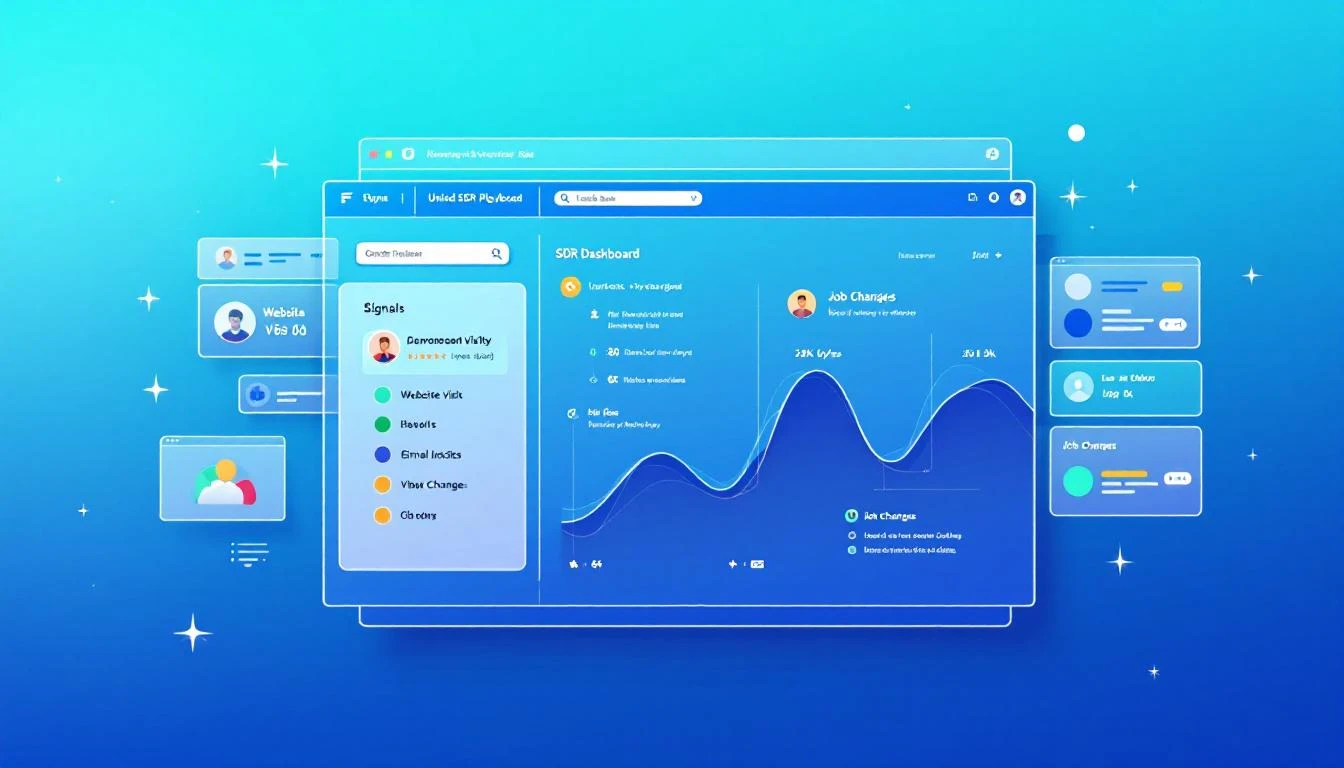
Unified SDR dashboard consolidating signals into one prioritized playbook

The 60% Tax on Selling Time​

Let me put a number on this because the data on SDR productivity is damning.

The average SDR spends roughly 60% of their day on non-selling activities. Not admin. Not CRM data entry. Decision-making. Specifically, deciding:

  • Who should I contact next?
  • What channel should I use?
  • What should I say?
  • Is this person worth my time right now?
  • Did something change since I last checked?

These are important questions. But they shouldn't require toggling between a dozen tools to piece together an answer.

Think about what this means economically. If you're paying an SDR $75,000 per year, and 60% goes to non-selling activities, you're paying $45,000 per rep for them to decide what to do. On a team of eight, that's $360,000 per year in decision-making overhead.

That's not a productivity problem. That's a strategy problem.

The Core Issue: Signals Are Everywhere, Synthesis Is Nowhere​

B2B sales teams have never had more signal data available to them. Website visits. Email engagement. Social interactions. Intent data from third-party providers. Job changes. Company news. Funding announcements. Technology adoptions. Conference attendance.

The problem isn't data scarcity. The problem is that every signal lives in a different tool, and no tool synthesizes them into a single prioritized view.

Your website visitor identification tool tells you someone from Acme Corp visited your pricing page yesterday. To act on that, your SDR checks the CRM for account status, checks the sequence tool for active cadences, checks LinkedIn for contacts, checks enrichment for email and phone, then checks intent data for broader signals.

That's five tool switches to act on one signal. Your SDR has 50 signals today.

Multiply the number of tools by the number of signals, and you understand why SDRs are paralyzed by choice before they even pick up the phone.

What If Your SDRs Opened One Tab?​

MarketBetter's Daily Playbook takes every signal from every source and collapses them into one thing: a prioritized task list for each rep.

When your SDR starts their day, they don't open 20 tabs. They open one. And in that tab, they see:

  1. Their top tasks for today, ranked by signal strength and likelihood of conversion
  2. Why each task is there β€” what triggered it, what's the signal
  3. The recommended channel β€” call, email, LinkedIn, or multi-touch
  4. A suggested message or talking points based on the prospect's context
  5. Everything they need to execute β€” contact info, company background, engagement history

That's it. No hunting. No synthesizing. No deciding. Just executing.

The Daily Playbook doesn't replace your SDR's judgment. It focuses it. Instead of spending an hour deciding who deserves attention, the rep spends that hour giving attention to the people most likely to convert.

The Signals That Feed the Playbook​

Here's what flows into each rep's daily playbook:

Website Visitor Intelligence​

When someone from a target company visits your website β€” especially high-intent pages like pricing, demo request, or product comparison β€” that visit becomes a task in the playbook.

But not just "someone from Acme Corp visited your site." The playbook tells the rep:

  • Which pages they viewed
  • Whether the company is an existing account or net-new
  • If it's existing, who owns it and what's the current status
  • If it's net-new, whether it matches your ICP
  • Recommended next action based on intent strength

Identifying anonymous website visitors is only valuable if someone acts on it. The playbook makes sure they do, and that the right rep does it at the right time.

Email Engagement Signals​

Your SDRs are running sequences with dozens or hundreds of active contacts. The playbook tracks every engagement signal:

  • Opens: Who opened your email three or more times? That's interest. Call them now.
  • Replies: Obviously high priority β€” but the playbook also flags negative replies for suppression so reps don't waste time on dead leads.
  • Link clicks: What did they click? A case study link signals different intent than a pricing page link. The playbook adjusts the recommended next step accordingly.
  • Sequence position: Is this prospect about to exit your sequence without a reply? That might warrant a different approach β€” phone call, LinkedIn touch, or a breakup email.

These signals exist in your sequence tool today. But they're buried in dashboards that your SDR has to proactively check. The playbook surfaces them as prioritized tasks.

Champion Job Changes​

This is one of the most underutilized signals in B2B sales, and it's one of the most powerful.

Here's the scenario: six months ago, your SDR had great conversations with Sarah at Company A. Sarah loved your product, was pushing for a deal internally, but ultimately the timing wasn't right β€” they had a contract locked in with a competitor.

Now Sarah moves to Company B. She's still a believer. She knows your product. She has relationship equity with your team. And she's starting fresh at a new company where the existing contract doesn't apply.

That job change is worth more than 100 cold leads. It's a warm introduction to a new company through someone who already trusts you.

The Daily Playbook tracks champion job changes automatically. When a previous contact moves to a new company, it shows up as a high-priority task:

"Sarah Johnson moved from Company A (closed-lost, Q3 2025) to Company B (VP Sales Ops). ICP match. Recommended: warm outreach referencing previous relationship."

Your SDR doesn't need to monitor LinkedIn or set up Google alerts. The playbook remembers, connects the dots, and tells the rep what to do.

Intent Data Signals​

Third-party intent data β€” topics being researched, content being consumed, technology evaluation signals β€” flows into the playbook as prioritized tasks.

But here's the key: intent data alone is noisy. Most intent data platforms generate far more signals than any SDR team can act on. The playbook doesn't just surface intent signals β€” it stacks them.

A company researching your category? Low priority on its own. The same company researching your category and visiting your website and opening your emails? That's stacked intent. Top of the list. Call them today.

The playbook's ranking algorithm considers signal strength, signal recency, and signal stacking to ensure that the tasks at the top of each rep's list represent the highest likelihood of conversion.

The "Here's Why" Factor​

Every task in the Daily Playbook comes with context. Not just "call this person" but why.

This matters more than most people realize. When an SDR picks up the phone with zero context, they're starting cold. When they pick up the phone knowing that this prospect's company visited the pricing page twice this week, opened the last three emails, and matches the ICP on company size, vertical, and tech stack β€” they start warm.

The "here's why" context transforms cold calls into warm calls. It gives the SDR a reason to call that they can articulate to the prospect: "I noticed your team has been evaluating solutions in our space β€” wanted to see if I could answer any questions." That's not a lie. It's genuine signal intelligence, delivered naturally.

The difference in connect-to-meeting conversion between a contextless cold call and a signal-informed warm call is typically 3-5x. Same SDR, same phone skills. Different hit rate because the rep has information instead of a script.

From 20 Tools to One Task List​

The promise of the Daily Playbook is fundamentally simple: your SDRs go from 20 tabs to one.

One tab. One list. Every signal consolidated. Every task prioritized. Every next action recommended.

Here's what a typical day looks like:

8:00 AM β€” Open the Playbook Today's list: 12 high-priority tasks, 8 medium, 15 low. Start at the top.

8:05 AM β€” Task 1: Call Dave at TechCorp Why: Pricing page 3x this week. Opened last 2 emails. Former champion (lost deal Q2). Stacked signal. SDR calls Dave. Gets voicemail. Leaves a message referencing pricing research. Sends follow-up email. Next.

8:15 AM β€” Task 2: Email Sarah at FinServ Inc. Why: New website visitor, ICP match, first visit to case study page. SDR sends contextual email referencing FinServ's industry challenges. Next.

8:20 AM β€” Task 3: LinkedIn touch with Mike at HealthCo Why: Changed jobs last week. Previously engaged at MedTech (3 meetings, no close). New role: VP Sales at HealthCo. ICP match. SDR sends LinkedIn connection with warm message referencing previous conversations. Next.

8:25 AM β€” Task 4...

By 10:00 AM, the SDR has completed 12 high-priority outreach tasks across phone, email, and LinkedIn. Zero research time. Zero tab switching. Zero decision paralysis.

Compare this to the traditional workflow: by 10:00 AM under the old model, the SDR is still in tabs 6-12, trying to figure out who to call first.

The Compound Effect of Daily Execution​

The Daily Playbook doesn't just make individual days more productive. It creates a compound effect over time.

When reps consistently execute on the highest-value signals every day, three things happen:

1. Response rates climb. Because the playbook surfaces the warmest prospects β€” the ones with stacked signals, recent engagement, and ICP fit β€” reps are reaching out to people who are more likely to respond. Over weeks, this compounds into significantly higher reply and connect rates compared to reps who self-select their outbound targets.

2. No signals fall through the cracks. Without the playbook, an intent signal from last Tuesday gets buried under today's new leads. With the playbook, every unactioned signal persists until it's addressed or deprioritized.

3. Coaching gets easier. When every rep works from a standardized, signal-driven playbook, managers can see exactly what's happening. Instead of asking "what did you work on today?" managers review playbook completion and conversion metrics in real time.

What About Rep Autonomy?​

I get this question every time I talk about the playbook model. Experienced SDRs push back: "I know my territory. I know who to call. I don't need a system telling me what to do."

Fair. And wrong.

Fair, because great reps do develop intuition about their territory.

Wrong, because intuition can't process the volume and velocity of signals that a modern B2B sales motion generates. Your best rep might intuitively know that Acme Corp is a good target. But they don't know that someone from Acme Corp visited the pricing page at 11 PM last night, that their former champion just moved to a competitor, and that intent data shows Acme Corp is researching your category at 3x the normal rate.

The playbook doesn't override rep autonomy. It informs it. Reps can still reprioritize, skip tasks, or add their own outreach. But they start from a foundation of complete signal intelligence rather than partial intuition.

The One-Tab Promise​

Here's what I want every VP of Sales to hear: your SDRs should never be deciding who to call next. That decision should be made for them by a system that sees more signals, processes more data, and updates more frequently than any human could.

The Daily Playbook is that system. Every signal in one place. Every task prioritized. Every rep starting their day with clarity instead of chaos.

It's the simplest upgrade you can make to your SDR org β€” because you're not adding a new tool. You're replacing the 20 tools your reps are drowning in.

One tab. That's the promise. And it changes everything.


Adam Grant leads GTM at MarketBetter, where he helps SDR teams stop drowning in tabs and start selling β€” one prioritized task at a time.

AI Meeting Follow-Up Automation with OpenClaw [2026]

Β· 9 min read
MarketBetter Team
Content Team, marketbetter.ai

Every sales rep knows the pain: you finish a great discovery call, and now you need to spend 20-30 minutes logging notes, updating the CRM, drafting follow-up emails, and creating tasks. Multiply that by 5-8 calls per day, and you're losing 2-3 hours daily to administrative work that doesn't close deals.

What if your meetings could follow up on themselves?

AI Meeting Follow-Up Workflow

In this guide, you'll learn how to build an automated meeting follow-up system using OpenClaw that captures action items, updates your CRM, drafts personalized follow-up emails, and creates calendar tasksβ€”all within minutes of your call ending.

The Hidden Cost of Manual Follow-Up​

Let's do the math on what manual meeting follow-up actually costs:

TaskTime per MeetingDaily (6 meetings)WeeklyMonthly
CRM notes5 min30 min2.5 hrs10 hrs
Follow-up email draft8 min48 min4 hrs16 hrs
Task creation3 min18 min1.5 hrs6 hrs
Calendar scheduling4 min24 min2 hrs8 hrs
Total20 min2 hrs10 hrs40 hrs

That's a full work week every month spent on post-meeting admin. For an SDR making $70,000/year, that's $16,000 in lost productivity annuallyβ€”per rep.

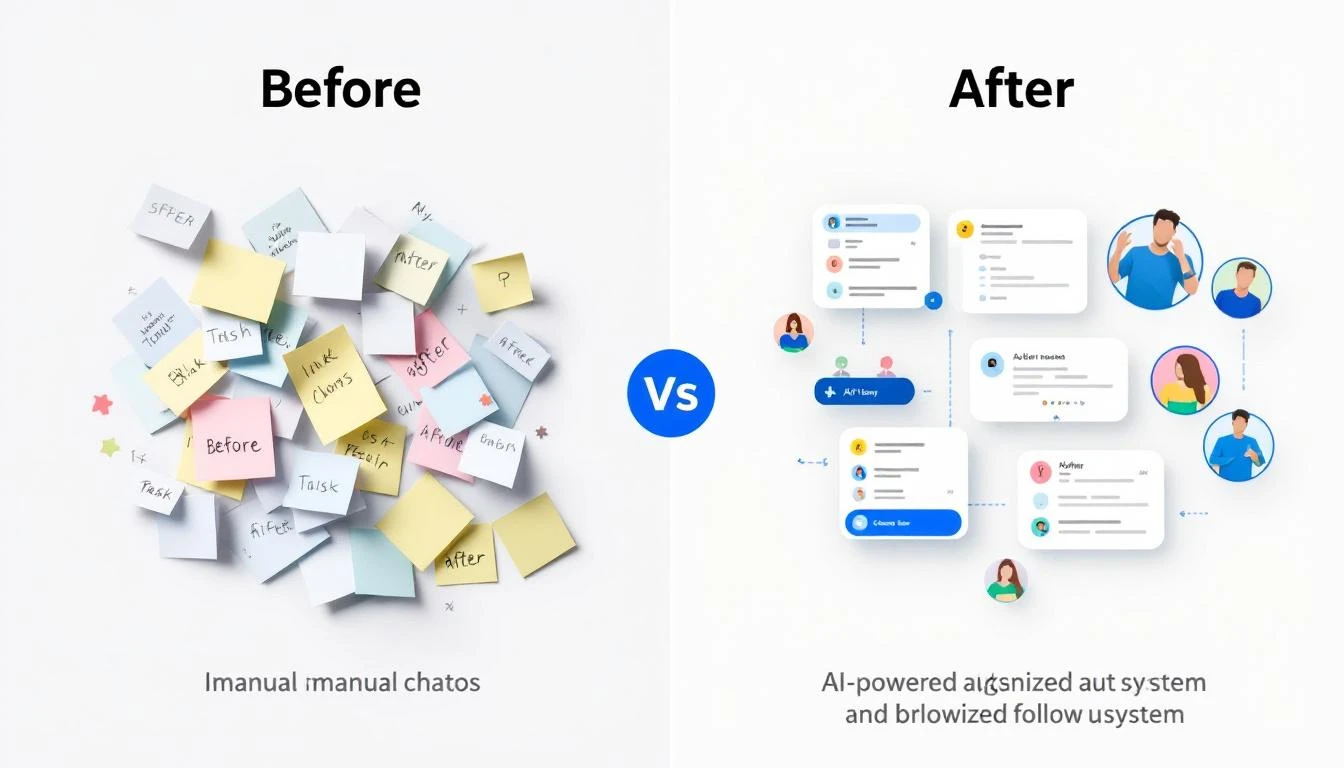
Before and After: Manual vs Automated Follow-Up

What OpenClaw Brings to Meeting Follow-Up​

OpenClaw is an open-source AI gateway that connects language models to your existing tools. For meeting follow-up, this means:

  • Transcript processing β€” Ingest transcripts from Zoom, Gong, Chorus, or any meeting tool
  • Intelligent extraction β€” Claude identifies action items, commitments, objections, and next steps
  • CRM integration β€” Automatically push structured data to HubSpot, Salesforce, or Pipedrive
  • Email drafting β€” Generate personalized follow-up emails based on conversation context
  • Task automation β€” Create to-dos and calendar events with proper assignments

The best part: it runs 24/7, processes meetings within minutes, and costs a fraction of enterprise alternatives.

Architecture Overview​

Here's how the automated follow-up system works:

  1. Trigger β€” Meeting ends, transcript becomes available (via webhook or polling)
  2. Ingest β€” OpenClaw agent receives the transcript via cron job or message
  3. Process β€” Claude analyzes transcript, extracts structured data
  4. Execute β€” Agent updates CRM, drafts emails, creates tasks
  5. Notify β€” Rep receives Slack/WhatsApp summary with one-click approvals

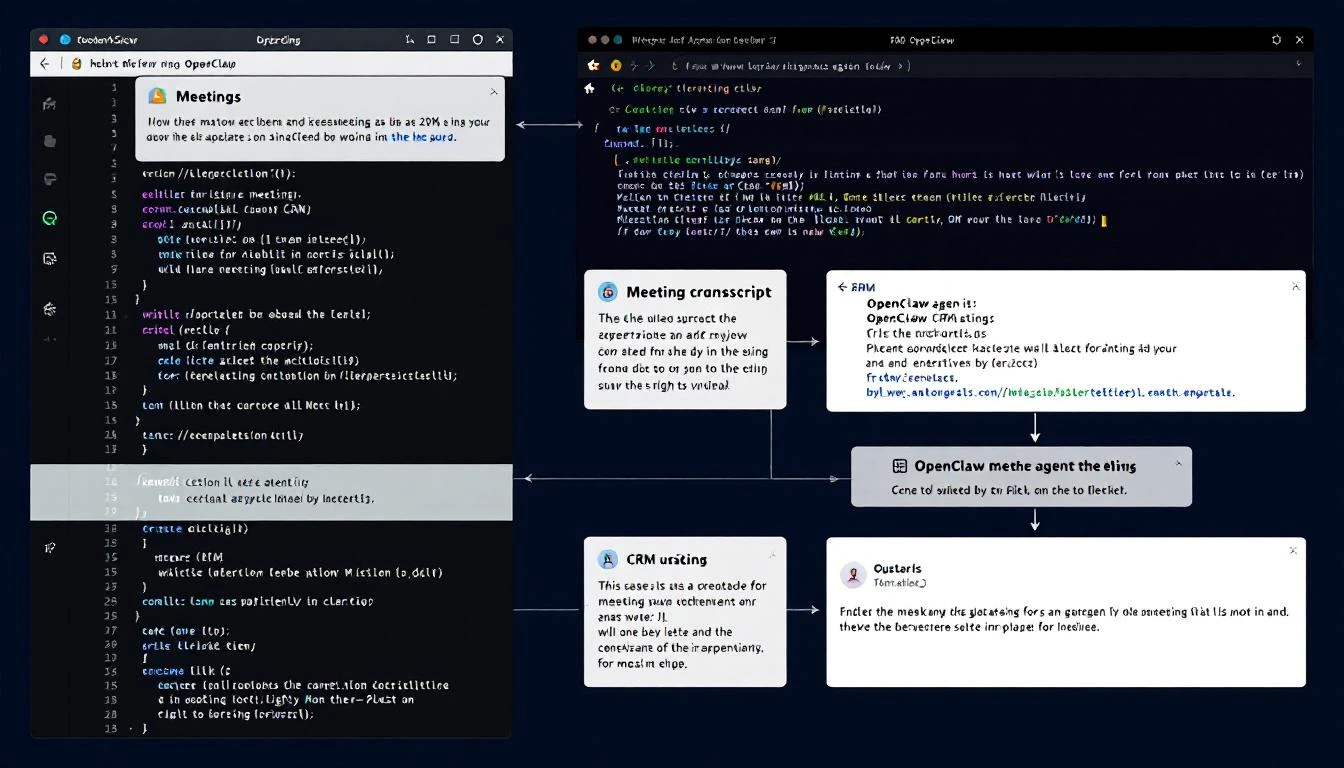
Terminal: OpenClaw Processing a Meeting

Setting Up the Meeting Follow-Up Agent​

Step 1: Create the Agent Configuration​

First, define your meeting follow-up agent in OpenClaw:

# agents/meeting-followup.yaml
name: MeetingFollowUp
description: Processes meeting transcripts and automates follow-up tasks

triggers:
- type: webhook
path: /webhooks/meeting-complete
- type: cron
schedule: "*/15 * * * *" # Check for new transcripts every 15 min

tools:
- hubspot
- gmail
- calendar
- slack

prompts:
system: |
You are a meeting follow-up specialist. When given a transcript:

1. EXTRACT: Key discussion points, pain points mentioned, objections raised
2. IDENTIFY: Action items with owners (us vs them)
3. DETERMINE: Next steps and timeline commitments
4. DRAFT: Personalized follow-up email
5. UPDATE: CRM with structured notes

Always maintain the prospect's exact language for pain points.
Flag any buying signals or red flags.

Step 2: Define the Extraction Schema​

Create a structured output format so every meeting produces consistent data:

interface MeetingExtraction {
// Basic info
meetingDate: string;
attendees: string[];
duration: number;

// Discussion
keyTopics: string[];
painPoints: {
description: string;
verbatimQuote: string;
severity: 'low' | 'medium' | 'high';
}[];

// Sales signals
buyingSignals: string[];
objections: {
objection: string;
response: string;
resolved: boolean;
}[];

// Next steps
actionItems: {
task: string;
owner: 'us' | 'them';
dueDate?: string;
}[];

// Outputs
crmNotes: string;
followUpEmail: {
subject: string;
body: string;
};
nextMeetingAgenda?: string[];
}

Step 3: Build the Processing Logic​

Here's the core agent logic that processes each transcript:

// Process incoming transcript
async function processTranscript(transcript, meetingMetadata) {
// Extract structured data using Claude
const extraction = await claude.analyze({
model: 'claude-3-5-sonnet',
system: EXTRACTION_PROMPT,
messages: [
{
role: 'user',
content: `Meeting: ${meetingMetadata.title}
Date: ${meetingMetadata.date}
Attendees: ${meetingMetadata.attendees.join(', ')}

Transcript:
${transcript}`
}
],
response_format: { type: 'json_object' }
});

// Update CRM
await hubspot.updateDeal(meetingMetadata.dealId, {
notes: extraction.crmNotes,
next_step: extraction.actionItems[0]?.task,
last_meeting_date: meetingMetadata.date
});

// Create tasks for our action items
for (const item of extraction.actionItems.filter(a => a.owner === 'us')) {
await hubspot.createTask({
subject: item.task,
dueDate: item.dueDate || addDays(new Date(), 2),
associatedDealId: meetingMetadata.dealId
});
}

// Draft follow-up email
await gmail.createDraft({
to: meetingMetadata.prospectEmail,
subject: extraction.followUpEmail.subject,
body: extraction.followUpEmail.body
});

// Notify rep
await slack.sendMessage({
channel: meetingMetadata.repSlackId,
text: formatSummary(extraction)
});

return extraction;
}

Real-World Example: Discovery Call Processing​

Let's walk through what happens when a discovery call ends:

Input: 45-minute discovery call with a VP of Sales at a mid-market SaaS company

Extracted Data:

{
"keyTopics": [
"Current SDR productivity challenges",
"Manual lead research taking 2+ hours daily",
"Inconsistent follow-up timing"
],
"painPoints": [
{
"description": "SDRs spending too much time on research",
"verbatimQuote": "My reps are spending half their day just trying to figure out who to call",
"severity": "high"
},
{
"description": "No systematic approach to prioritization",
"verbatimQuote": "Everyone just works their own list their own way",
"severity": "medium"
}
],
"buyingSignals": [
"Asked about implementation timeline",
"Mentioned budget is allocated for Q2",
"Requested pricing for 15 seats"
],
"objections": [
{
"objection": "Concerned about data accuracy",
"response": "Explained our multi-source verification",
"resolved": true
}
],
"actionItems": [
{
"task": "Send ROI calculator customized for 15 reps",
"owner": "us",
"dueDate": "2026-02-11"
},
{
"task": "Schedule technical deep-dive with their ops team",
"owner": "us",
"dueDate": "2026-02-14"
},
{
"task": "Review current CRM data quality",
"owner": "them",
"dueDate": "2026-02-12"
}
]
}

Auto-Generated Follow-Up Email:

Subject: Next Steps: ROI Calculator + Technical Deep-Dive

Hi Sarah,

Great conversation today about streamlining your SDR workflow.
I heard you loud and clearβ€”your reps spending half their day on
research instead of selling is exactly the problem we solve.

As promised, I'm working on:
1. A customized ROI calculator for your 15-rep team (coming Tuesday)
2. Setting up a technical session with your ops team (targeting Friday)

On your end, you mentioned reviewing your current CRM data quality
to understand the baselineβ€”that'll help us show the before/after
impact clearly.

Quick question: Would Thursday at 2pm CT work for the technical
deep-dive, or is Friday better?

Best,
[Rep Name]

Zoom Integration​

// Webhook handler for Zoom recording completion
app.post('/webhooks/zoom', async (req, res) => {
const { recording_files, topic, start_time, participants } = req.body.payload;

// Find transcript file
const transcriptFile = recording_files.find(f => f.file_type === 'TRANSCRIPT');

if (transcriptFile) {
const transcript = await downloadZoomTranscript(transcriptFile.download_url);
await processTranscript(transcript, {
title: topic,
date: start_time,
attendees: participants.map(p => p.name)
});
}

res.sendStatus(200);
});

Gong Integration​

// Poll Gong for completed calls
async function pollGongCalls() {
const recentCalls = await gong.getCalls({
fromDateTime: subtractHours(new Date(), 1),
toDateTime: new Date()
});

for (const call of recentCalls) {
if (call.transcript && !processedCalls.has(call.id)) {
await processTranscript(call.transcript, {
title: call.title,
date: call.started,
attendees: call.parties.map(p => p.name),
dealId: call.crmData?.dealId
});
processedCalls.add(call.id);
}
}
}

Fireflies.ai Integration​

// Fireflies webhook for transcript ready
app.post('/webhooks/fireflies', async (req, res) => {
const { transcript_url, meeting_title, attendees, date } = req.body;

const transcript = await fetch(transcript_url).then(r => r.text());

await processTranscript(transcript, {
title: meeting_title,
date: date,
attendees: attendees
});

res.sendStatus(200);
});

Advanced: Sentiment-Based Follow-Up Timing​

Not all meetings are equal. A call where the prospect was enthusiastic deserves faster follow-up than one where they seemed hesitant. Add sentiment analysis to your extraction:

// Analyze overall meeting sentiment
const sentimentAnalysis = await claude.analyze({
messages: [{
role: 'user',
content: `Analyze the prospect's sentiment in this meeting.
Rate their engagement (1-10), buying intent (1-10),
and urgency (1-10).

Transcript: ${transcript}`
}]
});

// Adjust follow-up timing based on sentiment
const followUpDelay = calculateDelay(sentimentAnalysis);

function calculateDelay({ engagement, buyingIntent, urgency }) {
const score = (engagement + buyingIntent + urgency) / 3;

if (score >= 8) return 'immediate'; // Hot lead - same day
if (score >= 6) return 'next_day'; // Warm - next business day
if (score >= 4) return '2_days'; // Neutral - give them space
return '3_days'; // Cool - longer nurture
}

Handling Edge Cases​

Multi-Person Meetings​

When multiple prospects attend, split follow-ups appropriately:

// Identify primary and secondary contacts
const roles = await claude.analyze({
messages: [{
role: 'user',
content: `Based on this transcript, identify:
1. Primary decision maker
2. Technical evaluator (if present)
3. Champion/internal advocate (if present)

For each, extract their key concerns and interests.

Transcript: ${transcript}`
}]
});

// Create tailored follow-ups for each stakeholder
for (const stakeholder of roles.identified) {
await createPersonalizedFollowUp(stakeholder);
}

Meetings Without Clear Next Steps​

Sometimes calls end ambiguously. Handle these gracefully:

if (extraction.actionItems.length === 0) {
// Create a "check-in" follow-up task
await hubspot.createTask({
subject: `Check-in: ${meetingMetadata.prospectCompany} - No clear next steps`,
dueDate: addDays(new Date(), 3),
notes: `Meeting ended without clear next steps.
Reach out to re-engage or close as stalled.

Key topics discussed: ${extraction.keyTopics.join(', ')}`
});

// Alert rep to the ambiguity
await slack.sendMessage({
channel: meetingMetadata.repSlackId,
text: `⚠️ No clear next steps from your call with ${meetingMetadata.prospectName}.
Review the summary and decide: pursue or pause?`
});
}

The ROI of Automated Follow-Up​

Based on teams running this system:

MetricBeforeAfterImprovement
Time to CRM update8 minInstant100% faster
Time to follow-up email12 min2 min (review only)83% faster
Follow-up sent within 1 hour15%95%6x improvement
Action items completed on time60%92%+53%
Rep capacity (calls/day)69+50%

The speed-to-lead improvement alone often pays for the entire system. Prospects who receive personalized follow-ups within an hour of a call are 3x more likely to reply than those contacted the next day.

Getting Started with MarketBetter​

While OpenClaw gives you the building blocks, MarketBetter provides the complete solution:

  • Pre-built meeting integrations β€” Zoom, Gong, Chorus, Teams, Google Meet
  • CRM sync β€” HubSpot, Salesforce, Pipedrive out of the box
  • Daily SDR Playbook β€” Meeting follow-ups feed directly into tomorrow's action items
  • Smart prioritization β€” High-sentiment calls get fast-tracked automatically

The meeting follow-up automation is just one piece of the AI SDR puzzle. Combined with lead research, personalized outreach, and pipeline monitoring, it creates a system where your reps spend 90% of their time actually selling.

Book a Demo β†’

Free Tool

Try our AI Lead Generator β€” find verified LinkedIn leads for any company instantly. No signup required.

Key Takeaways​

  1. Manual follow-up costs ~40 hours/month per rep β€” That's $16,000+ in lost productivity annually
  2. OpenClaw enables DIY automation β€” Connect transcripts to CRM updates, emails, and tasks
  3. Structured extraction is key β€” Define schemas for consistent, actionable data
  4. Sentiment analysis improves timing β€” Hot leads get faster follow-up automatically
  5. Edge cases need handling β€” Multi-stakeholder meetings and ambiguous calls require special logic

Stop letting post-meeting admin steal your selling time. Whether you build with OpenClaw or go with a turnkey solution, automated meeting follow-up is no longer optionalβ€”it's the standard for high-performing sales teams in 2026.