5 posts tagged with "LinkedIn"

View All Tags

7 Best Waalaxy Alternatives for LinkedIn Outreach in 2026
ยท 7 min read

Best Waalaxy alternatives โ€” 7 LinkedIn automation and outreach tools compared

Waalaxy has 100,000+ users and a 4.6 G2 rating. But between the price hikes, Chrome extension risk, constant bugs, and inability to create custom campaign workflows, plenty of teams are searching for alternatives.

We evaluated 7 tools that compete with Waalaxy across LinkedIn automation, multichannel outreach, and B2B prospecting. Here is who should use what.

Why Teams Leave Waalaxyโ€‹

The most common reasons from review sites and our analysis:

  • Price hikes without new features โ€” doubled pricing while core functionality stayed similar
  • Chrome extension = LinkedIn ban risk โ€” browser-based automation violates LinkedIn ToS
  • Frequent bugs and reliability issues โ€” campaigns pause unexpectedly, connections fail
  • No custom campaign workflows โ€” forced into pre-built templates
  • Single channel limitation โ€” LinkedIn only (email on Business plan), no phone or chat

See our full Waalaxy review and pricing breakdown for detailed analysis.


1. MarketBetter โ€” Best for Full SDR Platform (Beyond Just LinkedIn)โ€‹

Starting Price: $99/user/month Best For: SDR teams that need LinkedIn + email + phone + visitor ID in one platform

If you are leaving Waalaxy because LinkedIn-only is not enough, MarketBetter is the most complete alternative. Instead of automating a single channel, it gives your SDRs a daily AI-generated playbook that prioritizes leads across every signal.

What you get that Waalaxy does not:

  • Website visitor identification โ€” know who is browsing before you reach out
  • Built-in smart dialer โ€” call prospects from the same platform
  • AI chatbot โ€” engage website visitors in real time
  • Daily SDR playbook โ€” AI prioritizes your entire day
  • No Chrome extension dependency
  • No credit limits on core outreach

Why teams switch: They realize LinkedIn is just one channel. The teams booking the most meetings use LinkedIn + email + phone together. MarketBetter gives you all three (plus visitor ID and chatbot) without stitching 4-5 tools together.

G2 Rating: 4.97/5

Book a MarketBetter demo โ†’


2. Expandi โ€” Best Cloud-Based LinkedIn Alternativeโ€‹

Starting Price: $99/seat/month Best For: Teams that want Waalaxy's features without the Chrome extension risk

Expandi is the most direct Waalaxy competitor โ€” cloud-based LinkedIn automation with smart sequences, auto-warmup, and safety limits. The key difference: it runs on the cloud, not in your browser.

Pros over Waalaxy:

  • Cloud-based โ€” no Chrome extension needed, lower LinkedIn ban risk
  • Smart sequences with conditional logic (not just templates)
  • Dynamic placeholders and personalization
  • Auto-warmup for new LinkedIn profiles
  • Dedicated IP per account

Cons:

  • More expensive ($99/seat vs โ‚ฌ19-69/user)
  • Steeper learning curve
  • No email integration on lower tiers
  • Still LinkedIn-focused (no dialer, visitor ID, chatbot)

Best for: Teams that want serious LinkedIn automation without risking their LinkedIn accounts on a Chrome extension.


3. Dux-Soup โ€” Best Budget LinkedIn Automationโ€‹

Starting Price: $14.99/month Best For: Solo prospectors who want the cheapest LinkedIn automation available

Dux-Soup is the budget king of LinkedIn automation. At $14.99/month, it handles profile visits, connection requests, and basic messaging automation.

Pros over Waalaxy:

  • Significantly cheaper ($14.99 vs โ‚ฌ19+)
  • Simple, focused feature set
  • Good for LinkedIn profile viewing and connection automation
  • Integrates with CRMs via Zapier

Cons:

  • Chrome extension (same ban risk as Waalaxy)
  • Very basic features compared to modern tools
  • No email integration
  • Limited campaign logic
  • Dated interface

Best for: Budget-conscious solo SDRs who want basic LinkedIn automation and nothing more.


4. HeyReach โ€” Best for Agency Multi-Account Managementโ€‹

Starting Price: $79/month per sender Best For: Agencies managing LinkedIn outreach across multiple client accounts

HeyReach is built for agencies and teams running LinkedIn outreach at scale. It supports unlimited LinkedIn accounts per workspace, cloud-based automation, and team analytics.

Pros over Waalaxy:

  • Unlimited LinkedIn accounts per workspace
  • Cloud-based (no Chrome extension needed for automation)
  • Built for agency workflows with client management
  • A/B testing on LinkedIn messages
  • Unified inbox across accounts

Cons:

  • More expensive than Waalaxy for single users
  • Relatively new product (smaller user base)
  • No email outreach built in
  • No dialer, visitor ID, or chatbot

Best for: Agencies managing 5+ LinkedIn accounts who need a purpose-built multi-account tool.


5. Lemlist โ€” Best for Multichannel Personalizationโ€‹

Starting Price: $59/user/month Best For: Teams that want LinkedIn + creative email personalization in one tool

Lemlist combines LinkedIn automation with its signature personalized emails โ€” dynamic images, custom videos, and personalized landing pages embedded in sequences.

Pros over Waalaxy:

  • LinkedIn + email in one tool (without paying for Business tier)
  • Superior email personalization (dynamic images, videos, landing pages)
  • Built-in email warmup
  • Cloud-based sending
  • Meeting scheduler included

Cons:

  • Higher price for equivalent LinkedIn features ($59 vs โ‚ฌ19)
  • Gets expensive on higher tiers ($99-159/user/month)
  • No phone dialer or visitor ID
  • LinkedIn automation is newer than Waalaxy's

Best for: Teams that want both LinkedIn and creative email outreach without buying two separate tools.


6. Overloop โ€” Best for LinkedIn + AI Prospecting Databaseโ€‹

Starting Price: $69/user/month Best For: Teams that want AI-sourced prospects alongside LinkedIn automation

Overloop combines LinkedIn automation with a 450M+ contact database and AI-powered email writing. The AI engine analyzes prospects' websites and LinkedIn profiles to generate personalized messages.

Pros over Waalaxy:

  • 450M+ built-in contact database (Waalaxy has limited email finder credits)
  • AI-powered email personalization
  • Better CRM pipeline management
  • HubSpot and Pipedrive integration on Growth plan

Cons:

  • Credit limits constrain prospecting volume
  • Email features are weak according to reviewers
  • No dialer, visitor ID, or chatbot
  • Campaign limits on lower tiers

Best for: Teams that need prospect sourcing and LinkedIn automation together.

See our full Overloop review and comparison.


7. LinkedIn Sales Navigator โ€” Best for Native LinkedIn Researchโ€‹

Starting Price: $99.99/month Best For: Sales professionals who want better LinkedIn search and InMail without automation

Sales Navigator is not an automation tool โ€” it is LinkedIn's own premium search and prospecting platform. Advanced filters, lead recommendations, InMail credits, and CRM integration.

Pros over Waalaxy:

  • Zero ban risk (it is LinkedIn's own product)
  • Advanced search filters and saved searches
  • Lead recommendations based on your selling patterns
  • InMail credits for direct messaging
  • Real-time alerts on lead activity

Cons:

  • No automation whatsoever
  • Expensive compared to Waalaxy ($99.99/mo vs โ‚ฌ19/mo)
  • InMail response rates are notoriously low
  • Still just LinkedIn (no email, phone, or visitor ID)

Best for: Enterprise sellers who need advanced LinkedIn research and are prohibited from using automation tools.


Quick Comparison Tableโ€‹

ToolStarting PriceCloud-BasedLinkedIn AutoEmailCustom SequencesMulti-AccountDialerVisitor ID
MarketBetter$99/user/monthYesNoYesYesN/AYesYes
Expandi$99/seat/moYesYesLimitedYesNoNoNo
Dux-Soup$14.99/moNo (Extension)YesNoLimitedNoNoNo
HeyReach$79/sender/moYesYesNoYesYesNoNo
Lemlist$59/user/moYesYesYesYesNoNoNo
Overloop$69/user/moPartialYesYesLimitedNoNoNo
Sales Nav$99.99/moYesNoNoNoNoNoNo
Waalaxyโ‚ฌ19/user/moNo (Extension)YesBusiness onlyNo (templates)EnterpriseNoNo

How to Choose Your Waalaxy Alternativeโ€‹

If LinkedIn-only is not enough and you need a full SDR platform: MarketBetter replaces Waalaxy + your dialer + visitor ID + chatbot in one tool.

If you want Waalaxy's features without the Chrome extension risk: Expandi is the most direct cloud-based upgrade.

If you just want the cheapest LinkedIn automation: Dux-Soup at $14.99/month is the budget option.

If you manage multiple LinkedIn accounts for clients: HeyReach is purpose-built for agencies.

If you want LinkedIn + creative email in one tool: Lemlist combines both with dynamic personalization.

If you want a prospect database built in: Overloop's 450M+ contacts with LinkedIn automation.

If you cannot use automation tools: LinkedIn Sales Navigator is the zero-risk native option.


Done juggling LinkedIn tools? See how MarketBetter gives SDR teams every channel in one platform โ†’

Pricing sourced from vendor websites in February 2026. Verify directly for current rates.
MarketBetter vs Waalaxy: LinkedIn Automation vs Full SDR Operating System [2026]

ยท 10 min read

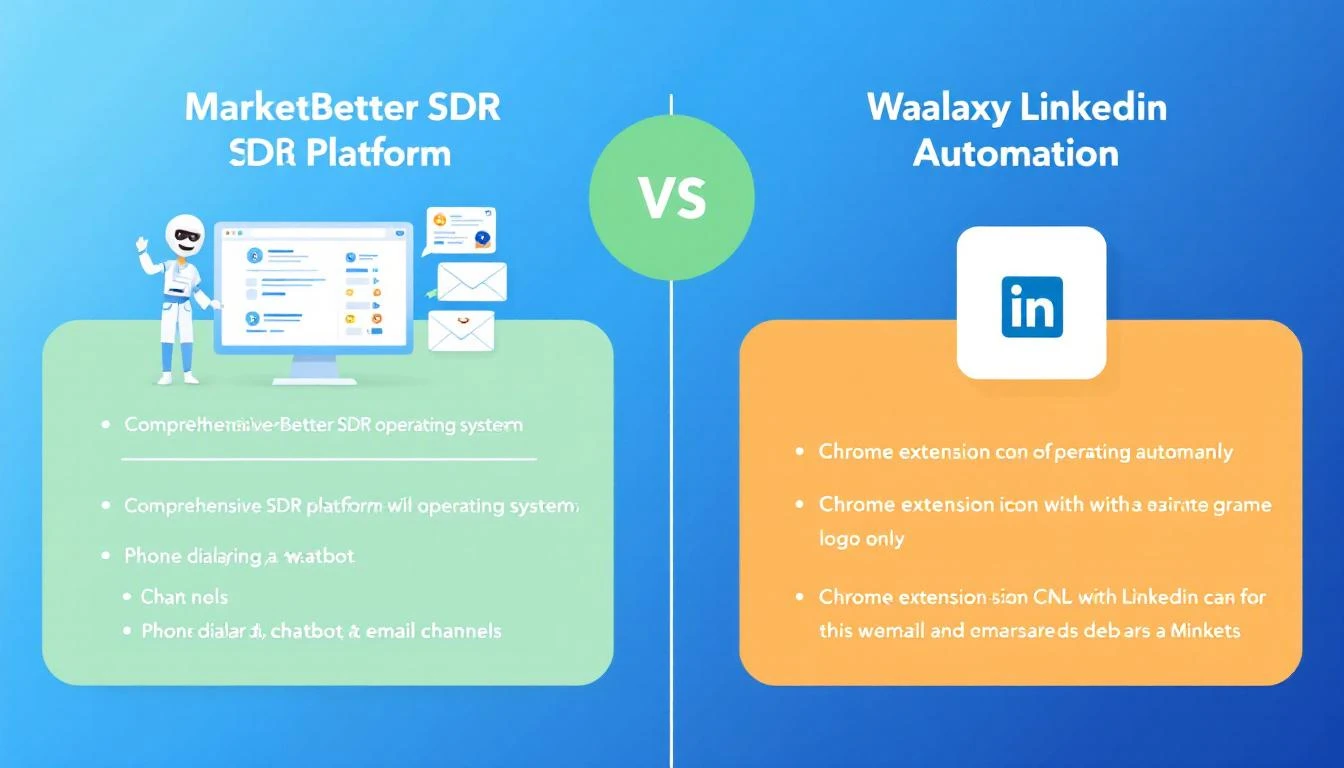
MarketBetter vs Waalaxy comparison โ€” full SDR platform vs LinkedIn automation Chrome extension

Waalaxy has 100,000+ users automating LinkedIn outreach. MarketBetter is the AI-powered SDR platform with a 4.97 G2 rating that gives sales teams a daily playbook, visitor identification, email, dialer, and chatbot in one platform.

They both help SDR teams fill pipeline. But they're solving fundamentally different problems โ€” and picking the wrong one means either overpaying for features you don't need or missing capabilities that cost you deals.

Here's the real comparison.

Quick Comparison: MarketBetter vs Waalaxyโ€‹

FeatureMarketBetterWaalaxy
Core focusFull SDR operating systemLinkedIn + email automation
Platform typeCloud-based web appChrome extension
Website visitor identificationโœ… Built-inโŒ Not available
Smart dialerโœ… Integrated callingโŒ Not available
AI chatbotโœ… Engages visitors 24/7โŒ Not available
Daily SDR playbookโœ… Prioritized task listโŒ Campaign templates only
LinkedIn automationโŒ Not built-inโœ… Core feature (800 invites/mo)
Email outreachโœ… Hyper-personalized sequencesโœ… Business plan and above
Contact enrichmentโœ… Intent-based enrichmentโœ… Email finder (credit-based)
AI message writingโœ… Intent-signal-poweredโœ… Waami AI writer
Team featuresโœ… Built-inโœ… Enterprise plan only
Starting price$99/user/monthโ‚ฌ19/user/mo (~$21)
G2 rating4.97/5~4.4/5

What Is Waalaxy?โ€‹

Waalaxy is a LinkedIn automation tool built as a Chrome extension. It automates connection requests, profile visits, and messages on LinkedIn, with email outreach added on the Business plan (โ‚ฌ69/user/mo).

Founded in France, Waalaxy has grown to 100,000+ users by making LinkedIn prospecting dead simple โ€” import prospects from LinkedIn search or Sales Navigator, pick a campaign template, and let the tool do the outreach.

What Waalaxy does well:

  • LinkedIn automation โ€” Automates connection requests (up to 800/month), profile visits, and follow-up messages. 99+ pre-built campaign templates make it beginner-friendly.
  • Waami AI writer โ€” Their AI writes personalized LinkedIn messages based on prospect profiles. Users report solid results โ€” SalesRobot notes that the AI messaging is one of Waalaxy's strongest features.
  • Simple onboarding โ€” Multiple reviews on Capterra and G2 highlight that even non-technical users can launch campaigns within minutes. The UI is intuitive.
  • Affordable entry โ€” โ‚ฌ19/user/mo ($21) for the Pro plan is one of the lowest entry points in the LinkedIn automation market.
  • CRM sync โ€” Integrates with 2,000+ tools via Zapier and Make, plus native HubSpot and Pipedrive connections.

Where Waalaxy falls short:

Based on SalesRobot, Capterra, and HeyReach reviews, users consistently flag:

  • Chrome extension dependency โ€” Waalaxy runs as a Chrome extension, which means it only works when Chrome is open. Cloud-based competitors don't have this limitation. More importantly, Chrome extensions carry LinkedIn account risk โ€” multiple users report concerns about account safety.
  • Price hikes without new features โ€” SalesRobot's January 2026 review title says it all: "They've hiked their prices 2x without adding new features." Users feel the value hasn't kept up with price increases.
  • Limited channels โ€” LinkedIn-only on the Pro and Advanced plans. Email requires the Business plan (โ‚ฌ69/mo). No phone, no chat, no website engagement at any tier.
  • Template-only campaigns โ€” Multiple Capterra reviews note you can't build custom automation flows โ€” you're locked into Waalaxy's pre-built templates. If your sales motion doesn't fit a template, you're stuck.
  • Inbox as paid add-on โ€” Managing LinkedIn conversations costs an extra $44/month on top of your plan. That's a basic feature behind a paywall.
  • Bug complaints โ€” Several recent reviews mention "constant bugs" that disrupt campaigns, especially around LinkedIn connection limits and message delivery.
  • No visitor identification โ€” Waalaxy doesn't know who's visiting your website. Every prospect is cold outreach.

What Is MarketBetter?โ€‹

MarketBetter is an AI-powered SDR operating system that combines website visitor identification, intent signals, hyper-personalized email automation, smart dialer, AI chatbot, and a daily SDR playbook into a single platform.

Where Waalaxy helps you automate LinkedIn outreach, MarketBetter helps your entire SDR team work smarter across every channel โ€” knowing not just who to contact, but who's already interested and exactly what to do about it.

Pricing: The Real Mathโ€‹

Waalaxy Pricing (Monthly)โ€‹

PlanPriceLinkedIn invites/moEmailKey limits
Proโ‚ฌ19/user/mo (~$21)300โŒ25 email finder credits, chat support in 48h
Advancedโ‚ฌ49/user/mo (~$54)800โŒLive chat support
Businessโ‚ฌ69/user/mo (~$76)800โœ…500 email finder credits, priority support
EnterpriseCustom800โœ…Team workspace, volume discounts

Add-ons: LinkedIn Inbox management is +$44/user/mo.

Quarterly pricing: 20% discount. Annual pricing: 50% discount (Pro drops to ~โ‚ฌ10/mo).

What you're not getting at any price:

  • Website visitor identification
  • Phone/dialer capability
  • AI chatbot
  • Daily SDR playbook
  • Intent signals

Total cost to replicate MarketBetter's capabilities starting from Waalaxy Business:

  • Waalaxy Business: โ‚ฌ345/mo (5 users)
  • LinkedIn Inbox add-on: โ‚ฌ220/mo (5 users)
  • Dialer (Aircall): $250-500/mo
  • Visitor ID (Leadfeeder/Clearbit): $200-800/mo
  • Chatbot (Drift/Intercom): $200-500/mo
  • Total: $1,200 - $2,400/mo for a 5-person team

MarketBetter Pricingโ€‹

$99/user/month with visitor ID, email automation, smart dialer, AI chatbot, and daily playbook included.

Total for a 5-person team:

  • MarketBetter: $495/mo
  • Smart dialer add-on: $250/mo
  • Total: $745/mo

Even comparing Waalaxy's cheapest plan to MarketBetter's full platform, MarketBetter costs less when you factor in the tools you'd need to add alongside Waalaxy to match the same capabilities.

Head-to-Head: Five Critical Differencesโ€‹

1. Chrome Extension vs Cloud Platformโ€‹

Waalaxy: Runs as a Chrome extension. Your browser must be open for campaigns to run. If Chrome crashes, your outreach stops. More critically, browser-based LinkedIn automation carries inherent account risk โ€” LinkedIn can detect extension behavior patterns.

MarketBetter: Cloud-based platform accessible from any browser. Your outreach, visitor identification, and chatbot run 24/7 regardless of whether you're at your desk.

Why it matters: SDR managers need their team's outreach running whether reps are in meetings, on lunch, or offline. A Chrome extension creates a single point of failure tied to each rep's browser.

2. LinkedIn-Only vs Omnichannelโ€‹

Waalaxy: LinkedIn is the core channel. Email is available on the Business plan (โ‚ฌ69/mo), but there's no phone and no chat. If your prospect doesn't respond on LinkedIn or email, you've exhausted your options.

MarketBetter: Email, phone (smart dialer), AI chatbot, and website engagement. When a prospect visits your pricing page, the chatbot engages them. If they don't convert, the SDR gets an alert and can call immediately. If they don't answer, an email sequence picks up. Every channel, one platform.

Why it matters: B2B deals that include a phone conversation close at 2-3x higher rates than email-only outreach. LinkedIn automation alone doesn't close enterprise deals โ€” phone conversations do. Having a dialer in the same platform as your lead intelligence eliminates the lag between "this person is interested" and "I'm talking to them."

3. Cold Prospecting vs Intent-Based Outreachโ€‹

Waalaxy: Import leads from LinkedIn Search or Sales Navigator, then automate outreach. Every prospect is cold โ€” you're reaching out based on demographic fit (title, industry, company size), not buying intent.

MarketBetter: Visitor identification catches companies already researching your solution. Intent signals prioritize contacts showing buying behavior. Your daily playbook surfaces the hottest leads first. Cold outreach becomes a supplement, not the primary motion.

Why it matters: SDR teams using intent signals see 3-5x higher response rates compared to pure cold outreach. Waalaxy helps you reach more people faster โ€” MarketBetter helps you reach the right people at the right time.

4. Campaign Templates vs Daily Playbookโ€‹

Waalaxy: Pick from 99+ pre-built campaign templates. Launch, monitor, repeat. Effective for batch outreach, but SDRs still need to decide which prospects deserve manual follow-up, when to call, and what to prioritize.

MarketBetter: The daily SDR playbook eliminates decision fatigue entirely. SDRs open their dashboard and see: "Call this VP (visited pricing 4 times). Email these 3 warm leads. Follow up on yesterday's no-shows." It's not just automation โ€” it's daily direction.

Why it matters: The difference between a good SDR and a great SDR isn't effort โ€” it's prioritization. Top reps instinctively know who to call first. The playbook gives every rep that instinct.

5. Team Scalabilityโ€‹

Waalaxy: Team features require the Enterprise plan (custom pricing). The Pro and Advanced plans are essentially single-user tools. There's no shared prospect deduplication across plans below Enterprise, no team analytics outside Enterprise, and no unified workspace.

MarketBetter: Built for SDR teams from day one. Territory rules prevent reps from stepping on each other's leads. Team deduplication is automatic. Managers see every rep's activity, pipeline, and playbook completion in one dashboard. Shared memory across SDRs means context never gets lost.

Why it matters: Solo prospectors can thrive with Waalaxy. But the moment you have 3+ SDRs, you need deduplication, territory management, and team visibility โ€” features Waalaxy gates behind Enterprise pricing.

Who Should Choose Waalaxy?โ€‹

Waalaxy is the better fit if:

  • LinkedIn is your only outreach channel and you want cheap, effective automation
  • You're a solopreneur or freelancer doing your own prospecting on a budget (~$21/mo)
  • You don't have a website generating meaningful traffic โ€” cold LinkedIn outreach is your only option
  • Your sales cycle is short โ€” connection request โ†’ message โ†’ meeting booked, without phone calls
  • You want the simplest possible tool โ€” Waalaxy's Chrome extension is genuinely easy to set up and use

Who Should Choose MarketBetter?โ€‹

MarketBetter is the better fit if:

  • You have an SDR team (3+ reps) that needs coordination, deduplication, and daily direction
  • You have website traffic worth identifying โ€” MarketBetter turns anonymous visitors into actionable pipeline
  • Phone matters โ€” your sales motion includes calls, not just messages
  • You want one platform instead of Waalaxy + dialer + chatbot + visitor ID
  • You're focused on revenue efficiency โ€” the daily playbook maximizes output per SDR without adding headcount
  • Speed-to-lead is critical โ€” real-time visitor alerts + integrated dialer means minutes, not hours

The Bottom Lineโ€‹

Waalaxy excels at one thing: making LinkedIn outreach easy and affordable. For solo operators who live on LinkedIn and need to automate connection requests at scale, it's hard to beat at โ‚ฌ19/month.

But Waalaxy is a LinkedIn tool. MarketBetter is an SDR operating system.

If your team needs to know who's visiting your website, needs a phone alongside their email, needs a playbook that tells them what to do each morning, and needs all of that in one platform โ€” Waalaxy can't get you there at any price tier.

The real comparison isn't MarketBetter vs Waalaxy. It's "Do I want a LinkedIn automation Chrome extension, or do I want the platform that runs my entire SDR operation?"

Ready to see the difference? Book a demo and watch how the daily SDR playbook transforms your team's output in week one.

Waalaxy Pricing Breakdown 2026: Plans, Credit Costs, and What SDR Teams Actually Pay

ยท 6 min read

Waalaxy pricing breakdown โ€” plans, credits, and real cost for LinkedIn automation

Waalaxy has 100,000+ users doing LinkedIn outreach. Their pricing looks simple โ€” โ‚ฌ19 to โ‚ฌ69 per user per month. But add the LinkedIn Inbox add-on, limited email finder credits, and the price hikes users keep complaining about, and the real cost is not as straightforward as it appears.

We pulled all pricing data from waalaxy.com/pricing in February 2026 and calculated what different team sizes actually pay.

Waalaxy Pricing Plans at a Glanceโ€‹

Waalaxy offers four tiers (prices shown for monthly billing):

Pro โ€” โ‚ฌ19/user/monthโ€‹

  • 300 LinkedIn invitations per month
  • 25 email finder credits
  • Automated follow-up messages
  • Unlimited campaigns
  • Smart reply detection
  • CRM sync (via Zapier, 2,000+ tools)
  • CSV imports and exports
  • Imports from LinkedIn Basic, Sales Navigator, Recruiter Lite
  • Duplicate prevention
  • Support reply within 48 hours

Advanced โ€” โ‚ฌ49/user/monthโ€‹

  • 800 LinkedIn invitations per month
  • Everything in Pro plus 500 extra invitations
  • Live chat support

Business โ€” โ‚ฌ69/user/monthโ€‹

  • 800 LinkedIn invitations per month
  • Everything in Advanced plus:
  • Cold email sequences
  • Automated email follow-up
  • Multiple email sender accounts
  • 500 email finder credits
  • Priority support

Enterprise โ€” Custom pricingโ€‹

  • 800 LinkedIn invitations per month
  • Team workspace
  • Volume discounts
  • Unified payment
  • Team analytics dashboard
  • Anti-duplicate security across accounts
  • Multi-account import
  • Dedicated onboarding session
  • Choose any feature tier (Pro/Advanced/Business features)

Free Planโ€‹

Waalaxy offers a free tier with 80 LinkedIn invitations per month and basic automation. No email functionality.

Annual Discountโ€‹

Waalaxy offers a 50% discount on annual plans. So the monthly costs drop to:

  • Pro: ~โ‚ฌ9.50/user/month
  • Advanced: ~โ‚ฌ24.50/user/month
  • Business: ~โ‚ฌ34.50/user/month

LinkedIn Inbox Add-On โ€” โ‚ฌ20/monthโ€‹

Separately, Waalaxy offers a LinkedIn Inbox tool for managing replies at scale. This includes response templates, scheduled follow-ups, lead tagging, and reminder features. It is billed as a separate add-on, not included in any plan.

The Credit Math: What Prospects Actually Costโ€‹

Here is where the pricing gets real. Waalaxy's email finder credits are limited:

  • Pro: 25 email finder credits per month โ€” enough for about 1 email per business day
  • Advanced: Unclear (likely similar to Pro)
  • Business: 500 email finder credits per month โ€” roughly 25 per business day

If your SDRs rely on email outreach alongside LinkedIn, the Pro and Advanced plans are effectively LinkedIn-only tools. You need Business ($69/user/month) to get meaningful email finder volume.

Per-prospect costs (Business plan):

MetricCalculation
Monthly cost per userโ‚ฌ69 (~$75 USD)
LinkedIn invitations800/month
Email finder credits500/month
Cost per LinkedIn invitation~โ‚ฌ0.09
Cost per email found~โ‚ฌ0.14

Real Cost by Team Size (Business Plan, Monthly Billing)โ€‹

For teams that need both LinkedIn and email outreach:

Team SizeMonthly (โ‚ฌ)Monthly (USD ~)Annual (50% off, โ‚ฌ)Annual (USD ~)
1 SDRโ‚ฌ69~$75โ‚ฌ414~$450
3 SDRsโ‚ฌ207~$225โ‚ฌ1,242~$1,350
5 SDRsโ‚ฌ345~$375โ‚ฌ2,070~$2,250
10 SDRsโ‚ฌ690~$750โ‚ฌ4,140~$4,500

Add โ‚ฌ20/month for the LinkedIn Inbox if you want reply management. For 5 users that is an extra โ‚ฌ100/month.

The Price Hike Problemโ€‹

Multiple third-party reviewers โ€” notably SalesRobot (January 2026 update) โ€” flag that Waalaxy has hiked prices roughly 2x without adding proportional new features:

"They've hiked their prices 2x without adding new features. Still worth it?" โ€” SalesRobot Review, January 2026

"Quite expensive" โ€” HeyReach Review, February 2026

The free plan was also cut from generous limits down to just 80 invitations per week. This matters for teams evaluating long-term costs โ€” Waalaxy has a track record of raising prices on existing customers.

What Waalaxy Does Not Includeโ€‹

Even on the Business plan, here is what you do not get:

  1. No website visitor identification. No way to know which companies are browsing your website. You need a separate tool for this.

  2. No phone dialer. LinkedIn and email only. If your SDRs call prospects (essential for B2B), you need a standalone dialer.

  3. No AI chatbot. Cannot engage website visitors in real time.

  4. No daily SDR playbook. Waalaxy automates outreach steps but does not tell your SDRs which leads to prioritize each morning based on intent signals.

  5. No intent signal aggregation. No tracking of G2 visits, job changes, technology installations, or other buying signals beyond LinkedIn engagement.

  6. Chrome extension dependency. Waalaxy runs as a Chrome extension (despite some cloud features), which means it needs your browser open to execute LinkedIn automation. This also increases LinkedIn ban risk compared to fully cloud-based solutions.

Total Cost: Waalaxy Stack vs Complete SDR Platformโ€‹

For a realistic 5-SDR team that needs LinkedIn, email, phone, and visitor ID:

ComponentWaalaxy StackMarketBetter
LinkedIn + Emailโ‚ฌ345/mo (~$375)Included
Inbox Add-Onโ‚ฌ100/mo (~$109)Included
Dialer$350-500/mo (separate)Built-in smart dialer
Visitor ID$300-500/mo (separate)Built-in
Chatbot$200-400/mo (separate)Built-in AI chatbot
Daily playbookManual effortAI-generated daily
Total~$1,334-1,884/mo$495/mo

Even with Waalaxy's aggressive annual discounts, the total stack cost with separate dialer, visitor ID, and chatbot tools exceeds what a complete SDR platform costs.

Who Waalaxy Is Built Forโ€‹

Waalaxy works well for:

  • Solo LinkedIn prospectors who want to automate connection requests, messages, and follow-ups on a budget (Pro at โ‚ฌ19/month is genuinely affordable)
  • Agencies managing multiple LinkedIn accounts via the Enterprise tier
  • European teams where LinkedIn is the primary prospecting channel and phone outreach is less common
  • Recruiters and marketers who need LinkedIn automation but not a full sales tech stack

Who Should Look Elsewhereโ€‹

If your SDR team:

  • Prospects across email, phone, LinkedIn, and chat (most effective B2B teams do)
  • Needs to know which companies are visiting your website before reaching out
  • Wants an AI-generated daily priority list, not just campaign automation
  • Plans to scale beyond 5 reps and needs team-wide analytics

Then a purpose-built SDR platform like MarketBetter will deliver better ROI than building a multi-tool stack around Waalaxy.

The Bottom Lineโ€‹

Waalaxy's entry pricing is genuinely affordable โ€” โ‚ฌ19/month for LinkedIn automation is hard to beat. For individuals and very small teams focused purely on LinkedIn outreach, it is solid value.

But the moment you need email (Business at โ‚ฌ69/month), reply management (โ‚ฌ20/month add-on), and any additional channels, costs escalate fast. Add the documented history of price hikes and the Chrome extension dependency, and Waalaxy works best as a specialized LinkedIn automation tool โ€” not the foundation of your entire SDR workflow.

See how a complete SDR platform compares: MarketBetter vs Waalaxy

Ready to replace your multi-tool SDR stack? Book a demo with MarketBetter


Pricing data sourced from waalaxy.com/pricing and third-party review sites in February 2026. Prices may change โ€” verify directly with Waalaxy for current rates.

Waalaxy Review 2026: What 100K+ Users Actually Think (Pros, Cons, and Honest Analysis)

ยท 7 min read

Waalaxy review 2026 โ€” honest pros, cons, and user feedback analysis for LinkedIn automation

Waalaxy claims to be the easiest LinkedIn automation tool on the market. With 100,000+ users and a 4.6/5 G2 rating, it has clearly found an audience. But the reviews tell a more nuanced story โ€” great automation features alongside constant bugs, price hikes, and a Chrome extension that puts LinkedIn accounts at risk.

We analyzed reviews from G2, Capterra, HeyReach, SalesRobot, and La Growth Machine to give you an honest breakdown of what Waalaxy delivers in 2026.

What Is Waalaxy?โ€‹

Waalaxy is a LinkedIn prospecting and cold email automation tool. It started as a pure LinkedIn Chrome extension and has expanded to include email outreach on the Business plan.

The core workflow:

  1. Define your target audience using LinkedIn filters or Sales Navigator
  2. Create a campaign using pre-built templates (LinkedIn-only or LinkedIn + email)
  3. Let Waalaxy automate connection requests, messages, follow-ups, and email sequences
  4. Manage replies through the optional LinkedIn Inbox add-on

Pricing ranges from โ‚ฌ19/user/month (Pro) to โ‚ฌ69/user/month (Business), with a free tier offering 80 LinkedIn invitations per month. See our detailed Waalaxy pricing breakdown for full cost analysis.

What Users Love About Waalaxyโ€‹

1. Genuinely Easy to Use โ€” Even for Beginnersโ€‹

This is the most consistent praise across every review platform. Waalaxy has invested heavily in onboarding:

"Great prospecting tool, really easy for me as someone who had never done it before." โ€” Alexandre, Google Review

"Very easy-to-use tool, even for non-technical users." โ€” Alyssa, Capterra Review

"Surprisingly intuitive interface" โ€” HeyReach Review, February 2026

The campaign builder uses pre-built templates that walk you through each step. For someone launching their first LinkedIn outreach campaign, the learning curve is minimal.

2. LinkedIn Automation That Actually Worksโ€‹

When Waalaxy's automation runs smoothly, users report strong results:

"My LinkedIn network grew quickly, and I was able to have many conversations in a very short time." โ€” Yasmine, G2 Review

"After launching 2 campaigns, I secured numerous meetings and, most importantly, signed 4 contracts worth several thousand euros." โ€” Saint Louvent, G2 Review

"Easy-to-set-up and user-friendly tool. 39% response rate to my emails." โ€” Antony, Capterra Review

The tool automates profile visits, connection requests, and personalized messages in sequences that respect LinkedIn's daily limits. For individuals and small teams, this basic automation delivers real time savings.

3. Multichannel Potential on the Business Planโ€‹

Adding cold email sequences alongside LinkedIn outreach is a genuine differentiator at the โ‚ฌ69/month price point. Having both channels in one campaign builder means your SDRs do not need to juggle separate tools for LinkedIn and email.

4. Generous Free Trial and Free Planโ€‹

The 14-day free trial on paid plans and the permanently free tier (80 invitations/month) let you evaluate the tool without risk. For solo prospectors testing LinkedIn automation for the first time, this lowers the barrier significantly.

What Users Complain Aboutโ€‹

1. Frequent Bugs and Stability Issuesโ€‹

This is the most common negative theme. Users across multiple platforms report reliability problems:

"Users hate the constant bugs" โ€” SalesRobot, January 2026 Review

"Inability to scale campaigns" โ€” HeyReach, February 2026

Bugs range from campaigns pausing unexpectedly to LinkedIn connections failing to send. For teams relying on Waalaxy as their primary outreach tool, unexpected downtime means missed outreach windows that cannot be recovered.

2. Price Hikes Without Proportional Valueโ€‹

SalesRobot's January 2026 review headline says it all: "They've hiked their prices 2x without adding new features." Multiple reviewers flag this pattern:

  • The free plan was cut from generous limits to 80 invitations per month
  • Paid plan prices have increased while core features remain similar
  • The LinkedIn Inbox was separated into a paid add-on (โ‚ฌ20/month) rather than being included

For teams budgeting annually, this unpredictability is a risk factor.

3. Chrome Extension = LinkedIn Account Riskโ€‹

Waalaxy runs as a Chrome extension. Despite marketing some cloud-based features, the core automation requires your browser to be open. This creates two problems:

  1. LinkedIn detection risk. Browser extensions that automate LinkedIn activity violate LinkedIn's Terms of Service. While Waalaxy claims to respect daily limits, the extension-based approach is inherently riskier than fully cloud-based solutions.

  2. Operational dependency. If your laptop is closed, the automation stops. This is not a dealbreaker for casual prospectors, but for SDR teams running daily outreach at scale, it introduces fragility.

4. No Custom Campaign Workflowsโ€‹

You cannot build your own campaign logic from scratch. Waalaxy only offers pre-built campaign templates that you customize:

"No option to create custom campaigns, you can only select from their pre-built templates" โ€” HeyReach

For advanced users who want conditional branching, multi-step A/B testing, or complex sequences based on prospect behavior, this is a significant limitation.

5. Support Response Timesโ€‹

Despite offering "live chat" on higher tiers, actual response times disappoint:

"Late inquiry response from support" โ€” HeyReach

"Support reply within 48h" โ€” Waalaxy's own Pro plan description

Two-day support response times are fine for a โ‚ฌ19/month tool. They are unacceptable for teams paying โ‚ฌ69/user/month on the Business plan.

Waalaxy vs Other LinkedIn Automation Toolsโ€‹

FeatureWaalaxyDux-SoupExpandiMarketBetter
LinkedIn AutomationYesYesYesNo (focuses on email + phone + visitor ID)
Cold EmailBusiness plan onlyNoYesYes
Phone DialerNoNoNoYes (Smart Dialer)
Website Visitor IDNoNoNoYes
AI ChatbotNoNoNoYes
Daily SDR PlaybookNoNoNoYes
Starting Priceโ‚ฌ19/user/mo$14.99/mo$99/seat/mo$99/user/month
Runs AsChrome ExtensionChrome ExtensionCloud-basedCloud-based

Waalaxy competes directly with Dux-Soup and Expandi in the LinkedIn automation space. Against full SDR platforms like MarketBetter, it is a specialized tool that covers one channel โ€” LinkedIn.

Who Waalaxy Is Best Forโ€‹

Based on real user feedback and our analysis:

Solo founders and freelancers who prospect through LinkedIn and need basic automation at an affordable price. The Pro plan at โ‚ฌ19/month is the best value tier.

Small agencies managing LinkedIn outreach for multiple clients. The Enterprise tier with team workspaces and volume discounts makes sense here.

LinkedIn-first teams in European markets where LinkedIn messaging is the primary outreach channel and compliance matters.

Anyone new to LinkedIn automation who wants the easiest possible learning curve. Waalaxy's onboarding is genuinely best-in-class.

Who Should Skip Waalaxyโ€‹

SDR teams that work multiple channels. If your reps call, email, message on LinkedIn, and chat with website visitors, Waalaxy only covers one of those channels. You will need 3-4 additional tools.

Teams that cannot tolerate downtime. The bug reports are frequent enough that mission-critical outreach programs need a more reliable platform.

Organizations with LinkedIn ban concerns. The Chrome extension approach carries inherent risk. If losing LinkedIn access would significantly impact your business, a cloud-based or server-side solution is safer.

Growing teams (5+ reps) who need analytics. Waalaxy's reporting is basic. Managers who need to optimize across reps, campaigns, and channels will outgrow it quickly.

The Verdictโ€‹

Waalaxy deserves its 4.6 G2 rating for what it is โ€” the most user-friendly LinkedIn automation tool on the market. For solo prospectors and small teams who live on LinkedIn, the Pro plan at โ‚ฌ19/month is excellent value.

But the bugs, price hikes, Chrome extension risk, and single-channel limitation mean it works best as a LinkedIn-specific tool, not the center of your sales tech stack.

If LinkedIn is just one channel in your SDR workflow (alongside email, phone, and visitor engagement), a complete platform like MarketBetter eliminates the multi-tool complexity โ€” with visitor identification, smart dialer, AI chatbot, and daily playbook built into one platform.

Full comparison: MarketBetter vs Waalaxy


Review data sourced from G2 (4.6/5 rating), Capterra, Google Reviews, HeyReach, SalesRobot, and La Growth Machine. Last updated February 2026.

LinkedIn-to-Pipeline: Automating Your Sales Nav Workflow with Claude Code

ยท 11 min read
MarketBetter Team
Content Team, marketbetter.ai

๐ŸŸก Series Difficulty: MEDIUM (Part 4 of 10) โ€” Combines research (Part 2) and email writing (Part 3) into a multi-step workflow.

LinkedIn Sales Navigator is the most valuable prospecting tool an SDR has โ€” and also the most underutilized.

Most SDRs use Sales Nav like a phone book. They search for a title + industry, scroll through results, click a few profiles, send a generic connection request, and move on. Maybe they save a lead. Maybe they don't. The process is manual, repetitive, and produces results that rarely justify the subscription cost.

But what if you could take a Sales Nav search, instantly analyze every lead for fit and priority, draft personalized outreach for the top prospects, and import them all into an automated sequence โ€” in less time than it takes to manually research a single lead?

That's the LinkedIn-to-Pipeline workflow. And in Part 4 of our Claude Code + MarketBetter series, we're breaking it down step by step.

What's different about the Medium-level posts: In the Basic posts (Parts 1-3), you learned individual skills โ€” researching a prospect, writing an email. Now we're combining those skills into multi-step workflows. In Part 2, you learned to research one company. In Part 3, you learned to write one email. Here, you'll chain those together: research 20 prospects at once, score them, write outreach for the best ones, and import them into MarketBetter โ€” all in one sitting.

The Sales Navigator Bottleneckโ€‹

Here's the typical SDR Sales Nav workflow:

  1. Build a search โ€” Filter by title, company size, industry, geography
  2. Browse results โ€” Scroll through 50-100 profiles
  3. Evaluate each lead โ€” Click in, read the profile, decide if they're worth pursuing
  4. Save the good ones โ€” Add to a lead list (maybe)
  5. Research separately โ€” Open another tab, Google the company, check the news
  6. Draft outreach โ€” Write a connection request or InMail
  7. Send one at a time โ€” Because there's no way to batch this

Time per lead: 5-10 minutes. Leads processed per session: 10-15. Total pipeline added: Maybe 3-5 that are actually worth pursuing.

That's not a workflow. That's a crawl.

The AI-Powered LinkedIn Workflowโ€‹

Here's the same process, supercharged with Claude Code and MarketBetter:

Phase 1: Extract and Analyze (5 minutes)โ€‹

Start with your Sales Nav search. But instead of manually browsing each result, you're going to extract the list and feed it to Claude Code for analysis.

Step 1: Build your Sales Nav search with the right filters:

  • Title: VP of Sales, CRO, Head of Sales Development
  • Company size: 50-500 employees
  • Industry: SaaS, Technology
  • Geography: United States
  • Posted on LinkedIn in past 30 days (this is key โ€” active users are more likely to respond)

Step 2: Export or copy the key information from your search results. Most SDRs will have 25-100 results. You need: name, title, company, and company size.

Step 3: Feed this into Claude Code:

"I have a Sales Navigator list of 50 prospects. I sell [your product] to [your ICP]. Analyze this list and:

  1. Score each prospect 1-10 based on likely fit (consider title seniority, company size, industry relevance)
  2. Identify the top 15 I should prioritize
  3. For the top 15, research each company and give me: one key fact about the company, one likely pain point, and a suggested outreach angle
  4. Flag any prospects I should skip and why

Here's the list: [paste your list]"

Claude Code returns a prioritized, analyzed list in 1-2 minutes. What would have taken hours of manual profile browsing is now done.

Phase 2: Import and Enrich (2 minutes)โ€‹

This is where MarketBetter's Chrome Extension comes in. Instead of manually adding each prospect to your CRM or sequence tool:

  1. Use the MarketBetter Chrome Extension to import your prioritized leads directly into the platform
  2. MarketBetter enriches the contacts โ€” email addresses, phone numbers, company data
  3. Cross-reference with website visitor data โ€” if any of these LinkedIn prospects have also visited your website, MarketBetter flags them as high-priority warm leads

That cross-reference is gold. Imagine discovering that 3 of your Sales Nav prospects actually visited your pricing page last week. Those aren't cold leads โ€” they're warm leads hiding in plain sight.

For more on the Chrome Extension and how it works with Sales Nav, check out our comparison of browser extensions for sales.

Phase 3: Personalized Outreach at Scale (10 minutes)โ€‹

Now you have your prioritized list and enriched contacts. Time to write outreach.

For LinkedIn connection requests/InMails:

"Write LinkedIn connection requests for my top 15 prospects. Each should be:

  • Under 300 characters (LinkedIn limit for connection notes)
  • Reference something specific about them or their company
  • Include a soft value proposition, not a hard sell
  • End with a reason to connect, not a meeting ask

Use these personalization hooks I gathered: [paste the company facts and outreach angles from Phase 1]"

For email sequences (sent via MarketBetter):

"Write first-touch cold emails for my top 15 prospects. Use the research from the analysis phase. Follow my email rules:

  • Under 100 words each
  • Personal opening line
  • One clear CTA
  • Conversational tone

[paste the prospect details and hooks]"

For detailed email writing guidance, see Part 3 of this series.

Phase 4: Launch the Sequence (3 minutes)โ€‹

Load the emails into MarketBetter sequences. Set up your multi-touch cadence:

  • Day 1: Personalized first email (Claude Code-written)
  • Day 1: LinkedIn connection request (sent manually but pre-written)
  • Day 3: LinkedIn message or comment on their recent post
  • Day 5: Follow-up email (AI-generated based on first email context)
  • Day 8: Final touch (different angle or value prop)

MarketBetter handles the email sequence timing and delivery. You handle the LinkedIn touches with pre-written messages. The whole thing runs on autopilot while you focus on conversations.

Total time from Sales Nav search to live, multi-channel sequence: about 20 minutes. For 15 personalized prospects. That's under 90 seconds per prospect.

Advanced Sales Nav Strategies with Claude Codeโ€‹

The "Lookalike" Strategyโ€‹

Got a deal that closed? Use Claude Code to find more prospects just like them:

"I just closed a deal with [Company]. They're a [size] [industry] company. Their VP of Sales, [Name], was the buyer. The pain point was [pain point] and the trigger was [trigger].

Build me a Sales Navigator search criteria that would find 20 more companies like this. Include:

  • Recommended title filters
  • Company size range
  • Industry keywords
  • Any Boolean search strings I should use
  • Signals to look for that indicate they have the same pain point"

This turns every closed deal into a prospecting strategy.

The "Champion Tracking" Strategyโ€‹

When a contact changes jobs, they often bring their vendor preferences with them. Claude Code can help you track this:

"Research these 10 former customers/champions who recently changed jobs (per Sales Nav 'Job Changes' alerts):

  1. [Name] โ€” was at [Old Company], now at [New Company]
  2. [Name] โ€” was at [Old Company], now at [New Company] ...

For each one, tell me:

  • Does the new company fit our ICP?
  • Are they in a decision-making role?
  • What's the new company currently using for [your category]?
  • Best approach for re-engaging them at the new company?"

This is one of the highest-converting outbound plays in sales, and Claude Code makes it systematic instead of ad hoc.

The "Content Engagement" Strategyโ€‹

Sales Nav shows you who's posting actively on LinkedIn. Use Claude Code to turn their content into outreach angles:

"Here are the 5 most recent LinkedIn posts from [Name], [Title] at [Company]:

Post 1: [topic/summary] Post 2: [topic/summary] ...

Based on their content themes, write me:

  1. A thoughtful comment I can leave on their next post (not salesy, genuinely adding value)
  2. A LinkedIn DM that references their content and opens a conversation about [your solution area]
  3. A cold email that connects their publicly shared interests to our solution"

This is Level 3 personalization (as we discussed in Part 3) โ€” and it works incredibly well because prospects can verify you actually read their content.

Connecting LinkedIn Activity to Website Signalsโ€‹

Here's where the workflow gets really powerful. Most SDRs treat LinkedIn and website activity as separate channels. They shouldn't be.

The intelligence loop:

  1. MarketBetter identifies that someone from Acme Corp visited your website
  2. You search Sales Nav for contacts at Acme Corp with the right titles
  3. Claude Code researches each contact and recommends who to reach out to first
  4. You connect on LinkedIn and send a personalized email via MarketBetter
  5. MarketBetter tracks if they return to your website after receiving your outreach
  6. If they do, you know your message landed โ€” time for a call

This multi-signal approach โ€” combining website behavior with LinkedIn outreach โ€” gives you a much clearer picture of prospect intent than either channel alone. For more on signal-based selling, see our comprehensive guide.

InMail vs. Email vs. Connection Request: When to Use Whatโ€‹

Claude Code can help you decide which channel to use for each prospect:

"I have 15 prospects to reach out to. Help me decide the best first touch for each one:

  • LinkedIn connection request: if we share mutual connections or they're active on LinkedIn
  • LinkedIn InMail: if they're a senior executive and a connection request might feel too casual
  • Cold email: if I have their email address and they don't seem very active on LinkedIn

Here are the prospects with their LinkedIn activity level and available contact info: [paste details]"

Claude Code will recommend the optimal channel for each prospect, so you're not wasting InMail credits on someone who'd respond to a connection request, or sending emails to someone who lives on LinkedIn.

Building a Weekly LinkedIn Cadenceโ€‹

Here's a proven weekly rhythm that combines Claude Code research with MarketBetter execution:

Monday โ€” Search and Prioritize:

  • Run your Sales Nav saved searches for new leads
  • Feed new results into Claude Code for scoring and analysis
  • Import top prospects into MarketBetter via Chrome Extension

Tuesday-Wednesday โ€” Connect and Reach Out:

  • Send LinkedIn connection requests (pre-written by Claude Code)
  • Launch email sequences in MarketBetter
  • Engage with prospect content (comments pre-drafted by Claude Code)

Thursday โ€” Follow Up:

  • Review who accepted connection requests โ€” send personalized DMs
  • Check MarketBetter for website visit activity from your LinkedIn prospects
  • Prioritize callbacks for engaged prospects

Friday โ€” Analyze and Iterate:

  • Review the week's LinkedIn outreach metrics
  • Ask Claude Code to analyze what worked:

"Here are my outreach results this week. [X] connection requests sent, [Y] accepted, [Z] resulted in conversations. [A] emails sent, [B] opened, [C] replied. What patterns do you see? What should I change next week?"

Measuring LinkedIn-to-Pipeline Conversionโ€‹

Track these metrics weekly:

  • Sales Nav searches โ†’ Qualified prospects identified: What percentage of search results are actually worth pursuing?
  • Connection requests โ†’ Accepted: Are your personalized requests outperforming generic ones?
  • First touch โ†’ Reply: Which outreach channel and angle gets the best response?
  • Reply โ†’ Meeting booked: Are you converting conversations into pipeline?
  • Time per prospect: How much faster are you with the AI workflow vs. manual?
Free Tool

Try our AI Lead Generator โ€” find verified LinkedIn leads for any company instantly. No signup required.

Try This Todayโ€‹

Here's your action item:

  1. Open Sales Navigator and run your best saved search
  2. Copy the top 20 results (name, title, company)
  3. Feed them to Claude Code with the analysis prompt from Phase 1 above
  4. Use the prioritized list to draft 5 connection requests or emails
  5. Import the prospects into MarketBetter via the Chrome Extension
  6. Launch your first AI-assisted LinkedIn-to-Pipeline sequence

By Friday, you'll have 20 prospects in a structured, multi-channel outreach cadence โ€” something that would normally take an entire day to set up manually.


This is Part 4 (๐ŸŸก Medium) of our 10-part series. Next up: Part 5: Competitive Intelligence on Autopilot โ†’

Want to see how MarketBetter's Chrome Extension turns LinkedIn prospects into sequenced leads in seconds? Book a demo.