
A Practical Guide to Integration with SFDC for RevOps
Getting your integration with SFDC right turns your CRM from a simple database into the actual command center for your entire sales floor. This isn't just about connecting two systems; it's a strategic move to kill friction, clean up your data, and make your sales reps massively more effective.
Why Native SFDC Integration Is a Game-Changer
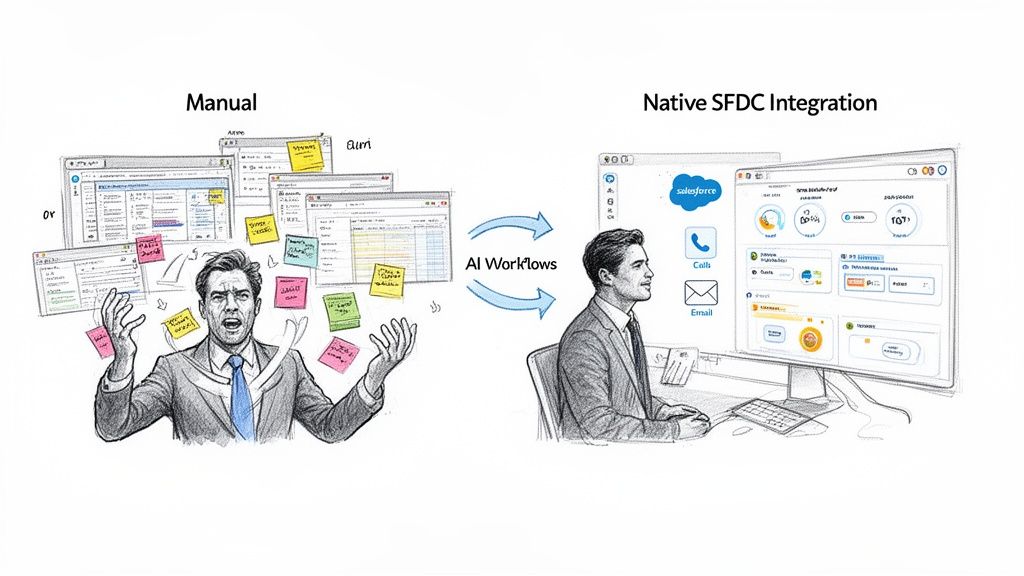
Let’s be real. The biggest bottleneck holding back most SDR teams isn't a lack of effort—it's friction. Disconnected tools force reps into a painful cycle of toggling between tabs, logging calls by hand, and constantly second-guessing if their data is up to date. All that context switching is a productivity killer.
This manual grind hits the bottom line hard. It messes up your reporting, which drives RevOps crazy, and leads directly to missed opportunities. You have to stop thinking about your SFDC integration as a technical chore and start seeing it as a strategic advantage.
The True Cost of Disconnected Tools
The alternative to a native integration is a messy collection of third-party apps bolted onto the side of Salesforce. While these tools might have some flashy features, they create data silos and force your reps into clumsy workarounds. Let's compare the two approaches:
- Third-Party Platforms: These tools usually live in a separate browser tab, forcing reps to constantly jump back and forth. The data sync is often slow, unreliable, and breaks at the worst possible times, leaving your CRM full of holes. Actionable takeaway: If your reps complain about "swivel-chairing" between apps, it's a clear sign your non-native tool is costing them time.
- Native Integrations: When you embed tools like a dialer or an AI email writer directly inside the Salesforce UI, that "other tab" problem vanishes. Every single action is logged instantly and accurately, right where it belongs. Actionable takeaway: A key test for a native tool is whether a rep can complete their entire call-to-log workflow without ever leaving the Salesforce record.
The goal is simple: keep reps working where they live—inside Salesforce. A native integration makes this a reality by bringing the workflow to the data, not the other way around. This is how you drive adoption, because it makes the SDR’s job genuinely easier.
From Data Entry to Actionable Intelligence
When your tools work seamlessly inside Salesforce, your CRM stops being a passive filing cabinet and becomes an active command center. It doesn't just store information; it actively guides your reps on their next best move.
If you want to see what's possible, look at advanced features like Salesforce Einstein to understand just how powerful a native approach can be. This is about turning tasks like AI-powered research, emailing, and dialing into functions that happen right within a lead or contact record.
This shift has a massive impact on both productivity and data quality. For any team trying to build a more efficient sales engine, knowing how your technologies fit together is non-negotiable.
Your Pre-Integration Checklist for Salesforce
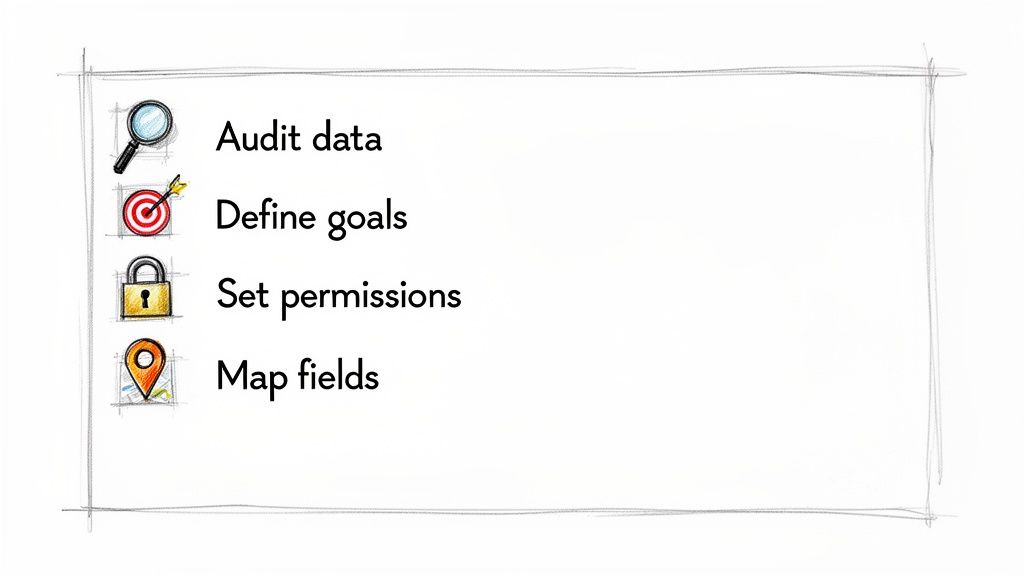
Diving headfirst into an integration with sfdc without a game plan is asking for trouble. It’s the fastest way to get messy data, low adoption, and a tool that just sits on the shelf. Before you connect a single thing, you need to get your Salesforce house in order.
This prep work isn't just busywork. It’s the critical difference between a smooth, high-impact rollout and a chaotic cleanup project that haunts you for months.
First, get crystal clear on your goals. What, exactly, are you trying to fix or improve? Are you aiming to boost your team's daily call volume by 20%? Or is the bigger prize finally nailing data hygiene by automating all the tedious activity logging?
Your answer here changes everything. A team gunning for more dials will obsess over the click-to-dial setup and automatic call logging. A team focused on clean data will spend way more time mapping custom fields and standardizing disposition values. Actionable takeaway: Write down one primary and two secondary goals for the integration. This will be your North Star for every setup decision.
Auditing Your Current Data and Workflows
Before you plug in a new tool, you have to know what you’re working with. A quick data audit in Salesforce will almost always uncover nasty little surprises—inconsistent picklist values, half-empty records, and a mountain of duplicate contacts. Find them now, not after they break your integration. Actionable takeaway: Run a report on your "Call Disposition" field. If you see dozens of variations like "VM," "Left Voicemail," and "Voicemail," you need to standardize these values before mapping them.
This is also the perfect time to map out how your SDRs actually work. Seriously, go shadow a few reps. Watch how they move from a lead record to making a call to logging their notes. This will instantly show you where the real friction is and which steps are begging to be automated.
Only 28% of enterprise applications are currently connected to Salesforce, creating massive untapped potential. This data fragmentation is a top-five challenge for companies, scattering insights across an average of 897 different apps. For SDRs, this means drowning in silos, which leads to inconsistent logging and broken reporting that frustrates RevOps leaders.
Establishing the Right Permissions
Nailing permissions isn't just an IT checkbox; it's non-negotiable for a secure and functional integration. Don't just hand over the admin keys. The best practice is to create a dedicated integration user with a very specific profile and permission set. This approach walls off the tool's access to only what it absolutely needs.
You’ve got two main paths here:
- Dedicated Integration User: This is the gold standard. You create a new Salesforce user license just for the integration. It gives you a perfect audit trail for every single action the connected app takes. Highly recommended.
- Existing Admin User: Using a current admin’s credentials is the fast and dirty shortcut. It’s also risky. If that admin ever leaves the company or their permissions get tweaked, your integration will break without any warning. Actionable takeaway: If you must use an existing user for a trial, set a calendar reminder to create a dedicated integration user before you go live.
By getting these pieces sorted out upfront, you’re building a solid foundation for clean data, happy users, and an integration that actually delivers. To go deeper, check out our guide on how to approach a customer data platform integration.
Connecting Your Tools to Salesforce the Right Way
Alright, let's get our hands dirty. A solid Salesforce integration isn't just a switch you flip; it's about building a smart, secure bridge between your tools and your system of record. Getting this right from day one saves you from a world of reporting pain and ensures your reps actually get value from the tool instead of more admin work.
The first piece of the puzzle is authentication. Modern platforms use OAuth 2.0, which is the gold standard for a reason. Instead of you handing over your actual Salesforce username and password, OAuth creates a secure, revocable token that grants limited access.
Think of it like giving a valet a key that only starts your car. It doesn't open the trunk or the glovebox. OAuth does the same thing for your data, giving specific permissions without handing over the keys to the entire kingdom.
Assigning Permissions Without Overexposing Data
Once you’ve authorized the connection, you need to tell Salesforce what the integration is allowed to see and do. This is handled with Permission Sets, and it’s where a lot of teams make a critical mistake by assigning a System Administrator profile. Let's compare the options:
- System Admin Profile: This is the "god mode" of Salesforce. It grants sweeping access to read, create, edit, and delete just about anything. A small bug in the connected app could cause a massive, org-wide disaster.
- Custom Permission Set: This is the smart way. You grant access only to the specific objects and fields the tool needs. For an SDR tool, that probably means creating
Taskrecords, readingLeadandContactfields, and updating yourCall Dispositionfield. Nothing more. Actionable takeaway: Create a new Permission Set named "[Tool Name] Integration" and explicitly grant read/write access only to the fields you identified during mapping.
This focused approach slashes your security risk and makes it infinitely easier to troubleshoot if something goes wrong later.
Strategic Field Mapping for Flawless Reporting
Field mapping is where the rubber meets the road. This is you telling the new tool exactly which drawer in the Salesforce filing cabinet to put each piece of data. For anyone in RevOps, this is the most important step for getting clean, actionable reporting. If a call outcome lands in the wrong field, it’s basically invisible to your dashboards.
A classic pitfall here is mismatching field types. You can't stuff a text value like "Left Voicemail" into a date field. Another common error is failing to line up your picklist values. If your dialer lets a rep type in a custom disposition that doesn't exist in your SFDC picklist, the API will reject it flat out, and you'll get a sync error.
The rule for field mapping is simple: every single piece of data your SDRs create needs a specific, correctly configured home in Salesforce. If it doesn't, you're just creating data chaos, not clarity.
Let's walk through a few real-world mapping scenarios for an SDR team. Nailing these ensures that every click, call, and note an SDR takes turns into clean, structured data that leadership can actually use to make decisions.
Salesforce Field Mapping Scenarios
The table below breaks down how to map common SDR actions to the right places in Salesforce. This isn't just about logging activity; it's about structuring that activity so you can analyze performance, spot trends, and measure what's actually driving pipeline.
| SDR Action | SFDC Object | Recommended SFDC Field Mapping | RevOps Reporting Benefit |
|---|---|---|---|
| SDR makes a call | Task | Map to Type (Picklist: "Call"), Status ("Completed"), and custom Call Disposition field. | Allows for accurate activity tracking and conversion rate analysis by call outcome. |
| Rep leaves a voicemail | Task | Map the call outcome to the Call Disposition picklist value "Left Voicemail." | Helps identify how many touches are required before a live conversation occurs. |
| Prospect requests a demo | Lead/Contact | Update a custom Stage field to "Demo Requested" and create an Opportunity record. | Triggers automated notifications and provides clear visibility into pipeline creation. |
| SDR adds call notes | Task | Map the free-text notes to the standard Description or Comments field on the Task object. | Gives managers full context on conversations for coaching and quality assurance. |
By being thoughtful about mapping these key fields, you turn raw SDR activity into a clean, reportable dataset. And that structured data is the fuel for every dashboard, every report, and every strategic call your revenue team makes.
Building Actionable Workflows Inside Salesforce
A successful Salesforce integration is less about just syncing data and more about letting your reps work where they live—inside Salesforce. The real goal is to build an execution layer that SDRs actually want to use, turning your CRM from a data repository into a genuine productivity engine.
This all starts by embedding core sales activities directly into the Salesforce interface. It’s about making the right action the easiest one to take.
Configuring a Seamless Execution Layer
First things first: set up click-to-dial. By adding this feature directly to your Lead and Contact page layouts, you kill the friction of copying a number, switching tabs, and manually starting a call. An SDR should be able to look at a record and place a call with a single click. Actionable takeaway: Edit the Page Layout for Leads and Contacts and drag the new click-to-dial component into the highlights panel at the top.
That simple change alone can seriously boost daily call volume. But placing the call is only half the battle. The real value comes from automating what happens next.
This is the high-level flow for a clean connection, moving from secure authentication and smart mapping all the way to accurate reporting.
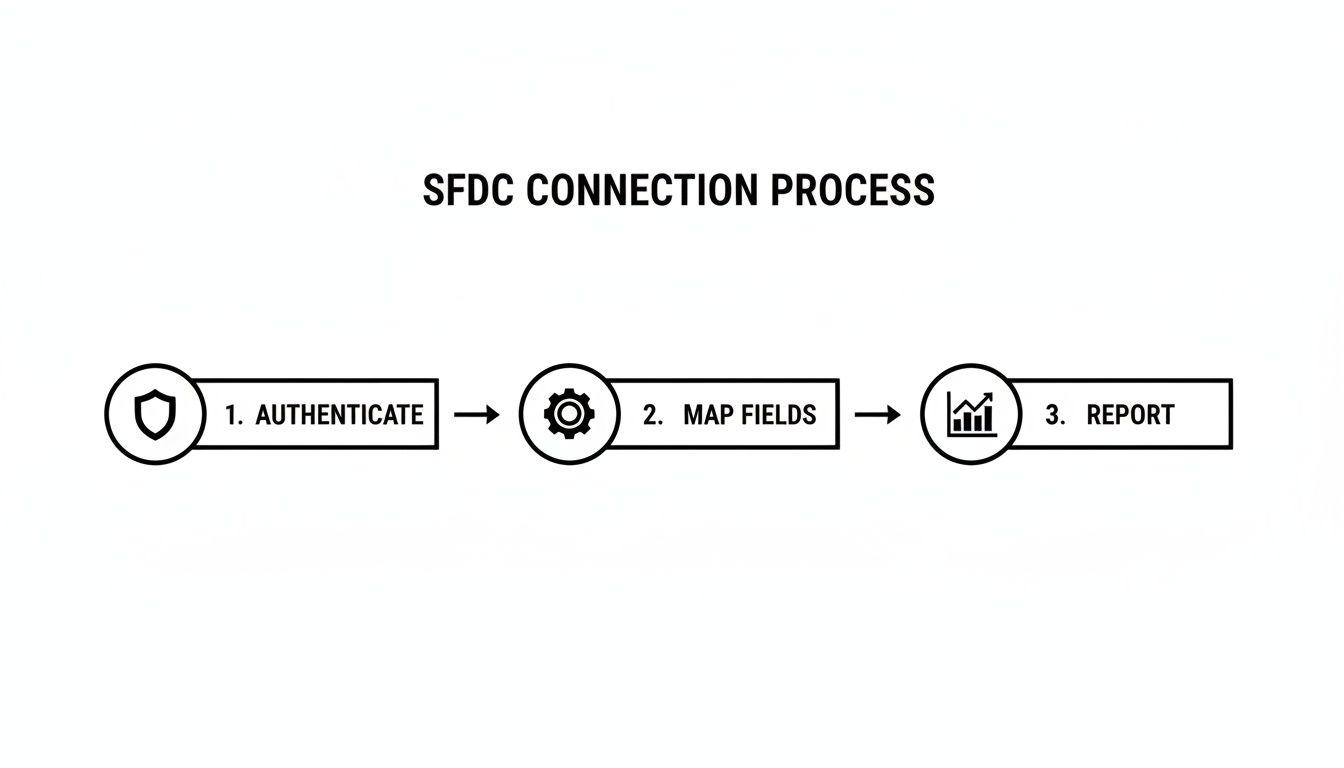 Each step builds on the last, making sure the data flowing into your reports is structured and reliable from the get-go.
Automating Call Logging and Activity Tracking
Manual call logging is a huge productivity drain and the #1 reason activity data is incomplete. To fix this, you need to configure automatic call logging rules so every disposition, note, and task completion writes back to the correct SFDC record without any manual work. Let's compare the two workflows:
| Manual Logging (Without Integration) | Automated Logging (With Native Integration) |
|---|---|
| 1. SDR makes a call in a separate dialer. | 1. SDR clicks to dial right from a Salesforce record. |
| 2. SDR switches back to Salesforce to find the record. | 2. Call notes and disposition are entered directly in the embedded dialer. |
| 3. SDR manually creates a Task object. | 3. A Task is automatically created and linked to the record. |
| 4. SDR fills in the disposition, notes, and status. | 4. All fields are pre-mapped and logged instantly. |
The difference is stark. Automation doesn't just save time; it enforces data consistency, which is a massive win for RevOps. You can take this even further by exploring different kinds of marketing workflow automation to connect those sales actions with marketing triggers.
Embedding AI-Powered Workflows
The final piece is embedding AI-powered workflows right into the SDR's task list. Instead of just showing a rep who to call, you can show them what to say and do next.
A truly native integration doesn't just put a dialer inside Salesforce. It surfaces contextual call scripts, AI-generated email drafts, and key talking points directly on the record the SDR is working on.
This turns Salesforce into a coaching tool. It helps new reps ramp way faster and ensures veteran reps stay on message. By presenting a prioritized task list enriched with AI-driven context, you make the SDR's job genuinely easier and more effective—which is the ultimate key to driving adoption and getting the most out of your CRM.
A Phased Rollout Plan for Your Sales Team
Even a flawlessly configured integration with sfdc can crash and burn if your team doesn't actually use it. A thoughtful, phased rollout is what separates a tool that gathers digital dust from one that becomes the backbone of your team's workflow. The key is to treat this like a product launch, not just another software update.
This whole process kicks off long before your reps ever see the tool. Your first stop? The Salesforce Sandbox. It’s where you can validate every single workflow without the fear of messing up live data.
Validating in a Sandbox Environment
Before you even think about unleashing this on your team, you need a rock-solid testing checklist. This isn't just about squashing bugs; it's about making sure the workflow behaves exactly as you designed it.
Here’s a practical, actionable checklist for your sandbox validation:
- Task Creation: Does a finished call automatically generate a
Taskrecord? Is it linked to the rightLeadorContactevery single time? - Field Accuracy: Check your custom fields. Is
Call Dispositionpopulating with the correct picklist values? IsCall Durationcoming through correctly? - Sync Logic: If you're running both HubSpot and Salesforce, does an action an SDR takes in Salesforce properly update the matching record in HubSpot? No dropped data.
- Permission Testing: This one’s critical. Log in as a test SDR user. Can they get to everything they need? And just as important, are they blocked from seeing or changing things they shouldn’t?
The Pilot Group Advantage
Once everything checks out in the sandbox, resist the temptation to flip the switch for the entire team. Instead, hand-pick a small pilot group—maybe three to five of your most tech-savvy and vocal SDRs. This isn't about playing favorites; it's about getting unfiltered, high-quality feedback, fast.
Think of them as your internal focus group. They're the ones who will uncover the real-world friction points and weird edge cases you could never find in a clean sandbox environment. Actionable takeaway: Set up a dedicated Slack channel for the pilot group to provide immediate feedback and ask questions. This creates a tight feedback loop.
A phased rollout turns your best reps into champions. When the rest of the team sees their peers hitting quota faster with the new tool, they won't just adopt it—they'll demand it.
This approach gives you priceless feedback and helps you nail down your training materials. You can build simple one-pagers based on their experience and use their success stories as social proof when you train the rest of the team. A successful integration with sfdc is about managing change, not just technology.
Got Questions About the Salesforce Integration? We’ve Got Answers.
Even the smoothest rollouts hit a few bumps. An integration with SFDC is a big move, and it's smart to ask the tough questions upfront. We've been in the trenches with RevOps leaders, SDR managers, and Salesforce admins, and the same questions tend to pop up.
Here are the straight-up answers to the most common ones we hear.
How Is This Different From a Standard Sales Engagement Platform?
It comes down to one thing: native vs. non-native workflows. Let's compare them:
| Aspect | Standard (Non-Native) Platform | Native Integration |
|---|---|---|
| User Interface | Separate browser tab or application. | Embedded directly within the Salesforce UI. |
| Workflow | Reps alt-tab between the tool and SFDC. | Reps work exclusively on the SFDC record. |
| Data Sync | Often delayed, relies on periodic API calls. | Instantaneous, real-time logging. |
| Adoption | Can be low due to friction and context-switching. | Higher adoption because it simplifies the existing workflow. |
A native integration erases that "other tab" problem. The entire workflow—the dialer, the email composer, the task list—is built directly inside the Salesforce UI. It transforms your CRM from a passive database into the single source of truth for your entire sales motion.
We Use Both HubSpot and Salesforce. Can This Still Work?
Absolutely. In fact, this setup is incredibly common for teams that are scaling fast. A native Salesforce integration is the perfect bridge between your marketing automation and your sales execution.
Here's the actionable flow:
- A hot lead comes through HubSpot from a marketing campaign.
- That syncs to Salesforce, triggering a task for an SDR right inside their native queue.
- The rep makes the call using the native dialer. The activity (e.g., "Connected, Demo Booked") is logged on the Salesforce record.
- A workflow rule pushes that key activity data back to HubSpot, updating the contact's lifecycle stage.
Suddenly, you have a unified view of the customer journey. No more data silos. RevOps gets a clean look at the entire funnel, from the first marketing touch to the closed deal.
The goal is to keep your SDRs executing inside Salesforce, which should always be your system of record for sales activity. The integration’s job is to make sure the important outcomes and data points flow back to HubSpot, keeping marketing and sales perfectly aligned.
What Kind of Technical Skills Do We Need for the Initial Setup?
You don't need a developer. Let me repeat: no custom code is required.
The setup was designed for a Salesforce Admin or a RevOps pro. It uses modern authentication methods like OAuth, which makes connecting the two systems both secure and straightforward. The hardest part isn't technical at all—it's strategic. The most important work happens before you even start, when you're planning your field mappings and deciding on your workflow rules.
Actionable takeaway: If you can confidently create a custom field, build a report, and edit a page layout in Salesforce, you have all the technical skills needed to manage this integration.
Ready to stop the busywork and keep your reps focused on selling inside Salesforce? MarketBetter gives your team an AI-powered task engine with a native dialer and email workflows, so every single action is logged perfectly in your CRM.
See exactly how it works at https://www.marketbetter.ai.