
A Guide to Automated Caller Software for Sales Teams
Automated caller software is the engine that finally kills the soul-crushing, manual grind of sales outreach. It lets your team actually connect with more prospects in far less time. Think of it as replacing the frustrating cycle of looking up a number, dialing, waiting, and then manually logging the outcome with a single, clean, automated process. Honestly, it's a must-have for any team serious about building a sales pipeline that's both scalable and predictable.
What Is Automated Caller Software, Really?
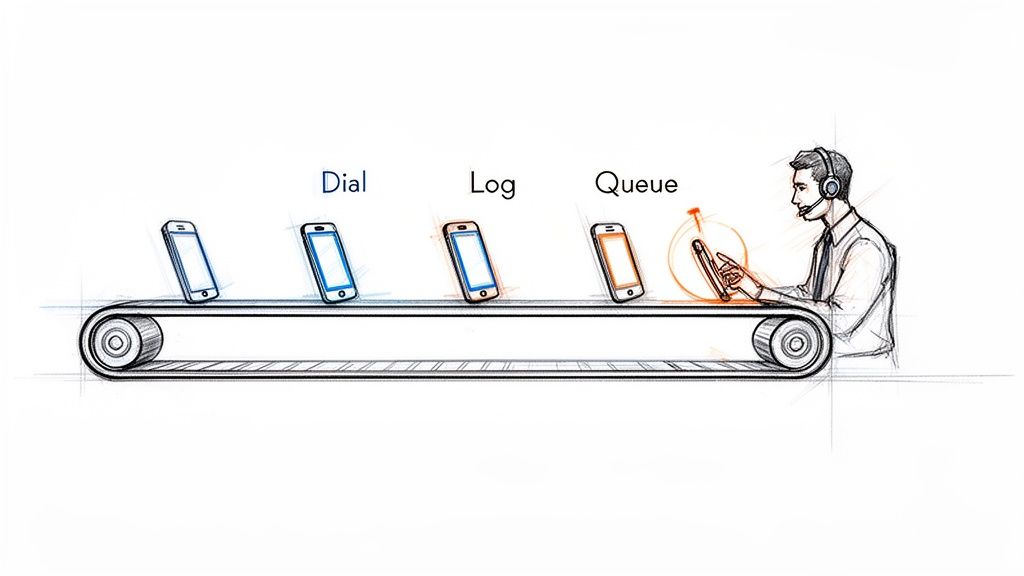
Picture an SDR's day without any automation. They burn precious minutes on every single call just finding the number, punching it in, listening to it ring forever, and then tabbing over to the CRM to type out what happened. Most of that time is completely wasted—busy signals, disconnected numbers, and a whole lot of voicemails.
Automated caller software essentially creates an assembly line for your sales calls. It takes over all those tedious, non-revenue-generating tasks. This frees up your Sales Development Representatives (SDRs) to pour all their energy into what they were hired to do: have high-quality conversations that turn into real opportunities.
Manual vs. Automated: A Night and Day Difference
The difference between a manual workflow and an automated one isn't just small; it's a completely different ballgame. Manual dialing is slow, reactive, and just plain inefficient. Your reps end up spending more time on admin work than they do actually talking to people. An automated workflow, on the other hand, is proactive and built for one thing: activity.
An automated caller turns an SDR's day from a disjointed mess of manual tasks into a smooth, continuous flow of productive conversations. It's the difference between hand-crafting every call and running an efficient production line.
Let's get practical and see what this looks like in the real world. Here’s a quick breakdown of how a day in the life changes for an SDR.
Manual Dialing vs. Automated Calling: A Quick Comparison
The table below breaks down the daily workflow differences between an SDR using traditional manual methods and one empowered by automated caller software.
| Activity | Manual Dialing Workflow | Automated Caller Workflow |
|---|---|---|
| Call Execution | Finds contact, manually clicks, waits for the phone to connect. | Clicks one button to start a power dialing session from a list. |
| Idle Time | Sits through voicemails, busy signals, and wrong numbers. | Software intelligently skips bad numbers and voicemails for you. |
| Data Entry | Constantly switches tabs to the CRM to log call outcomes and notes. | Call results, notes, and duration are logged instantly and automatically. |
| Next Call Prep | Hunts around for the next prospect to call, creating dead air. | The next call is immediately queued up and ready to go. |
This isn't just a "nice-to-have" shift; it’s a fundamental change in how sales teams operate, and it's driving massive market growth. The global predictive dialer software market, a key piece of automated caller software, hit USD 3.20 billion in 2024. Even more impressive, it's projected to grow at a staggering 42.3% CAGR from 2025 to 2030. That tells you just how critical this tech has become.
With features like predictive dialing, reps can spend up to 90% more time actually talking to prospects, which can boost connect rates by 300-400%. If you want to dive deeper, you can explore the full research on predictive dialer market growth and see the impact for yourself.
Core Features That Drive Sales Productivity
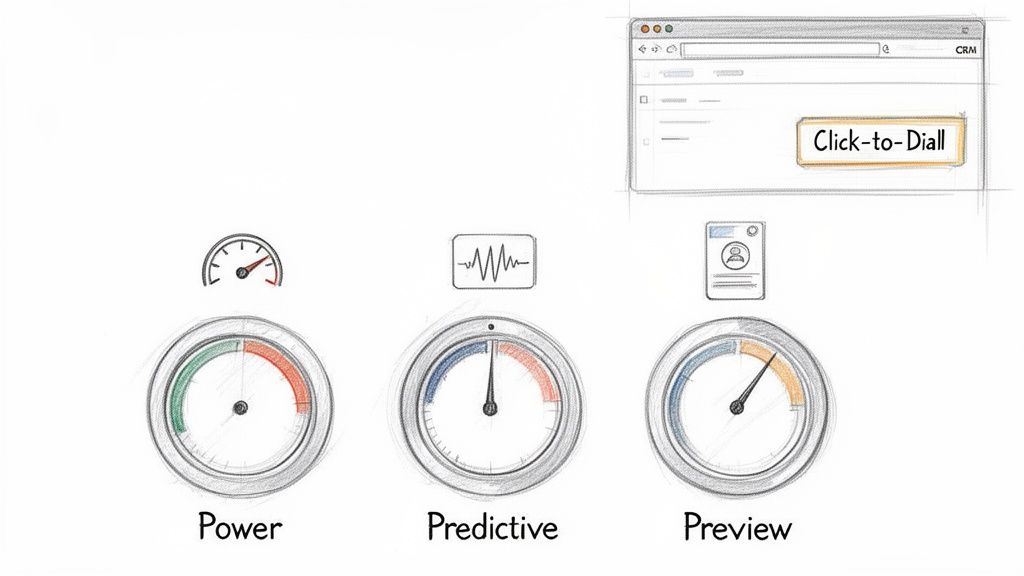
The real difference between a basic dialer and a true automated caller software comes down to its core features. These aren't just boxes to check on a comparison sheet; they're the engine that removes the daily friction for your sales reps and directly leads to more meetings. Knowing how they work—and, more importantly, when to use them—is how you unlock your team's true potential.
It all starts with the most fundamental feature: Click-to-Dial. This simple function turns your CRM from a passive address book into an active command center. No more fumbling with copy-pasting numbers. Reps just click a button on a contact record, and the call starts. Those few seconds saved on every single dial add up to hours of productive time each week.
Choosing the Right Dialing Mode
Beyond just clicking, modern software gives reps different dialing modes, each built for a specific kind of sales motion. Picking the right one is like a carpenter choosing between a sledgehammer and a finishing hammer—using the wrong tool for the job just creates more work. Each mode strikes a different balance between raw speed and thoughtful preparation.
A solid automated caller, like marketbetter.ai, puts these options right at the user's fingertips. This lets reps switch up their approach on the fly, matching their dialing strategy to the call list they're working.
Here’s a practical comparison of the most common dialing modes:
- Power Dialer (Best for high volume): This is your workhorse. It dials one number at a time from a list, instantly moving to the next if a line is busy or goes to voicemail. Actionable Tip: Use this mode for cold outreach campaigns to maximize dials per hour when reps are following a consistent script.
- Predictive Dialer (Best for maximum efficiency in large teams): This mode uses algorithms to dial multiple numbers simultaneously, only connecting a rep when a live person answers. Comparison: While a Power Dialer ensures a rep is always ready for the next call, a Predictive Dialer ensures a live conversation is always ready for the next rep, nearly eliminating all idle time.
- Preview Dialer (Best for strategic, high-value calls): It presents contact information before dialing, giving the rep time to review notes and personalize their approach. Actionable Tip: Use this for follow-up calls with warm leads or when targeting key accounts where context and research are critical for success.
Automation That Kills Admin Work
Let’s be honest, the feature that has the biggest impact on both reps and their managers is automated call logging and dispositions. Manually typing call notes, outcomes, and activities into the CRM is the bane of every sales floor. It’s a massive time-suck and the number one reason CRM data becomes a complete mess.
When call logging is automated, reps are freed from the administrative burden that pulls them away from selling. For leadership, this automation provides a clean, accurate dataset that makes forecasting and coaching reliable.
This one capability fixes two huge, persistent problems in one go. First, it gives precious time back to your SDRs, letting them jump straight to the next call without getting bogged down in post-call admin tasks. Second, it guarantees that every single dial, connection, and conversation outcome is logged accurately in your CRM. You finally get a foundation of clean data that sales leaders can actually trust for coaching, performance reviews, and strategic planning.
Why Native CRM Integration Is a Game Changer
The real magic of an automated caller isn't just dialing faster—it's about making the entire sales motion feel effortless. The single most important factor here is a native integration with your CRM, whether it’s Salesforce or HubSpot. This means the dialer isn’t some clunky plugin or a separate browser tab; it lives and breathes directly inside the system where your reps already work.
Think about using Google Maps on your phone versus a paper map in the glove compartment. One is part of your journey, updating and guiding you in real-time. The other forces you to pull over, lose momentum, and mentally stitch together two different experiences. That disconnect is exactly what kills sales productivity.
The "Single Pane of Glass" Workflow
The holy grail is a "single pane of glass" workflow. Reps should be able to research a prospect, launch a call, log notes, and book the next step without ever having to leave their CRM screen. This is how you eliminate the friction that makes reps hate logging their activities.
When everything happens in one spot, adoption goes through the roof. Reps aren't fighting their tools anymore; the tools are actually helping them. For leadership, this is a massive win. Every single call, email, and note gets logged automatically and accurately, giving you clean data you can finally trust for forecasting and coaching.
A native dialer doesn't just sit on top of your CRM—it turns it from a passive database into an active command center. It makes the easiest path for a rep the one that also creates perfect data for the business.
Native Integration vs. Disjointed Systems
The difference between a truly native tool and a separate system is night and day. Let's break down why it matters so much.
| Aspect | Native CRM Integration | Disjointed/Separate System |
|---|---|---|
| Rep Workflow | Lives in a single screen, keeping focus and momentum high. | Forces constant tab-switching, killing context and flow. |
| Data Accuracy | Every call and outcome is logged to the right record, instantly. | Depends on manual entry, which means errors and missing data. |
| Adoption Rate | High. It simplifies the existing workflow, reps love it. | Low. It’s just another tool to learn and another annoying step. |
| Data Silos | Eliminates them. All activity lives in one central truth source. | Creates them. You never get a complete picture of what's happening. |
This tight integration is a huge reason why the contact center software market is exploding. Valued at USD 49.64 billion in 2024, it's expected to hit a staggering USD 400.19 billion by 2035. The demand is driven by teams that need automation to actually drive productivity, not just create more busywork. We see it with our own customers—reps using deeply integrated tools log 90% cleaner activity data.
You can read the full research about the contact center software market to see just how big this trend is. And if you want to see what this looks like in practice, check out our deep dive on how MarketBetter integrates natively with Salesforce.
Connecting Software Features to Sales KPIs
Let's be honest. Buying automated caller software isn’t about collecting shiny new features. It's about getting real business results. Every click, every dialer mode, and every integration needs to tie directly back to a Key Performance Indicator (KPI) that your sales leaders actually care about.
The real magic happens when you can draw a straight line from a software function to a metric on a dashboard. It’s the difference between saying, “We need a power dialer,” and saying, “We need to boost our Dials per Rep per Day by 40%, and this is the tool that will do it.” That’s how you build a rock-solid business case.
Linking Features to Key Metrics
Not all features are created equal; each one is built to move the needle on a specific part of the sales process. A power dialer, for instance, is a pure activity engine. It demolishes the dead time between calls, which directly pumps up the raw number of dials an SDR can make.
On the other hand, things like AI-assisted talk tracks or instant access to prospect history are all about conversion rates. They give reps the right ammo at the right time, which has a massive impact on the Connect-to-Meeting Booked Rate. The goal shifts from just making more calls to having more successful conversations.
Think of automated logging as the unsung hero. It almost single-handedly cleans up your CRM Data Accuracy, which is the bedrock for every forecast, performance review, and strategic pivot your leadership team needs to make.
To really see how this works, let's map some core features directly to the metrics they're designed to improve.
Mapping Software Features to SDR Performance Metrics
The table below breaks down exactly how specific tool capabilities translate into better performance, giving you a clear picture of the return on your investment.
| Software Feature | Primary KPI Impacted | How It Improves the Metric |
|---|---|---|
| Power & Predictive Dialing | Dials per Rep per Day | Slashes idle time by automating the dialing process and skipping voicemails, letting reps pack more calls into every hour. |
| AI Talk Tracks & Call Prep | Connect-to-Meeting Rate | Feeds reps the best talking points and objection-handling tactics in real time, boosting confidence and conversation quality. |
| Automated Call Logging | CRM Data Accuracy | Eliminates manual data entry by instantly saving every call outcome, note, and duration, which creates a single source of truth. |
As you can see, the connection is direct and measurable. Each feature serves a distinct purpose in making the sales motion faster, smarter, and more efficient.
Visualizing the CRM Connection
A deep, native CRM integration acts like a force multiplier for every other feature. It’s the glue that holds everything together, driving speed, data quality, and—most importantly—more closed deals.
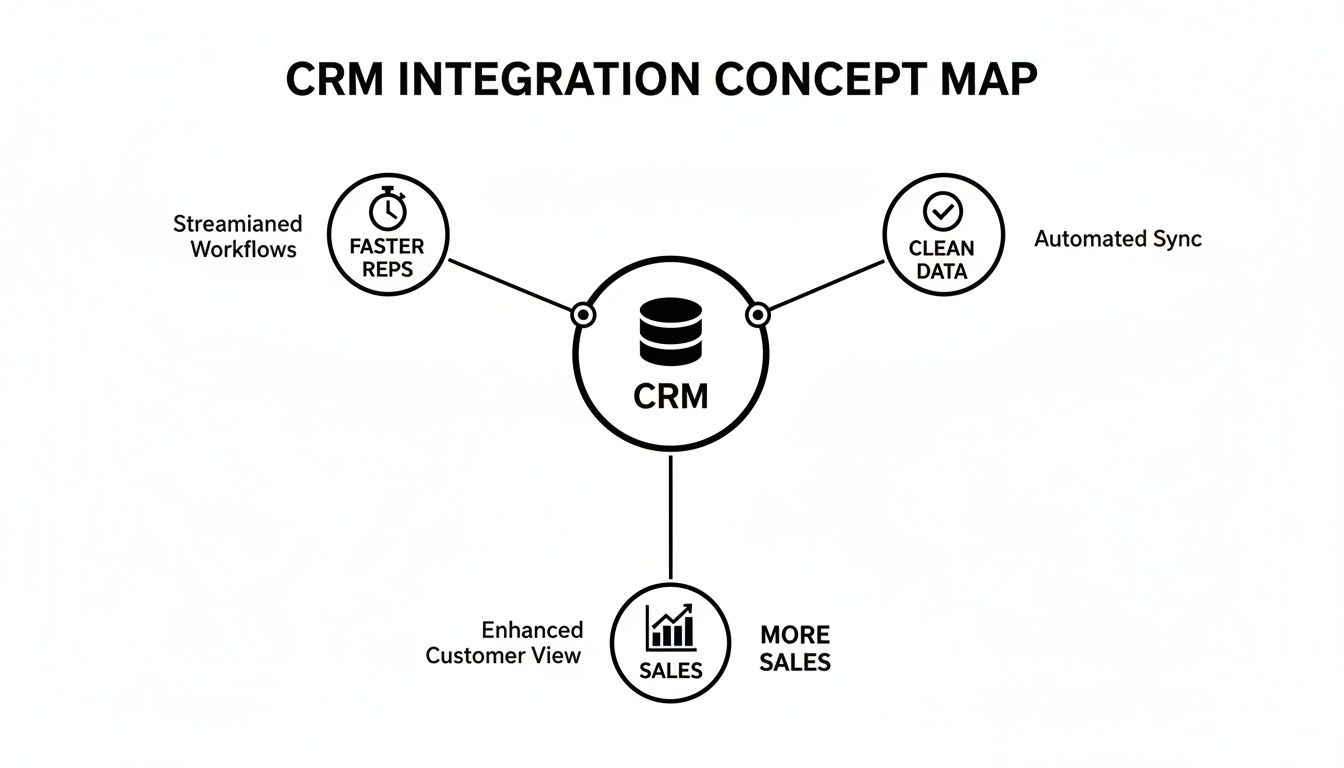
This map nails it: a CRM that’s properly connected to your calling software creates a frictionless world for your reps. They stay in one system, move faster, and stop polluting your database with manual errors. For a deeper dive into the numbers that matter most, check out our complete guide on the essential KPIs for lead generation.
How to Choose the Right Automated Caller Software
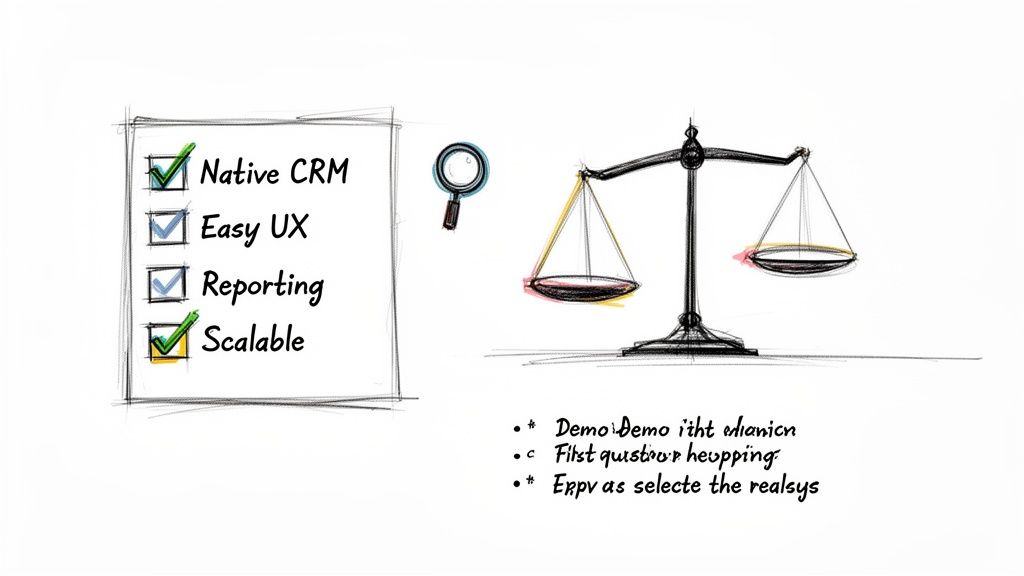
Picking the right automated caller software can feel overwhelming. You're drowning in a sea of features, promises, and buzzwords. But here’s the secret: the best tool isn't the one with the longest feature list. It's the one your team actually wants to use every single day.
The goal isn't to find software that forces your reps into a clunky new process. It's to find a tool that melts right into their existing workflow, making their job simpler, not more complicated.
The market for these tools is exploding for one simple reason: they work. The call center software industry was valued at USD 16.2 billion in 2025 and is on track to more than double to USD 34.99 billion by 2035. What’s driving this? A massive 65% efficiency boost thanks to AI-powered automation. We're talking about shrinking new SDR ramp time from weeks down to just a few days. You can discover more insights about call center software growth on businessresearchinsights.com.
A great tool doesn’t just make your reps faster; it makes them better, sooner.
Focus on Adoption and Workflow
A powerful dialer collecting digital dust is completely worthless. User experience is everything. If a brand-new hire can’t master the tool in under an hour, it's too complicated. Any software that requires weeks of training will absolutely torpedo your team's momentum.
The single most important question you can ask is: "Does this tool make my rep's job easier?" If the answer is anything but a resounding "yes," walk away. The software should remove friction, not add it.
Before you even think about signing a contract, build a vendor evaluation checklist that focuses on what actually matters to your team. This will help you slice through the marketing fluff and compare solutions based on their real-world impact. For a deeper dive, check out our guide on the best sales dialers for SDR teams.
Critical Evaluation Checklist
Use these questions as your guide during product demos. They’ll help you figure out which automated caller software truly fits your team's needs.
- CRM Integration Depth: Does the tool live inside your CRM (like Salesforce or HubSpot), or is it just a clunky plugin that opens yet another browser tab? Actionable test: Ask the vendor for a live demo where a rep builds a call list, executes calls, and logs outcomes without ever leaving the CRM window.
- Ease of Use: Could a new SDR, on their very first day, start making productive calls? Actionable test: During the demo, ask to see the onboarding workflow. If it takes more than 5 clicks to get a new user set up and dialing, it’s too complex.
- Reporting and Visibility: As a manager, can you instantly see core metrics like dials per rep, connect rates, and conversation outcomes? Actionable test: Request to see the manager's dashboard. Is it a pre-built, intuitive view of key KPIs, or do you have to export data and build your own pivot tables?
- Scalability: Will this platform grow with you? Make sure it can handle more users, higher call volumes, and more sophisticated workflows as your team and ambitions expand.
Got Questions About Automated Callers?
When you're thinking about adding a new tool to your sales stack, especially something that changes the daily grind like an automated caller, questions are going to pop up. Sales leaders need to know they’re making a smart move that actually helps their team sell, not just another piece of software to learn and forget.
Let's tackle some of the most common questions and hesitations I hear all the time. These aren't just hypotheticals; they're the real-world concerns that come up in sales meetings every single day.
"We Already Have a Sales Engagement Platform. Isn't That Enough?"
This is the big one. It's probably the most common question I get, and it’s a good one. Most sales engagement platforms (SEPs) do have a dialer, but it’s usually treated like an afterthought—a feature tacked on, not the main event. That distinction makes all the difference in a rep's day-to-day workflow.
SEP dialers almost always force your reps into another browser tab. It’s a clunky, disjointed experience that pulls them out of their main workspace: the CRM. In stark contrast, a dedicated, native automated caller software is built to be an execution layer that lives right inside your CRM. That means no more context switching—a notorious productivity killer—and every single call gets logged perfectly without anyone having to think about it.
Think of it this way: your SEP is the symphony conductor, orchestrating the whole multi-channel campaign (email, social, calls). A native dialer is the first-chair violin, absolutely perfecting the most crucial part of the performance—the live conversation.
They might look similar on the surface, but one manages the sequence while the other absolutely nails the high-impact moments.
"Will This Just Lead to Spammy, Low-Quality Calls?"
This is a totally valid concern, and it comes from the bad reputation of old-school, burn-and-churn auto-dialers. But modern automated callers are built for smart efficiency, not just raw speed. The whole point is to help reps make better calls, not just blast out more of them.
The best tools are designed to kill low-quality outreach by building call prep directly into the workflow.
- Context at a Glance: Before the number is even dialed, the software can pop up critical info like the prospect’s recent activity, past conversations, or a quick link to their LinkedIn.
- AI-Powered Talking Points: Modern systems can even suggest a great opening line, key value props, or answers to common objections, all based on the persona they're calling.
- Intelligent Pacing: With modes like Preview Dial, reps get a moment to breathe and collect their thoughts before the dial, making sure they’re ready to go.
This blend of automated speed and smart preparation means you get more conversations that are actually more relevant. The result? Your connect-to-meeting rates actually go up.
"How Painful Is the Implementation?"
This is a huge one. The complexity of getting a new tool running can be a deal-breaker. Some of those bloated, all-in-one platforms can take weeks, even months, to set up right. They chew up RevOps time and bring your team’s momentum to a halt.
But a purpose-built, native tool that’s laser-focused on the calling workflow can be shockingly simple. A platform like marketbetter.ai, for instance, can often be up and running in a single afternoon. The trick is to roll it out in phases to get quick wins.
- Start Simple: First, just turn on the basics like click-to-dial and automatic call logging. Your reps will immediately feel the lift.
- Build Momentum: Once the team loves it, introduce the more powerful features like different dialing modes or the AI call prep.
- Optimize: Now that clean data is flowing into your CRM, you can use it to fine-tune talk tracks and spot coaching opportunities.
This methodical approach gets rid of the friction, builds trust with your reps, and makes sure the tool actually gets used.
"How Does This Actually Improve Our CRM Data?"
This is where a native automated caller software delivers its biggest ROI, hands down. It solves a deeply human problem: reps hate manual data entry. They're wired to sell, not to be administrators. When logging calls is a manual task, it’s always going to be inconsistent, incomplete, or just plain forgotten.
An automated caller that’s deeply plugged into your CRM just makes the problem disappear.
- Every Dial is Tracked: Every single attempt is logged.
- Connections are Recorded: Every conversation is captured along with its duration.
- Outcomes are Stored: Dispositions are logged to the right contact record the second the call ends.
All of this happens in the background without the rep doing a thing. This creates a squeaky-clean dataset that leaders can finally trust for accurate forecasting and real-world coaching. It turns your CRM from a messy closet into a strategic weapon.
Ready to see how an execution-first tool can boost your team's activity and clean up your CRM data? Explore marketbetter.ai to discover a smarter way to manage your outbound sales motion. Learn more about our AI-Powered SDR Task Engine.