Your AI SDR Is Blind — It Can't See the Full Buying Committee [2026]

Your AI SDR just wrote the perfect cold email to a VP of Engineering.
Personalized opener referencing their latest LinkedIn post. Clean value prop. Smooth CTA. The AI nailed the individual outreach.
One problem: while your AI was crafting that email, it missed everything that actually matters.
The CFO posted about budget cuts on LinkedIn last Thursday. The VP of Operations just opened three job postings for the exact role your product replaces. Procurement published an RFP on their website. And a competitor just got name-dropped in the company's latest earnings call.
Your AI SDR didn't catch any of it. Because it was looking at a contact, not an account.
This is the blind spot killing most AI-powered outreach in 2026 — and the data proves it.
The Buying Committee Problem: 6-10 People You're Not Talking To
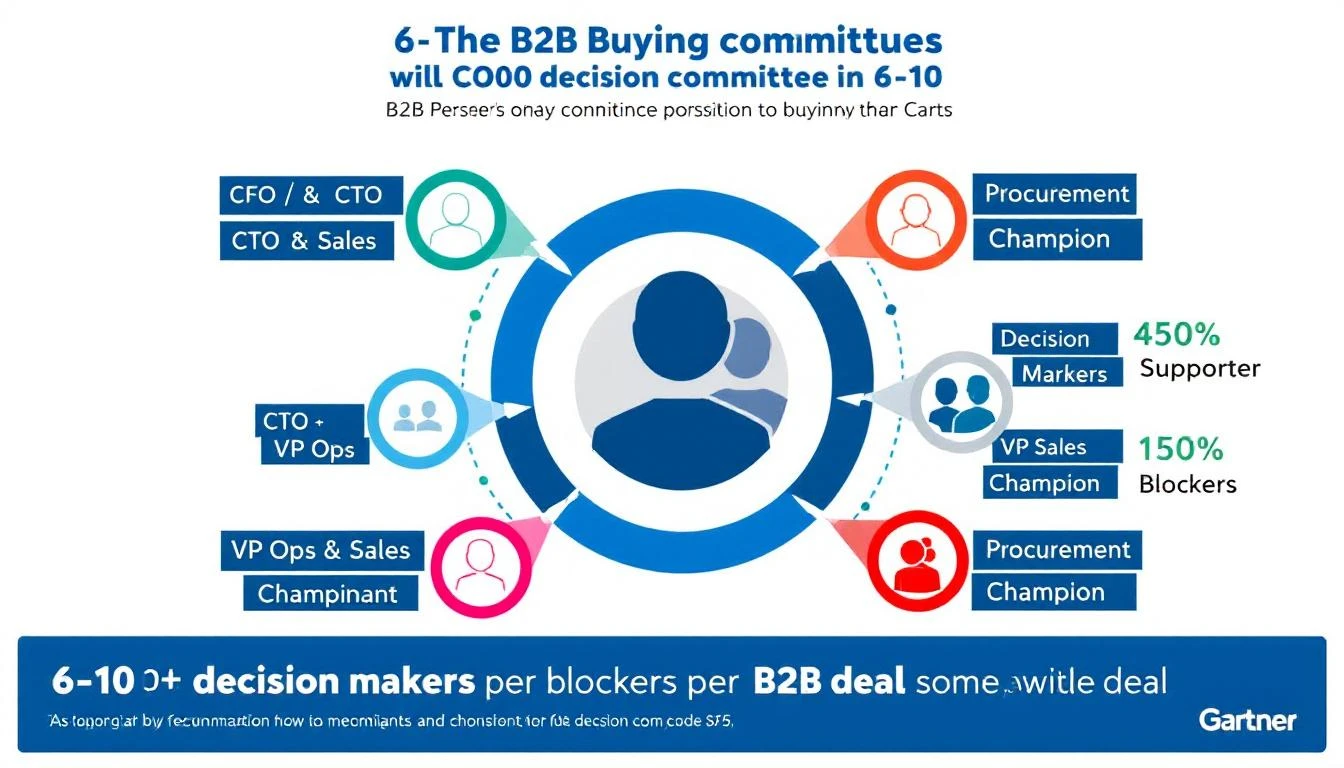
Here's a stat that should make every sales leader uncomfortable: according to Gartner, the average B2B buying group consists of 6 to 10 decision makers, each armed with 4 to 5 pieces of independently gathered research.
That's not a single decision maker. That's a committee. And the number keeps growing.
| Deal Complexity | Average Buying Group Size | Typical Sales Cycle |
|---|---|---|
| Mid-Market SaaS | 6-8 stakeholders | 3-4 months |
| Enterprise Software | 8-11 stakeholders | 6+ months |
| Platform/Infrastructure | 10-20 stakeholders | 9-12 months |
Yet most AI SDR tools operate on a single axis: one contact, one email, one thread. They scrape a prospect's LinkedIn, pull their job title, maybe reference a recent post — and call it "personalization."
That's not personalization. That's a glorified mail merge with better prompts.
The Information Asymmetry Problem: They Know More About You Than You Know About Them
The buying dynamic has completely flipped.
Research from Forrester and 6sense shows that B2B buyers complete 70% of their buying journey before ever contacting a vendor. They've read your G2 reviews. They've compared your pricing page to three competitors. They've asked their network on LinkedIn.
Meanwhile, your AI SDR knows... the prospect's job title and what they posted last week.
The information asymmetry is staggering:
What the buyer knows about you:
- Your pricing (they found it or asked around)
- Your G2 reviews and star rating
- What your competitors say about you
- Case studies from your website
- Your CEO's last LinkedIn post
What your AI SDR knows about the buyer:
- Name, title, company
- Maybe a LinkedIn post
- Maybe their company's industry
- That's it
This gap is why 77% of B2B buyers won't talk to a sales rep until they've done their own research — and why 57% of buyers purchased a tool last year without ever meeting the vendor's sales team.
Your prospects are doing deep research on you. Your AI is doing surface-level research on them. That's a losing position.
What Contact-Level Data Misses (Real Examples)
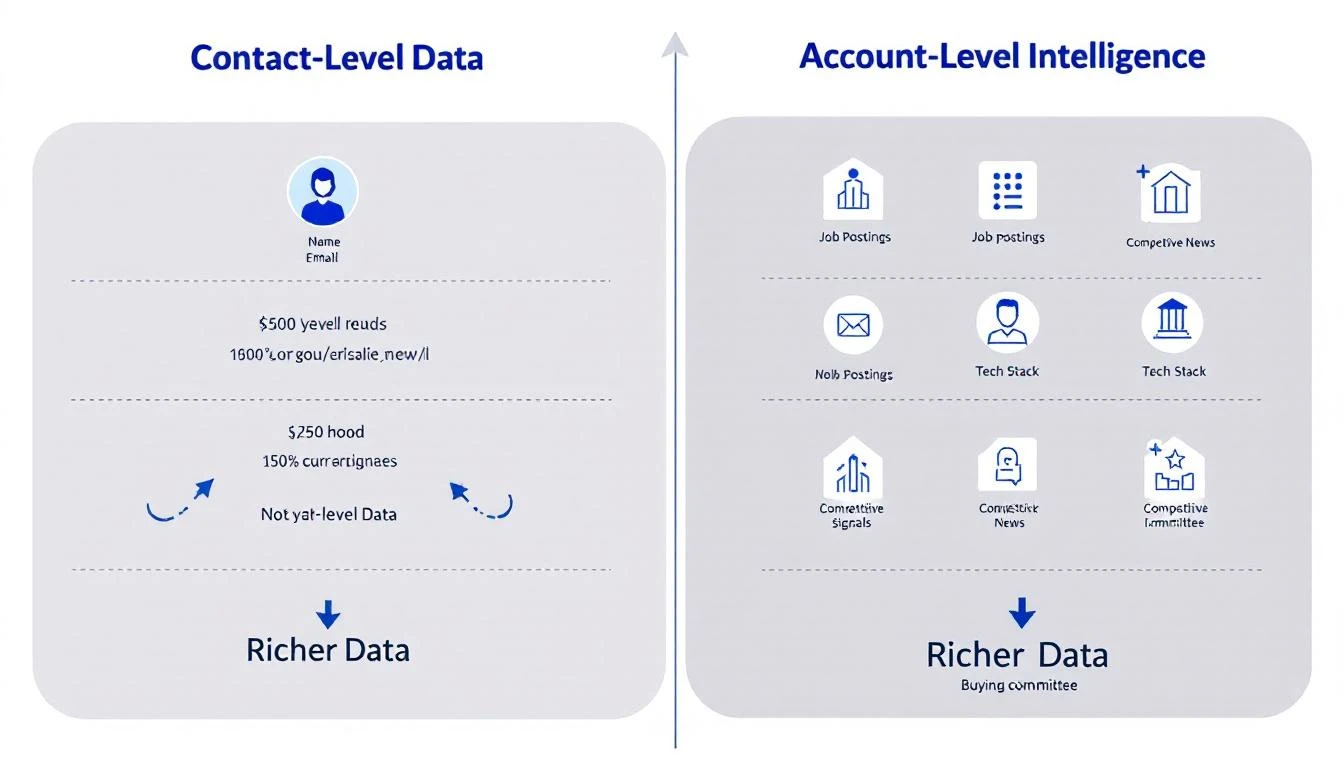
Let's make this concrete. Imagine your AI SDR is targeting Acme Corp for a sales automation platform. Here's what contact-level research finds versus account-level intelligence:
Contact-Level Research (What Most AI SDRs Do)
Your AI pulls the VP of Sales' LinkedIn profile:
- "VP of Sales at Acme Corp. Previously at Salesforce. Posted about sales enablement last month."
The AI writes: "Hey Sarah, saw your post about sales enablement — really resonated. We help teams like yours..."
Fine. Generic. Forgettable. Sitting in an inbox with 47 other AI-generated emails that say the same thing.
Account-Level Intelligence (What Changes the Game)
With full account research, your SDR sees the complete picture:
- Job postings: Acme posted 5 SDR roles this month — they're scaling outbound aggressively
- Company news: Their CEO just announced a $40M Series C with "aggressive growth targets" in the press release
- Competitive signals: Their job descriptions mention Outreach and Salesloft — they're evaluating tools
- Financial signals: Q4 earnings showed 30% revenue growth but rising CAC — efficiency pressure is real
- LinkedIn activity: The CRO posted about needing "more pipeline with the same headcount"
- Tech stack: They're on HubSpot CRM (you integrate natively)
- Podcast mentions: The VP of Marketing was on a podcast talking about their shift to product-led growth
Now your outreach looks completely different:
"Sarah — saw Acme is hiring 5 new SDRs while your CRO is talking about doing more with less. That's the exact tension our platform solves. We help teams like yours 3x outbound volume without adding headcount. Given you're on HubSpot, we'd plug right in. Worth 15 minutes?"
That's not a cold email. That's an informed business conversation. The difference is account-level intelligence.
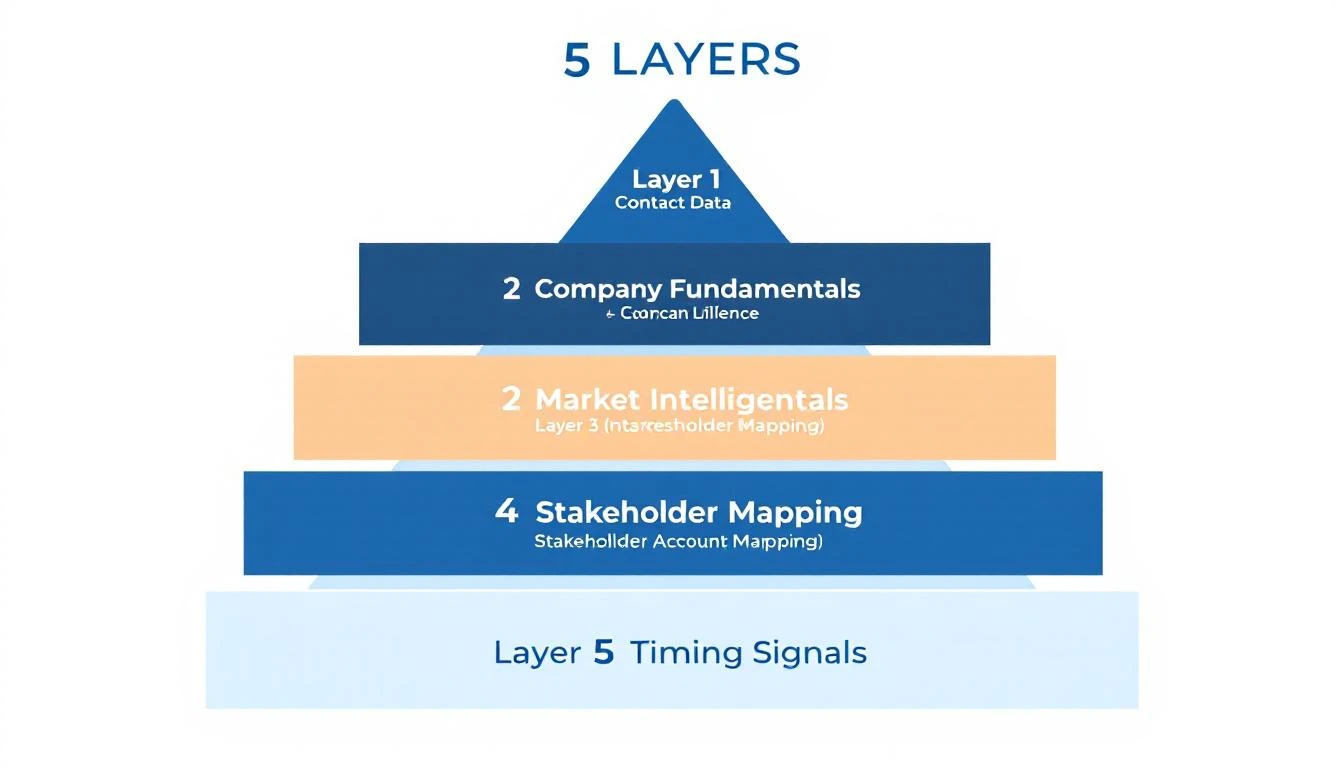
The Five Layers of Account Intelligence Your AI SDR Is Missing
Most AI SDRs operate on Layer 1. The deals are won on Layers 2-5.
Layer 1: Contact Data (Where Most AI SDRs Stop)
Name, title, email, phone, LinkedIn URL, recent posts.
This is table stakes. Every competitor has this data. Every AI SDR can write a "personalized" email from this. It's not a differentiator — it's a commodity.
Layer 2: Company Fundamentals
Revenue, headcount, industry, tech stack, funding history, office locations.
This gets you from "Dear VP of Sales" to "Dear VP of Sales at a 200-person SaaS company that just raised Series B." Better, but still static.
Layer 3: Market Intelligence (Where Real Differentiation Starts)
Job postings, company news, press releases, earnings calls, competitive mentions, product launches, partnerships.
This is where the signal lives. A company hiring 10 SDRs is a fundamentally different prospect than one laying off their sales team. Your AI SDR can't tell the difference if it only looks at contacts.
Layer 4: Stakeholder Mapping
Who is the economic buyer? Who is the champion? Who is the blocker? What has each stakeholder said publicly about their priorities?
Gartner found that 74% of B2B buying teams experience "unhealthy conflict" during the decision process. Understanding who disagrees — and why — is the difference between a stalled deal and a closed one.
Layer 5: Timing Signals
Intent data, website visits, content consumption patterns, RFP publications, budget cycle indicators, contract renewal dates.
This layer tells you when to engage, not just who to engage. A perfectly personalized email sent at the wrong time is still a wasted email.
The Data: Account Intelligence Changes Outcomes
The numbers tell the story clearly. Teams that shift from contact-level to account-level intelligence see measurable improvements across every metric:
Research time reduction: 50-80% less time per account. Instead of SDRs manually researching across 10+ tabs, AI pulls the complete picture into a single view. That's the 20-tabs-to-one-task problem solved.
Pipeline growth: 20-40% increase in qualified pipeline from signal-triggered outreach. When you know a company is actively hiring for the role you replace, your outreach hits differently.
Conversion rates: Teams using signal-qualified leads see 47% higher conversion rates and 43% larger deal sizes compared to contact-only approaches.
Sales velocity: 15-40% faster progression through pipeline stages. When you understand the full buying committee, you can multi-thread from day one instead of discovering the CFO needs to sign off in month three.
The account intelligence market reflects this shift — projected to grow from $2.1B in 2024 to $4.8B by 2029. B2B teams are voting with their budgets.
Why Most AI SDRs Can't Do This (And What To Look For Instead)
The majority of AI SDR tools were built contact-first. Their architecture looks like:
- Get a list of contacts
- Enrich with LinkedIn data
- Generate personalized email
- Send and track
Account intelligence requires a fundamentally different approach:
- Research the account — market intel, job postings, company news, tech stack, competitive mentions
- Map the buying committee — identify all relevant stakeholders and their public priorities
- Score timing signals — is this account showing buying intent right now?
- Generate account-aware outreach — emails that reference company context, not just individual context
- Multi-thread strategically — different messages for the champion, the economic buyer, and the technical evaluator
When evaluating SDR tools, ask these questions:
- "Does this tool research the company or just the contact?" If it only pulls LinkedIn data, it's Layer 1 only.
- "Can it show me job postings, news, and competitive signals for my target accounts?" This is the minimum for account intelligence.
- "Does it help me identify and message multiple stakeholders?" Single-threaded outreach dies in committee-driven purchases.
- "Does it tell me WHEN to reach out, not just WHO?" Intent signals are the timing layer.
The Real Cost of Being Blind
Let's do the math.
An SDR sends 100 cold emails per day. With contact-level personalization only, they're essentially guessing:
- Which accounts are actually in-market right now
- Whether the person they're emailing has budget authority
- What the company's real priorities are
- Who else needs to say yes
Average cold email reply rates in 2026 have dropped to 0.5-1.5% — largely because AI has flooded inboxes with "personalized" messages that all sound the same.
Now imagine those same 100 emails, but filtered through account intelligence:
- 30 accounts are actually showing buying signals
- Each email references specific company context (hiring, funding, competitive moves)
- The SDR multi-threads to 2-3 stakeholders per account with tailored messaging
That's not 100 shots in the dark. That's 30 informed conversations with the right people at the right time. The complete SDR automation guide breaks down how this workflow compounds.
From Contact Personalization to Account Intelligence
The evolution is clear:
2020-2023: The Spray-and-Pray Era Send more emails. Bigger lists. Volume = pipeline.
2023-2025: The AI Personalization Era AI writes "personalized" emails from contact data. Better than templates, but still single-threaded. Everyone has the same tools, so the advantage erodes.
2026+: The Account Intelligence Era AI researches the entire account — market signals, buying committee, timing indicators — and orchestrates multi-stakeholder outreach. The SDR who understands the full picture wins.
The teams that figure this out first will dominate their markets. The teams that keep sending AI-generated cold emails to single contacts will wonder why their reply rates keep dropping.
How MarketBetter Approaches Account Intelligence
We built MarketBetter around a simple thesis: your SDR needs to understand the account, not just the contact.
That means before any outreach goes out, MarketBetter researches:
- Market intel — Company news, press releases, funding, earnings
- Job postings — What they're hiring for reveals their priorities
- Tech stack — What they already use and where you fit
- Competitive signals — Who they're evaluating or already using
- Community mentions — Podcast appearances, conference talks, online discussions
- Buying committee — Multiple stakeholders mapped with context on each
All of this feeds into your SDR's daily task list. Not a dashboard to interpret — actual tasks with the research already done. "Call Sarah at Acme. They're hiring 5 SDRs, their CRO posted about efficiency, and they're on HubSpot. Here's your opening."
That's the difference between an AI SDR that personalizes emails and an AI command center that turns signals into meetings.
The Bottom Line
The average B2B deal has 6-10 decision makers. Your buyers are 70% through their journey before you even know they exist. And every one of your competitors has access to the same contact data and AI email writers you do.
The only sustainable advantage left is knowing more about the account than anyone else — and acting on it faster.
Your AI SDR isn't broken. It's just blind. Give it eyes on the full buying committee, and watch what happens.
Want to see account-level intelligence in action? Book a demo →