
How MarketBetter Integrates Lusha for Verified Contact Enrichment

You found the right person. Right company, right title, right timing. Then you go to reach out and realize you have no email, no phone number, and a LinkedIn connection request that will sit in limbo for two weeks.
Contact enrichment should not be a separate workflow. It should happen where you already work — inside the same platform where you build audiences, run sequences, and track signals. That is exactly how MarketBetter's Lusha integration works.
Why Lusha
Lusha maintains a database of over 100 million professional profiles with verified business emails and direct phone numbers. Their data is GDPR and CCPA compliant, sourced through a combination of community-contributed data, public records, and proprietary verification.
For B2B sales teams, the value is straightforward: you get real contact data that actually works. Not generic info@ addresses. Not switchboard numbers. Verified work emails and direct dials tied to specific people at specific companies.
MarketBetter integrates Lusha as a first-class enrichment provider, meaning you can use it directly from the same interface where you manage your entire prospecting workflow.
Setting It Up
The integration takes about 30 seconds. Navigate to Settings, open Integrations, and paste your Lusha API key. MarketBetter encrypts the key at rest — it is never stored in plaintext or exposed in logs.
Once connected, Lusha appears as a provider option everywhere you enrich contacts: in the audience builder, in individual contact views, and in bulk enrichment workflows.
Each workspace gets its own Lusha connection. If you run multiple teams or client accounts, each one manages their own API key and credit pool independently. No cross-contamination, no shared billing surprises.
How Enrichment Works
When you need contact data for a prospect, MarketBetter gives you two paths — and picks the fastest one automatically.
The Fast Path
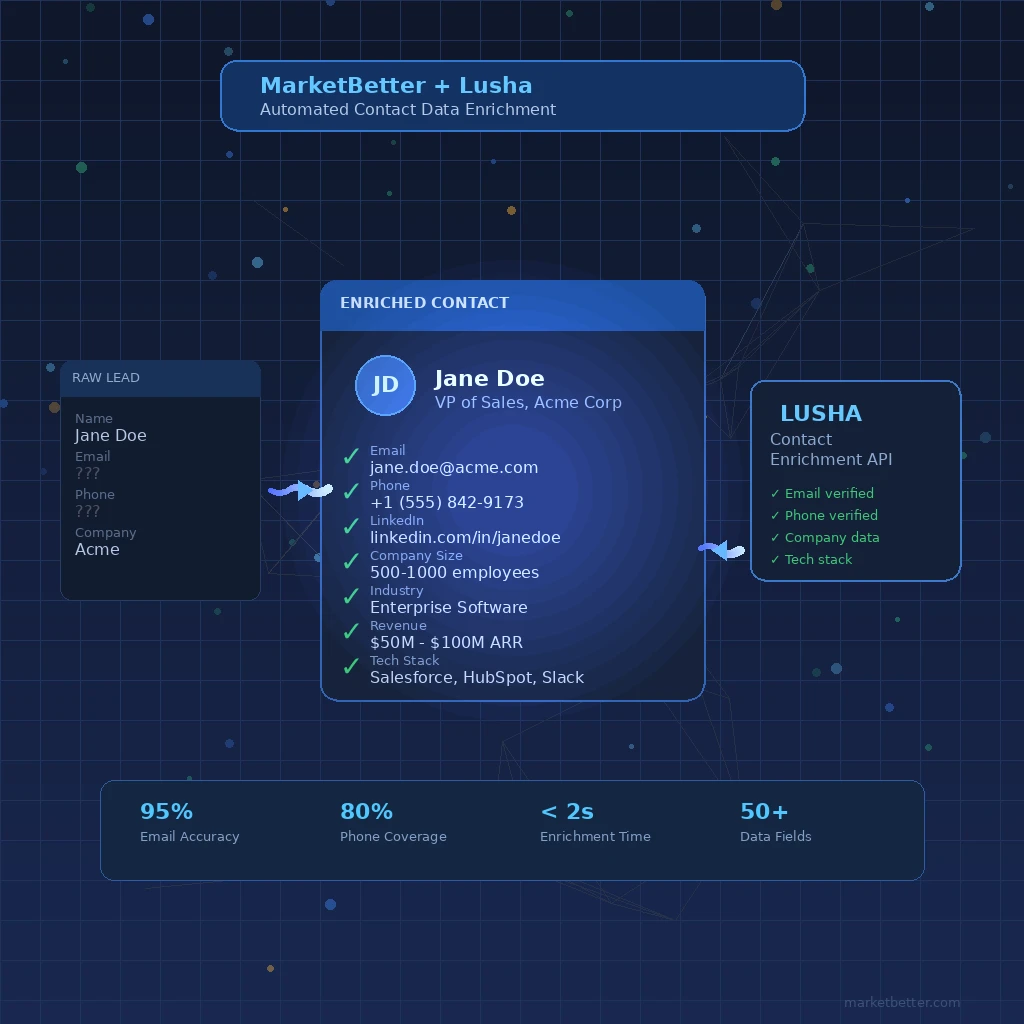
When you explicitly select Lusha as your enrichment provider, MarketBetter takes a direct route. Your enrichment request goes straight to Lusha's Person API with whatever identifying information you have — name and company, email address, or LinkedIn URL.
The response comes back in one to two seconds. If Lusha has verified data matching your request (email, phone, or both), you get it immediately with high confidence. No waiting. No intermediate steps. No queue.
This is the path to use when you know Lusha has strong coverage for your target segment and you want results fast. Enterprise contacts at large companies, tech professionals with active LinkedIn profiles, decision-makers at well-known brands — Lusha's sweet spot.
The Waterfall Path
If the direct lookup does not return everything you need, MarketBetter does not stop there. It automatically falls through to a multi-provider enrichment pipeline that cascades across additional data sources.
Think of it like a safety net. You selected Lusha because it is usually the best source for your use case, but on the off chance it cannot find a specific person's direct dial or verified email, the system keeps searching. Other providers get queried in priority order, and the best result from across all sources gets returned.
You do not configure this fallback behavior. It just works. The system knows which providers to try, in what order, and how to merge partial results from multiple sources into a single enriched contact record.
What You Get Back
Every enriched contact comes back with metadata about where the data came from and how confident the system is in the result:
- Verified work email — Not a guess or a pattern-matched address. An email that Lusha has verified as deliverable.
- Direct phone number — A direct dial or mobile number, not the company switchboard.
- LinkedIn profile — Confirmed LinkedIn URL matched to the specific person.
- Source attribution — Which provider supplied each piece of data, so you know where your enrichment credits went.
- Confidence scoring — A score reflecting how certain the system is about the match, factoring in data recency and verification status.
Credit Controls
Contact enrichment costs money. Every lookup against a provider's database consumes credits, and those credits add up fast when you are enriching thousands of contacts across an outbound campaign.
MarketBetter handles this with pre-flight credit checks. Before any enrichment request hits an external API, the system validates that your account has sufficient credits for the requested operation. If you are running low, you get a clear error before any credits are consumed — not after.
Email lookups and phone lookups carry different credit costs, reflecting the different underlying costs from data providers. The system shows you the cost breakdown before you commit, so there are no surprises on your bill.
For teams running large enrichment jobs, this means you can confidently enrich entire audiences knowing the system will halt gracefully if you approach your credit limit rather than burning through your allocation on the first 500 contacts and leaving the remaining 2,000 un-enriched.
Smart Rate Limiting
Bulk enrichment creates a real engineering challenge: you need to hit external APIs fast enough to be useful but slow enough to stay within their rate limits and not get throttled.
MarketBetter manages this automatically. Enrichment requests get queued and dispatched at a rate that maximizes throughput without triggering provider rate limits. The system uses adaptive throttling — it processes requests as fast as the provider allows, backs off when it detects pressure, and resumes at full speed when capacity is available.
For you, this means you can kick off a 5,000-contact enrichment job and walk away. The system handles pacing, retries on transient failures, and result delivery. Contacts appear in your audience as they are enriched, streaming in progressively rather than making you wait for the entire batch to complete.
Real-Time Results
Enrichment results flow back through WebSockets, not polling. When you enrich a contact — whether a single lookup or part of a bulk job — the result appears in your interface the moment it is ready. No refresh button. No "check back in five minutes."
This matters most in live selling situations. You are on a call, a prospect mentions their colleague who would be a better fit for the conversation. You search for that person in MarketBetter, hit enrich, and their verified email and direct dial appear in your contact panel before the conversation moves on.
When to Use Lusha vs. Other Providers
MarketBetter supports multiple enrichment providers because no single data source covers every contact equally well. Lusha has particular strengths worth understanding:
Lusha excels at:
- Enterprise and mid-market contacts at established companies
- North American and European professional contacts
- Direct phone numbers (their phone coverage is notably strong)
- Contacts with active LinkedIn profiles
Consider other providers when:
- You are targeting very early-stage startups where data coverage tends to be thin across all providers
- You need data in regions where Lusha has limited coverage
- You are doing high-volume enrichment where per-lookup costs matter more than per-contact accuracy
The multi-provider architecture means you do not have to guess. If you are unsure which provider will have the best data for a given segment, let the waterfall handle it — it will try Lusha and fall back to alternatives automatically.
Privacy and Compliance
Lusha's data practices are GDPR and CCPA compliant. They maintain an opt-out mechanism for individuals who want their data removed, and their data sourcing practices are regularly audited.
On MarketBetter's side, your Lusha API key is encrypted at rest in your workspace. It is never shared across workspaces, never logged in plaintext, and never accessible to other users on the platform. When you disconnect the integration, the encrypted key is permanently deleted.
Enrichment requests are processed in your workspace context only. MarketBetter does not pool or cache enrichment results across customers — your data stays yours.
Getting Started
If your team already uses Lusha, connecting it to MarketBetter takes less than a minute:
- Get your API key from your Lusha account under Settings > API
- Open MarketBetter and go to Settings > Integrations
- Paste your API key and save — the system validates the connection immediately
- Start enriching — Lusha appears as a provider option in every enrichment workflow
If you do not have a Lusha account yet, you can still use MarketBetter's built-in enrichment providers. Lusha is an optional add-on for teams that want access to their specific data set alongside MarketBetter's default enrichment pipeline.
MarketBetter integrates with multiple data providers to give sales teams the most complete, accurate contact data available. Lusha is one of several enrichment options available through the platform. Learn more about MarketBetter's enrichment capabilities.