
10 Actionable Sales Cadence Best Practices for 2026
Your sales cadence is either your most powerful pipeline-generating tool or a fast track to your prospect’s spam folder. The line between these two outcomes is razor-thin, and it’s defined by a commitment to strategic execution over repetitive, robotic outreach. If your team is stuck in a cycle of sending generic email blasts and making cold calls with no context, you’re not just losing deals; you’re actively damaging your brand’s reputation and burning out your best reps on low-impact work. The problem isn't a lack of effort, it's a lack of an intelligent framework.
This guide provides a direct, actionable blueprint to overhaul that broken process. We’re moving past the obvious advice and diving into ten proven sales cadence best practices that top-performing teams use to consistently book more meetings. You won't find vague theories here. Instead, we offer specific, implementable strategies covering every stage of the process, from designing multi-channel sequences that command attention to using CRM-native tools for flawless execution.
We'll provide side-by-side comparisons of effective versus ineffective tactics, showing you precisely how to:
- Structure sequences based on prospect intent signals, not just a rigid schedule.
- Personalize messaging at scale without sacrificing efficiency.
- Optimize your follow-up rules based on real-time prospect behavior.
- Integrate your tools to eliminate friction and maximize selling time.
These are the essential sales cadence best practices required to break through the noise, engage high-value accounts, and build a predictable revenue engine. Let's get started.
1. Multi-Channel Sequencing (Email → Call → LinkedIn → Email)
Relying solely on one communication channel, like cold email, is like fishing with a single line. One of the most impactful sales cadence best practices is to adopt a multi-channel sequence that layers different forms of outreach. This approach respects a prospect's communication preferences and significantly increases the chances of engagement by surrounding them with value across various platforms. Instead of sending five emails in a row, a multi-channel cadence might involve an email, a follow-up call, a LinkedIn connection request, and another email, all within a structured 7-10 day window.
| Ineffective Tactic (Single-Channel) | Effective Tactic (Multi-Channel) |
|---|---|
| Day 1: Email 1 | Day 1: Email 1 |
| Day 3: Email 2 (Bump) | Day 3: Call (Reference Email 1) |
| Day 5: Email 3 (Breakup) | Day 4: LinkedIn Connection Request |
| Result: Low reply rate, high chance of being marked as spam. | Result: Higher engagement, multiple touchpoints, professional persistence. |
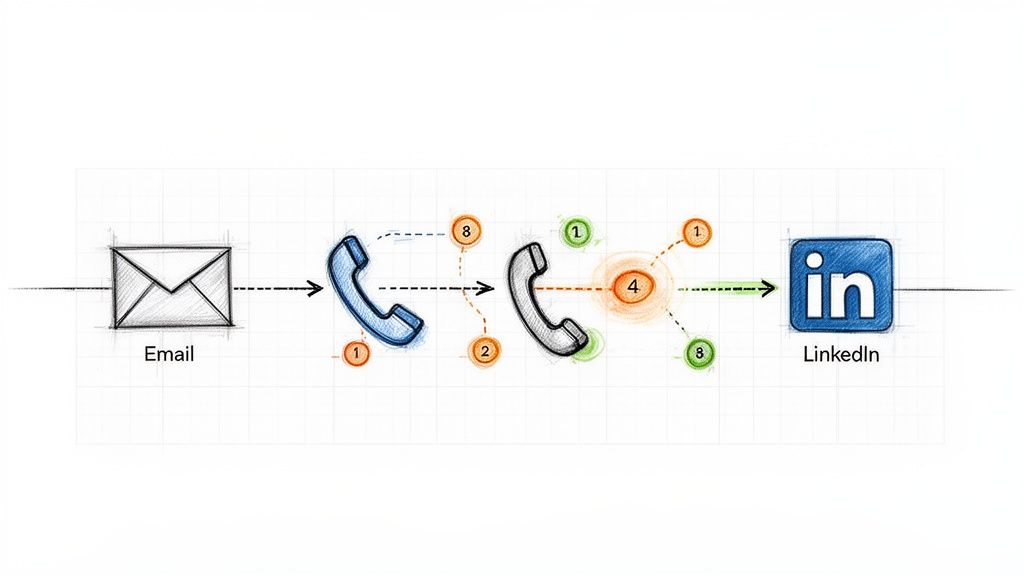
This method works because it combines asynchronous touches (email, LinkedIn), which prospects can review on their own time, with synchronous ones (calls) that create opportunities for immediate conversation. Companies like HubSpot and Salesloft have built their sales development playbooks around this model, often seeing reply rates jump from a standard 2-3% on email-only sequences to over 25% with multi-touch campaigns. The key is ensuring each touchpoint builds upon the last, creating a cohesive narrative rather than a series of disjointed, repetitive pings.
How to Implement Multi-Channel Sequencing:
- Action Step 1: Map Your Sequence. Before building, sketch out the flow: Day 1: Email, Day 3: Call, Day 4: LinkedIn View + Connect, Day 6: Email 2. Define the goal for each touchpoint.
- Action Step 2: Create Contextual Bridges. Your LinkedIn message should reference your email. A simple, "Hi [Name], I just sent an email regarding [topic] and wanted to connect here as well," is far more effective than a generic connection request.
- Action Step 3: Use Engagement to Prioritize. If a prospect opens your email three times, move their call task to the top of your list. This focuses synchronous effort on engaged leads.
- Action Step 4: Automate Logging. Ensure every touchpoint, whether an email sent via your sales engagement platform or a manual call, is automatically logged in your CRM. Platforms like MarketBetter.ai can automate this logging process, ensuring your data remains clean and actionable.
2. Intent-Driven Task Prioritization (Activity Signals → Next Best Action)
A static, alphabetical task list is a relic of the past. One of the most critical sales cadence best practices is to prioritize outreach based on real-time buyer intent signals. This data-driven approach shifts reps from a "who's next on the list" mentality to a "who's most likely to engage right now" strategy. Instead of treating all prospects equally, this model automatically surfaces and ranks targets based on high-value activities like visiting your pricing page, downloading a whitepaper, or recent job changes, ensuring reps focus their energy on the hottest leads.
| Ineffective Tactic (Static List) | Effective Tactic (Dynamic Prioritization) |
|---|---|
| Reps work through a list from A-Z. | Reps are served tasks based on intent score (e.g., Pricing Page Visit = 10 points). |
| A "hot" lead who visited the site an hour ago might wait days for a call. | The hot lead is automatically placed at the top of the task queue for immediate follow-up. |
| Reps waste time on cold, unengaged accounts. | Reps spend 80% of their time on the 20% of leads most likely to convert. |
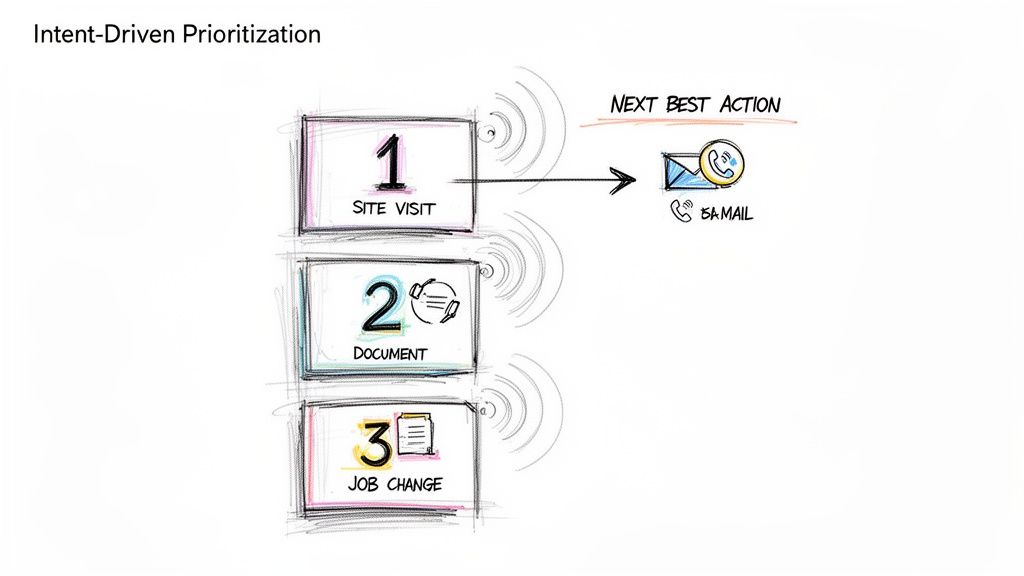
This method transforms a sales cadence from a rigid schedule into a dynamic, responsive workflow. When platforms like 6sense and Outreach are integrated, they can deliver up to 40% higher SDR productivity by serving up the "next best action" based on a combination of intent, timing, and ICP fit. The goal is to align outreach with the buyer's journey, engaging them the moment their interest peaks rather than weeks later when your cadence says it's their turn.
How to Implement Intent-Driven Task Prioritization:
- Action Step 1: Define Your High-Intent Signals. List the top 3-5 actions that indicate strong buying intent. Start with demo requests and pricing page visits.
- Action Step 2: Set Strict SLAs. For a high-intent signal, create a rule for a rep to follow up within 2 hours. For medium-intent (e.g., webinar attendance), set a 24-hour SLA.
- Action Step 3: Contextualize Your Outreach. Use the signal as your reason for outreach. “Saw you were looking at our case study on [Topic] and wanted to offer some additional details.”
- Action Step 4: Filter with ICP Fit. Combine intent with your Ideal Customer Profile (ICP). A platform like MarketBetter.ai can automate this by scoring leads based on both behavioral data and firmographic fit, ensuring your team only pursues high-potential opportunities.
3. Personalized Opening Lines (Account/Persona Context in First Sentence)
Nothing kills a sales cadence faster than an opening line that screams "mass email." One of the most critical sales cadence best practices is to anchor your first sentence in specific, verifiable context about the prospect's company, recent activity, or role. This immediately signals that the outreach is a well-researched, 1-to-1 message, not a generic blast sent to thousands. Instead of a vague "I help companies like yours," a personalized opener gets straight to a relevant trigger point.
| Ineffective Tactic (Generic Opener) | Effective Tactic (Personalized Opener) |
|---|---|
| "Hi John, I help VPs of Sales like you solve their pipeline challenges." | "Hi John, saw on LinkedIn your team is hiring three new AEs to expand into APAC." |
| Result: Instantly deleted. Reads like spam. | Result: Grabs attention. Shows research and relevance. |
This strategy works because it proves you've done your homework and respects the prospect's time by connecting your solution to their immediate reality. Research from Salesloft shows that account-based emails which mention specific products or features outperform generic templates by more than 3x. The goal is to make the prospect feel understood in the first 10 seconds.
How to Implement Personalized Opening Lines:
- Action Step 1: Create a Trigger Checklist. Build a simple checklist for reps: 1. Check LinkedIn for recent posts/job changes. 2. Check company news for funding/launches. 3. Check G2 for recent reviews.
- Action Step 2: Practice the "Trigger-to-Value" Bridge. Your first sentence states the observation, and the second connects it to your value. Example: “I noticed your team just launched a new integration with Salesforce. Typically, companies doing this face challenges with data syncing, which is where we help.”
- Action Step 3: A/B Test Your Hooks. In your next 50 emails, test a hook based on a company trigger (e.g., funding) against a persona trigger (e.g., a recent LinkedIn post by the prospect). See which gets more replies.
- Action Step 4: Leverage Technology for Scale. Use platforms like Amplemarket or MarketBetter.ai to create dynamic templates that pull in custom fields from your CRM, blending automation with genuine personalization.
4. Response-Triggered Sequencing (Adapting Based on Prospect Behavior)
A static, one-size-fits-all sales cadence treats every prospect the same, regardless of their interaction with your outreach. One of the most advanced sales cadence best practices is implementing response-triggered sequencing, a dynamic approach where the next step is determined by the prospect's real-time behavior. Instead of blindly following a pre-set path, this method adapts based on engagement signals like email opens, link clicks, or even a picked-up phone call that goes straight to voicemail.
| Ineffective Tactic (Static Sequence) | Effective Tactic (Dynamic Sequence) |
|---|---|
| A prospect clicks your case study link. The next step is still the automated "Just bumping this" email 3 days later. | A prospect clicks your case study link. A high-priority call task is immediately created for the rep. |
| A prospect doesn't engage with 4 emails. They still get 4 more. | After 4 unengaged touches, the prospect is automatically moved to a long-term, low-touch nurture sequence. |
This intelligent sequencing transforms your cadence from a monologue into a conversation. If a prospect clicks a link to a case study in your first email, a dynamic cadence can automatically trigger a high-priority call task for the rep to follow up with relevant insights. Platforms like Outreach.io and Salesloft have built adaptive cadence features around this concept, empowering teams to create if/then logic that scales personalization and boosts efficiency.
How to Implement Response-Triggered Sequencing:
- Action Step 1: Map Your If/Then Logic. Create a simple flowchart. If prospect clicks pricing link, then create a high-priority call task. If prospect opens email 3+ times but no click, then send follow-up email with a different value prop.
- Action Step 2: Build Two Paths. Design an "Engagement Path" (more aggressive, personalized) and a "No-Engagement Path" (longer intervals, value-based content).
- Action Step 3: Use Engagement Data in Your Outreach. Equip reps to use behavioral data as context. A call script can start with, "Hi [Name], I noticed you checked out the case study I sent over about [topic]..."
- Action Step 4: Set an "Exit" Threshold. Define the point of diminishing returns. For example, after 5 touches with zero engagement, automatically exit the prospect from the active sequence. Tools like MarketBetter.ai can help automate this process, moving them to a quarterly check-in list to keep your pipeline clean.
5. CRM-Native Execution (No Tab Switching; One-Click Call & Logging)
One of the biggest drags on sales productivity is friction. Constantly switching between your CRM, a separate dialer, your email client, and a note-taking app drains momentum and creates data silos. One of the most effective sales cadence best practices is to enable CRM-native execution, where all outreach activities are initiated and logged directly within your central system of record, like Salesforce or HubSpot. This unified workflow eliminates tab-switching and automates activity logging.
| Ineffective Tactic (Multi-Tool Chaos) | Effective Tactic (CRM-Native Workflow) |
|---|---|
| Rep copies a number from Salesforce, pastes it into a softphone, makes the call, then returns to Salesforce to manually log it. | Rep clicks a "Call" button directly on the Salesforce contact record. The call is made and automatically logged with a disposition prompt. |
| Time per call: 2-3 minutes of admin work. | Time per call: 10-20 seconds of admin work. |
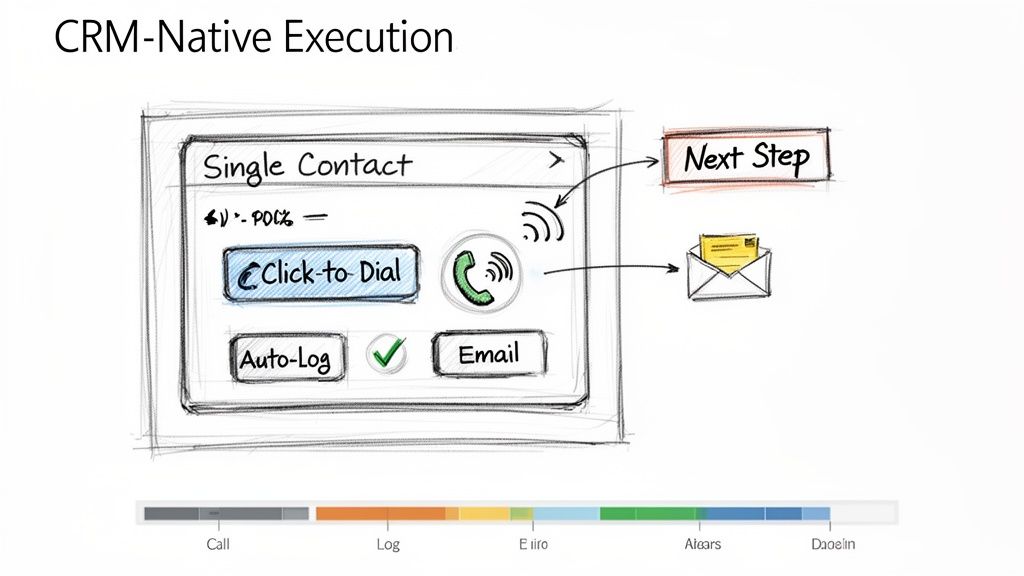
This approach dramatically improves both adoption and efficiency. For example, when Outreach.io integrates its one-click dialer directly into a Salesforce contact page, call volume often increases by over 30% simply by removing the steps of copying and pasting numbers. The goal is to make the right action the easiest action, which means keeping reps in the one system that houses all customer data and context.
How to Implement CRM-Native Execution:
- Action Step 1: Conduct a Workflow Audit. Shadow a rep for an hour and count every time they switch tabs to complete a task. Identify the top 3 friction points to solve.
- Action Step 2: Configure Intelligent Auto-Logging. Set up rules to automatically log calls and emails the instant they happen. Allow reps a short window, perhaps 10 minutes post-call, to add detailed notes and context.
- Action Step 3: Standardize Next Steps. Use your CRM's task management features to create templates for common follow-up actions like "Send Deck" or "Schedule Demo." This reduces manual entry and ensures consistent follow-through.
- Action Step 4: Centralize Reporting. Train managers to use in-CRM dashboards for performance tracking instead of exporting data. Platforms like MarketBetter.ai can embed cadence analytics directly into the CRM, allowing for real-time coaching based on live activity data.
6. Call Prep Talk Tracks (Account Context + Objection Handling in 60 Seconds)
A structured sales cadence dictates when to call, but a pre-call talk track dictates what to say for maximum impact. One of the most critical sales cadence best practices is equipping reps with a concise, one-page talk track before every call. This isn't a rigid script; it's a strategic guide that synthesizes prospect context, a sharp opening pitch, anticipated objections, and key discovery questions into a 60-second preparatory tool.
| Ineffective Tactic (Winging It) | Effective Tactic (Prepared Talk Track) |
|---|---|
| Rep opens the CRM record and dials, hoping to figure it out on the fly. | Rep spends 60 seconds reviewing a one-page summary: the prospect's trigger, a value hook, and answers to likely objections. |
| Result: Rambling, unfocused calls, and low confidence. | Result: Confident, concise calls that get to the point and handle pushback effectively. |
Gong’s research shows that reps who are prepared with objection handles close three times more deals. The goal is to internalize the flow, not just read the words, enabling a confident and natural conversation.
How to Implement Call Prep Talk Tracks:
- Action Step 1: Create a One-Page Template. Use bullet points, not paragraphs. Sections should include: 1. Account Context (trigger), 2. Value Prop (20 seconds), 3. Top 3 Objections & Rebuttals, 4. Key Discovery Questions.
- Action Step 2: A/B Test Your Openers. For your next 20 calls, try a curiosity-driven opener ("I noticed your company is expanding its logistics network..."). For the next 20, try a problem-driven one ("Many VPs of Ops are struggling with X..."). Track which leads to more conversations.
- Action Step 3: Update Tracks Weekly. Review call recordings from your top performers weekly to identify what language is working. Use Conversation Intelligence to pull data-driven insights from real calls to refine objection handling.
- Action Step 4: Train with Role-Playing. Run weekly 30-minute role-playing sessions. Give reps a scenario and a talk track, and have them practice delivering the key points authentically, not robotically.
7. Disposition-Based Routing (Not All Leads Go to Sales; Some Need Follow-Up)
Treating every lead outcome the same is a recipe for wasted effort and missed opportunities. One of the most critical operational sales cadence best practices is implementing disposition-based routing, a system that classifies every interaction outcome and automatically directs the lead to the appropriate next step. Instead of manually deciding what to do, reps simply log a disposition like "Not Now, Follow-Up in 6 Months," and automation takes over.
| Ineffective Tactic (Manual Follow-up) | Effective Tactic (Automated Routing) |
|---|---|
| Rep makes a note in a spreadsheet to "Follow up with Jane in Q3." | Rep selects the "Nurture - Q3 Budget" disposition in the CRM. |
| Result: The note is forgotten, and the lead falls through the cracks. | Result: An automated task is created for the rep on July 1st with all the previous context. |
This practice prevents valuable but not-yet-ready leads from falling through the cracks and ensures Account Executives (AEs) only receive leads that are genuinely sales-ready. Companies like Outreach.io have shown that clear disposition-based routing can reduce friction between SDRs and AEs by over 40% by standardizing lead handoffs.
How to Implement Disposition-Based Routing:
- Action Step 1: Define Your Core Dispositions. Standardize 5-7 clear options: 'Meeting Booked,' 'Schedule Follow-Up,' 'Not Now - Nurture,' 'Wrong Contact,' 'Not a Fit,' and 'Voicemail/No Answer.'
- Action Step 2: Train on the Nuance. Coach your team on the difference between 'Not a Fit' (ICP mismatch, disqualify) and 'Not Now' (right fit, wrong timing, nurture).
- Action Step 3: Build Automated Workflows. For each disposition, create a rule. 'Schedule Follow-Up' creates a task in 30 days. 'Not Now - Nurture' enrolls the prospect in a marketing email sequence. This automation is a key function of platforms like MarketBetter.ai.
- Action Step 4: Require Contextual Comments. Make the "Comments" field mandatory for dispositions like 'Not Now.' A note like "Budget cycle ends in Q3, revisit in September" provides invaluable context for the next touchpoint.
8. Email Sequence Cadence Optimization (Testing Send Times,Frequency, and Subject Line Variants)
Treating your email sequence as a static, "set it and forget it" asset is a missed opportunity. One of the most critical sales cadence best practices is continuous optimization through systematic A/B testing. This involves rigorously testing variables like subject lines, send times, and follow-up frequency to discover precisely what resonates with your ideal customer profile. Instead of relying on assumptions, you use data to build a high-performing outreach machine.
| Ineffective Tactic (Assumption-Based) | Effective Tactic (Data-Driven A/B Testing) |
|---|---|
| "I think sending emails at 9 AM is best." | "We tested 9 AM vs. 2 PM sends. For our manufacturing persona, 2 PM gets a 15% higher open rate." |
| The same subject line is used for months without analysis. | Two subject lines are tested weekly, and the winner becomes the new control. |
This data-driven approach moves you from guessing to knowing. Salesloft research shows that simple, one-word subject lines can outperform longer ones by 10% when targeting tech buyers. By isolating and testing one element at a time, you can incrementally improve engagement. To scale this process effectively, it is crucial to Master Email Follow Up Automation and implement these data-backed insights into your outreach.
How to Implement Email Sequence Optimization:
- Action Step 1: Isolate One Variable. For your next campaign, test only the subject line. Keep the email body and send time identical for both variants to get clean data.
- Action Step 2: Aim for Statistical Significance. Don't declare a winner after 20 sends. A good rule of thumb is to send at least 100 emails per variant to ensure the results are reliable.
- Action Step 3: Track Opens and Replies Separately. A catchy subject line might boost opens, but a clear, value-driven one might generate more replies. Analyze both metrics to understand the full impact.
- Action Step 4: Create a Quarterly Review Cadence. Set a recurring calendar event every quarter to review your test results, implement the winners, and plan the next round of experiments.
9. First-Response SLA (Responding to Prospect Replies Within 1 Hour)
A sales cadence doesn't end when a prospect replies; in fact, that's when the most critical phase begins. One of the most underrated sales cadence best practices is implementing a strict First-Response Service Level Agreement (SLA), committing your team to responding to all prospect replies within one hour during business hours. This discipline capitalizes on peak prospect intent.
| Ineffective Tactic (Delayed Response) | Effective Tactic (Sub-1-Hour SLA) |
|---|---|
| A prospect replies at 10 AM asking for info. The rep is busy with calls and replies at 4 PM. | The prospect replies at 10 AM. An alert notifies the rep, who sends a thoughtful response by 10:30 AM. |
| Result: The prospect has moved on, their interest has cooled, and a competitor may have already engaged them. | Result: The conversation continues while intent is high, leading to a much higher chance of booking a meeting. |
Data from platforms like Salesloft reinforces this, showing that sales teams with a sub-one-hour response SLA achieve up to 35% higher meeting-booked rates. The goal isn't just to be fast, but to be fast and effective, moving the conversation forward while the prospect's interest is at its highest.
How to Implement a First-Response SLA:
- Action Step 1: Create 'Hot Task' Alerts. Configure your sales engagement platform to create a high-priority task that appears at the top of a rep's queue the moment a prospect replies.
- Action Step 2: Build Response Templates. Equip reps with pre-built templates for common replies (e.g., pricing request, scheduling inquiry). This allows for a rapid, high-quality initial response that can be personalized.
- Action Step 3: Train the "Acknowledge and Ask" Method. Instead of just sending a calendar link, train reps to first acknowledge the prospect's message and then ask a clarifying question. Example: "Thanks for getting back to me. Before I send some times, what would be most helpful for us to cover on the call?"
- Action Step 4: Schedule "Reply Blocks". Encourage reps to block 15 minutes on their calendar every 2 hours dedicated solely to responding to replies. This prevents constant context-switching while still meeting the SLA.
10. SLA Implementation & Coverage (Staffing, Escalation, and Quality Controls)
While outbound sequencing is crucial, one of the most overlooked sales cadence best practices is managing the inbound replies that your hard work generates. Implementing a strict First-Response Service Level Agreement (SLA), such as a 15-minute response time, requires an operational plan. This includes staffing, escalation paths for missed replies, and quality control to ensure speed doesn't sacrifice substance. Without this operational rigor, an SLA is just an empty promise.
| Ineffective Tactic (Informal Expectation) | Effective Tactic (Operationalized SLA) |
|---|---|
| A manager tells the team to "respond to leads quickly." | A system is in place: replies create 'hot tasks.' If a task is unhandled for 30 mins, a Slack alert is sent. If unhandled for 45 mins, it escalates to a manager. |
| Result: Inconsistent response times, missed leads during busy periods or when reps are out of office. | Result: Consistent, reliable response times, with built-in redundancy to prevent dropped leads. |
This strategy operationalizes urgency and ensures no lead is left behind. Organizations that implement this system often see significant improvements in lead conversion. The goal is to build a system that guarantees rapid, high-quality engagement, turning a simple reply into a qualified meeting before the lead's focus shifts elsewhere.
How to Implement a First-Response SLA:
- Action Step 1: Establish Clear Routing Rules. Use your sales engagement platform to create 'hot task' routing. Inbound replies should automatically appear at the top of a rep's task queue, prioritized above all outbound activities.
- Action Step 2: Set Up Escalation Alerts. Create automated alerts. For instance, if a reply isn't actioned within 30 minutes, an alert can be sent to the rep. If it's still unhandled at 45 minutes, it can escalate to a team lead or manager for immediate intervention.
- Action Step 3: Maintain Quality with Templates. Create a library of short, contextual reply templates that reps can customize with one personalized sentence. This balances speed with the consultative, value-driven tone needed to secure a meeting.
- Action Step 4: Monitor and Coach. Conduct weekly audits of replies to monitor quality and coach reps on being both fast and consultative. Track metrics like meeting conversion rates for replies handled within the SLA versus those that miss it to demonstrate its direct impact on performance. Platforms like marketbetter.ai can help automate the monitoring of these SLAs.
10-Point Sales Cadence Best Practices Comparison
| Strategy | Implementation Complexity 🔄 | Resource Requirements ⚡ | Expected Outcomes ⭐ / 📊 | Ideal Use Cases 💡 | Key Advantages ⭐ |
|---|---|---|---|---|---|
| Multi-Channel Sequencing (Email → Call → LinkedIn → Email) | 🔄 Medium–High: multi-channel coordination, scheduling and throttling rules | ⚡ Moderate–High: CRM, dialer, LinkedIn tools, automation, clean data | ⭐ High quality: 300–400% higher connect vs email-only; 📊 improved reply/connect rates and top-of-mind | 💡 Enterprise outbound or account-based programs where prospects use different channels | ⭐ Broader reach; higher connect rates; sustained familiarity across channels |
| Intent-Driven Task Prioritization (Activity Signals → Next Best Action) | 🔄 High: integrations with intent providers and ranking algorithms | ⚡ High: intent providers (6sense/Clearbit), CRM integration, analytics | ⭐ Very effective: faster conversion and ~40%+ SDR productivity gains; 📊 fewer wasted touches | 💡 Large lists where prioritizing hot accounts yields best ROI (ABM) | ⭐ Focuses reps on high-intent leads; reduces decision fatigue and increases velocity |
| Personalized Opening Lines (Account/Persona Context in First Sentence) | 🔄 Medium: data enrichment + template/AI generation | ⚡ Moderate: enrichment sources (LinkedIn, Crunchbase), AI copy tools, review time | ⭐ High impact: improves open/reply rates (5–15% vs 2–3%); 📊 better credibility and response quality | 💡 High-value or account-based outreach where personalization matters | ⭐ Higher reply rates and trust; differentiates from generic outreach |
| Response-Triggered Sequencing (Adapting Based on Prospect Behavior) | 🔄 High: dynamic rules, engagement tracking and decision trees | ⚡ Moderate–High: email tracking, workflow engine, monitoring | ⭐ Efficient: focuses on engaged prospects; 📊 increases productivity and better CRM signals | 💡 Teams with reliable engagement tracking aiming to prioritize signals in real time | ⭐ Reduces wasted effort; enables rapid escalation of interested prospects |
| CRM-Native Execution (No Tab Switching; One-Click Call & Logging) | 🔄 Medium: CRM customization and integration work | ⚡ Moderate: dialer/email inside CRM, training, config | ⭐ High adoption & data quality; 📊 saves ~15–20% admin time per rep | 💡 Organizations standardized on Salesforce/HubSpot wanting frictionless execution | ⭐ Higher adoption, automatic logging, faster coaching and reliable reporting |
| Call Prep Talk Tracks (Account Context + Objection Handling in 60 Seconds) | 🔄 Low–Medium: template creation and AI generation | ⚡ Low: AI/templating tools and brief rep prep time | ⭐ High quality: ~20–30% better first-call outcomes; 📊 shorter, more focused calls | 💡 Junior SDRs, high-volume calling, or complex product discovery calls | ⭐ Consistent objection handling; reduces ramp time and call anxiety |
| Disposition-Based Routing (Not All Leads Go to Sales; Some Need Follow-Up) | 🔄 Medium: standardized codes and routing rules | ⚡ Moderate: CRM workflows, reporting, rep training | ⭐ High operational value: ~25–30% improved sales focus; 📊 clearer pipeline hygiene | 💡 High-volume inbound/outbound where triage prevents sales overload | ⭐ Prevents pipeline clog; enables nurture and accurate attribution |
| Email Sequence Cadence Optimization (Testing Send Times, Frequency, and Subject Line Variants) | 🔄 Medium: structured A/B testing and analysis cadence | ⚡ Moderate: testing tools, volume (100+ per variant), analytics | ⭐ Incremental gains: small lifts compound; 📊 measurable increases in open/reply rates | 💡 High-volume email programs that can generate statistical samples | ⭐ Data-driven improvements; identifies winning subject/time/content combos |
| First-Response SLA (Responding to Prospect Replies Within 1 Hour) | 🔄 Medium: triage rules, monitoring, SLA enforcement | ⚡ High: staffing coverage, priority queues, templates, escalation alerts | ⭐ Strong: 30–40% more meetings/bookings; 📊 captures peak intent and boosts conversion | 💡 Inbound-heavy teams or competitive markets where speed wins | ⭐ Captures intent quickly; improves professionalism and meeting rates |
| SLA Implementation & Coverage (Staffing, Escalation, and Quality Controls) | 🔄 High: staffing models, escalation, audits and scheduling | ⚡ High: rostering, escalation tooling, audits, training overhead | ⭐ Sustained SLA performance: fewer missed replies; 📊 predictable coverage and quality metrics | 💡 Global teams, follow-the-sun models, or high-volume inbound operations | ⭐ Maintains SLA without burnout; preserves reply quality via templates and QA |
From Best Practices to Daily Execution
Transitioning from understanding sales cadence theory to implementing a high-performance outbound engine is the ultimate goal. We've explored ten critical best practices that, when combined, transform a disjointed, manual effort into a predictable and scalable system for generating pipeline. The journey from a simple "email blast" approach to a sophisticated, intent-driven engagement model is what separates top-performing teams from the rest. The core theme is clear: success lies in creating a unified, data-informed, and rep-centric workflow.
An ad-hoc approach, where reps manually toggle between LinkedIn, their email client, and the CRM to piece together a sequence, is inherently inefficient and prone to error. It creates friction, slows down execution, and generates messy data. In contrast, a modern, integrated strategy built on these sales cadence best practices empowers reps to operate at peak efficiency. It’s the difference between a team guessing what to do next and a team executing the proven next-best action with precision.
Synthesizing the Core Pillars of Cadence Mastery
Let's distill the most crucial takeaways from our list into three foundational pillars. Mastering these areas will yield the most significant impact on your team's performance and pipeline generation.
-
Systematize Personalization and Prioritization: Effective outreach is no longer a volume game; it's a relevance game. Best practices like Intent-Driven Task Prioritization and crafting Personalized Opening Lines ensure your team’s effort is focused where it matters most. Instead of treating all prospects equally, you empower reps to engage high-intent accounts first, armed with specific context that resonates immediately. This shifts the dynamic from a cold interruption to a timely, valuable conversation.
-
Embed Responsiveness into Your DNA: Prospects operate in real-time, and your sales process must reflect that. Implementing a First-Response SLA of under an hour and building Response-Triggered Sequencing are not just "nice-to-haves." They are competitive necessities. The team that responds fastest with the most relevant information often wins the meeting. This agile approach, supported by SLA Implementation and Coverage plans, ensures no opportunity is lost due to slow follow-up, turning passive interest into active engagement.
-
Unify Execution within a Single Pane of Glass: The greatest source of lost productivity is workflow friction. Requiring reps to jump between different tools to log calls, send emails, and research contacts is a recipe for wasted time and incomplete data. CRM-Native Execution is the antidote. By enabling reps to perform all sequence tasks, from one-click calls with Call Prep Talk Tracks to logging dispositions, directly within your CRM, you eliminate the administrative burden. This not only makes reps happier and more effective but also ensures every single interaction is captured cleanly for accurate reporting and coaching.
The Strategic Imperative: From Tactics to an Integrated System
Ultimately, the power of these sales cadence best practices is not in their isolated application but in their integration. A multi-channel sequence is good, but a multi-channel sequence that adapts based on prospect responses is better. A personalized email is effective, but a personalized email sent to a prioritized, high-intent contact within a CRM-native workflow is a game-changer. This is the evolution from executing a list of tactics to orchestrating a holistic system.
By embedding these principles into your daily operations, you are building more than just a sales process; you are building a scalable revenue engine. It's a system that learns, adapts, and empowers your sales development team to spend less time on manual administration and more time building relationships and creating qualified opportunities. The result is a more efficient, predictable, and successful outbound motion that drives sustainable growth for your business.
Ready to turn these best practices into your team's daily reality? marketbetter.ai is an execution-first platform designed to embed intent signals, task prioritization, and multi-channel sequencing directly within your existing CRM. See how you can eliminate workflow friction and empower your reps to execute the perfect sales cadence by visiting marketbetter.ai today.